10
9
8
7
6
5
4
3
2
1
Appendix
Reference
Guides
Alarms and
Emergencies
Patient
Management
Surgical
Implant and
Explant
Monitor
Peripherals
and
Accessories
HVAD
®
Pump Overview
Introduction
138 HVAD® Instructions for Use
8.7 How to Change the Controller (continued)
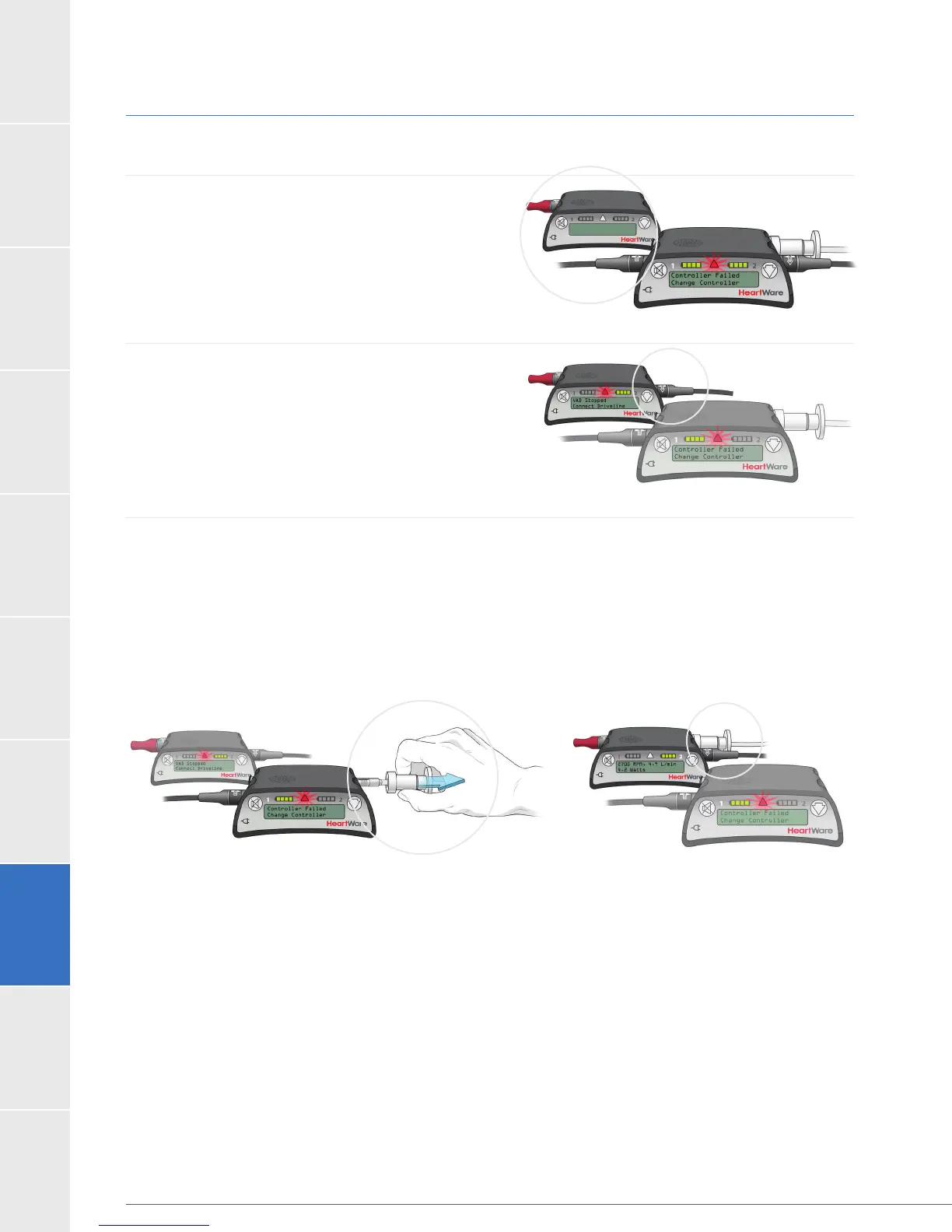
Steps to Change the Controller:
1. Have patient sit or lie down and place
the new controller within easy reach.
2. Connect one POWER source to the new
controller.
10 seconds with a [VAD Stopped, Connect
Driveline] high alarm. This is expected behavior.
3. Disconnect the driveline from the original controller and connect the driveline to the new
controller. This should restart your PUMP.
Verify that the pump is working. The RPM, L/min and Watts numbers should show on
Controller Display. If your pump does not restart, re-check driveline and power source
connections, if it still doesn’t start call for medical assistance immediately.
If you have only connected 1 power source to the new controller, you will also have
a [Power Disconnect, Reconnect Power] alarm.
Figure 115
Figure 116
Figure 118Figure 117



 To Next Page