139HeartWare™ HVAD™ System Alarms and Emergencies
10
9
8
7
6
5
4
3
2
1
Appendix
Reference
Guides
Alarms and
Emergencies
Patient
Management
Surgical
Implant and
Explant
Monitor
Peripherals
and
Accessories
HVAD
®
PumpOverviewIntroduction
8.7 How to Change the Controller (continued)
Steps to Change the Controller (continued):
4.
the original controller. This needs to be done before
removing all power. There are 2 options, see below:
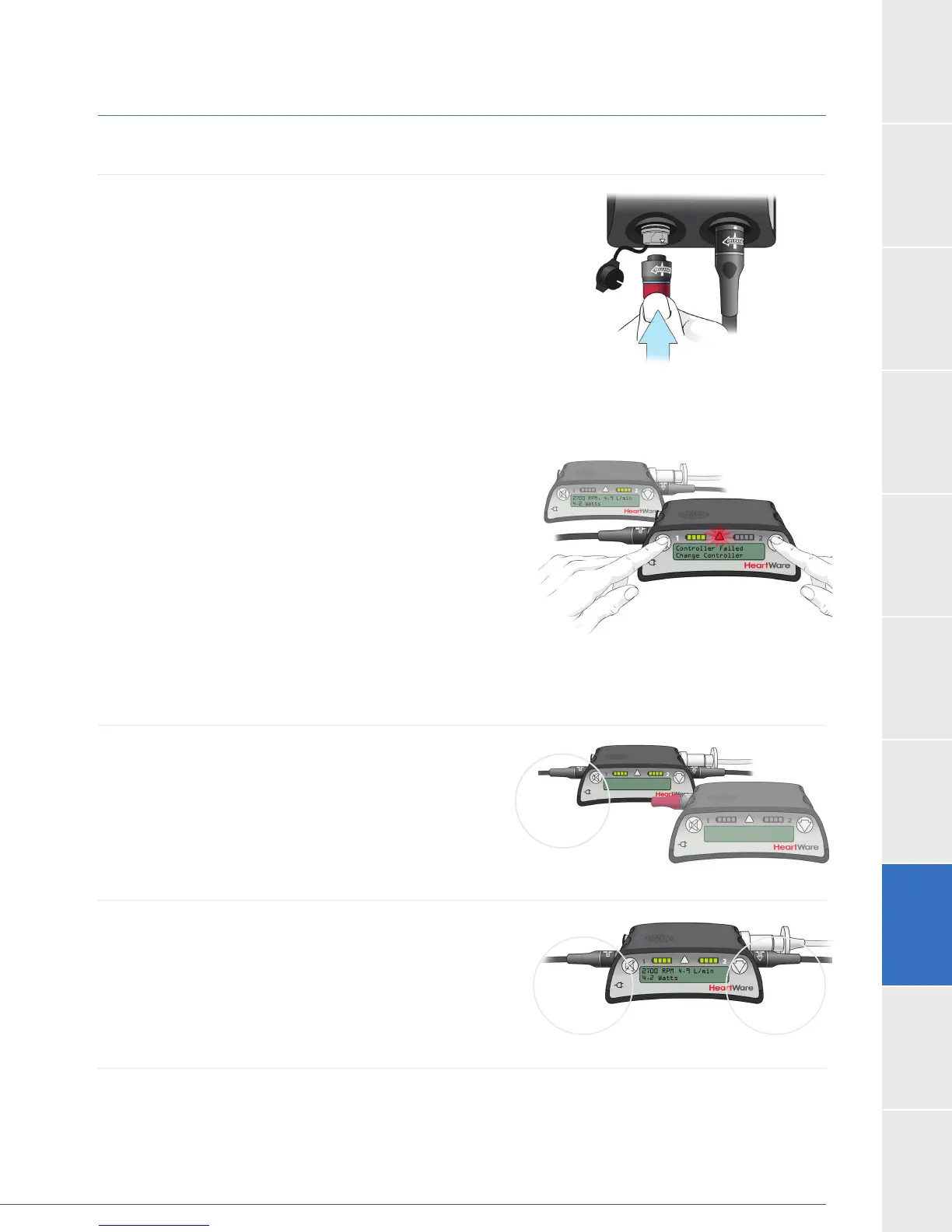
If a red alarm adapter is available, insert it into the
data connector on the original controller.
If no alarm adapter is available:
– Press and hold the “Alarm Mute” and “Scroll”
buttons
on the original controller until a “beep” is heard,
or for at least 5 seconds.
– Release the “Alarm Mute” and “Scroll” buttons.
– You can now remove all power from the original
controller and no alarm should sound.
If you removed power before silencing the
[No Power] alarm, reconnect a power source
and follow the steps above to silence it.
the controller alarm may sound for up to 2 hours.
5. Connect a second POWER source to the new
controller.
6. Be sure the driveline cover is over the silver driveline
connector and the data port is covered by the cap.
If the red alarm adapter is connected to the
controller that is now running the pump, remove
it and close the cap on the data port.
7. Remove the original controller from service and provide a new back-up controller to the
patient.
Figure 120
Figure 119
Figure 121
Figure 122



 To Next Page