AB4701en_SARev.: 05 / 11.2023
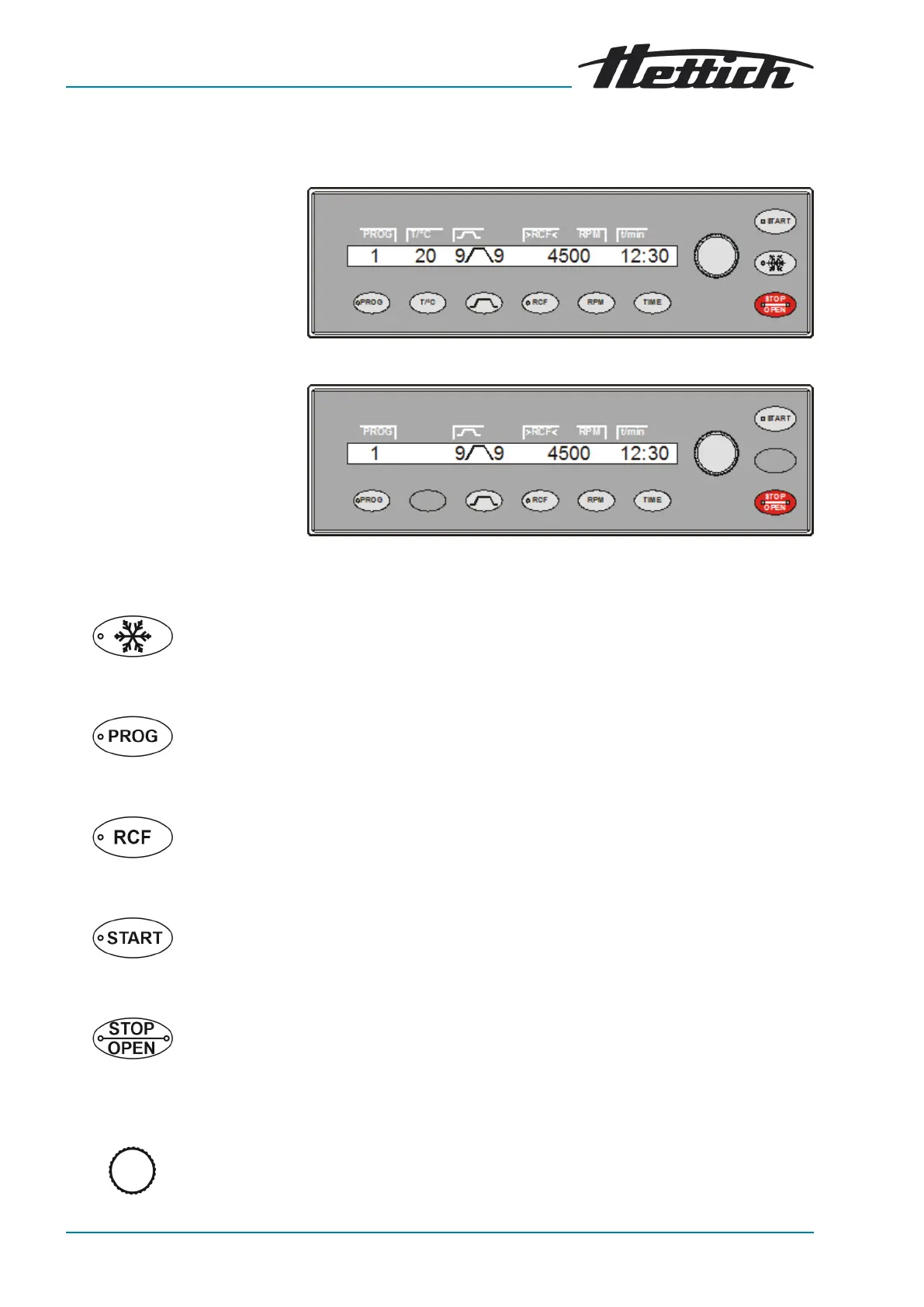
Fig. 4: [Cooling] button
Fig. 5: [PROG] button
Fig. 6: [RCF] button
Fig. 7: [START] button
Fig. 8: [STOP/OPEN] button
Fig. 9: [Rotary knob]
3.5 Operating and indicator elements
3.5.1 Control
Fig. 2: Control (device with cooling)
Fig. 3: Control (device without cooling)
3.5.2
Indicator elements
■
The button ashes until the rotor is read in.
■
The button lights up during the centrifugation run to pre-cool the rotor
for as long as the rotor is not yet at a standstill.
■
The button lights up when data communication is taking place.
■
The button lights up when the RCF is displayed.
■
The button ashes until the rotor is read in.
■ The button lights up during the centrifugation run for as long as the rotor
is not yet at a standstill.
■
The right side of the button lights up when the centrifuge is in ramp-
down. The rotor has not yet stopped.
■ The left side of the button lights up when the rotor is stationary.
■ The light on the left side of the button goes out when the lid is unlocked.
3.5.3 Controls
■
Setting the individual parameters.
Turning anticlockwise decreases the value.
Turning clockwise increases the value.













 To Next Page