AB4701en_SARev.: 05 / 11.2023
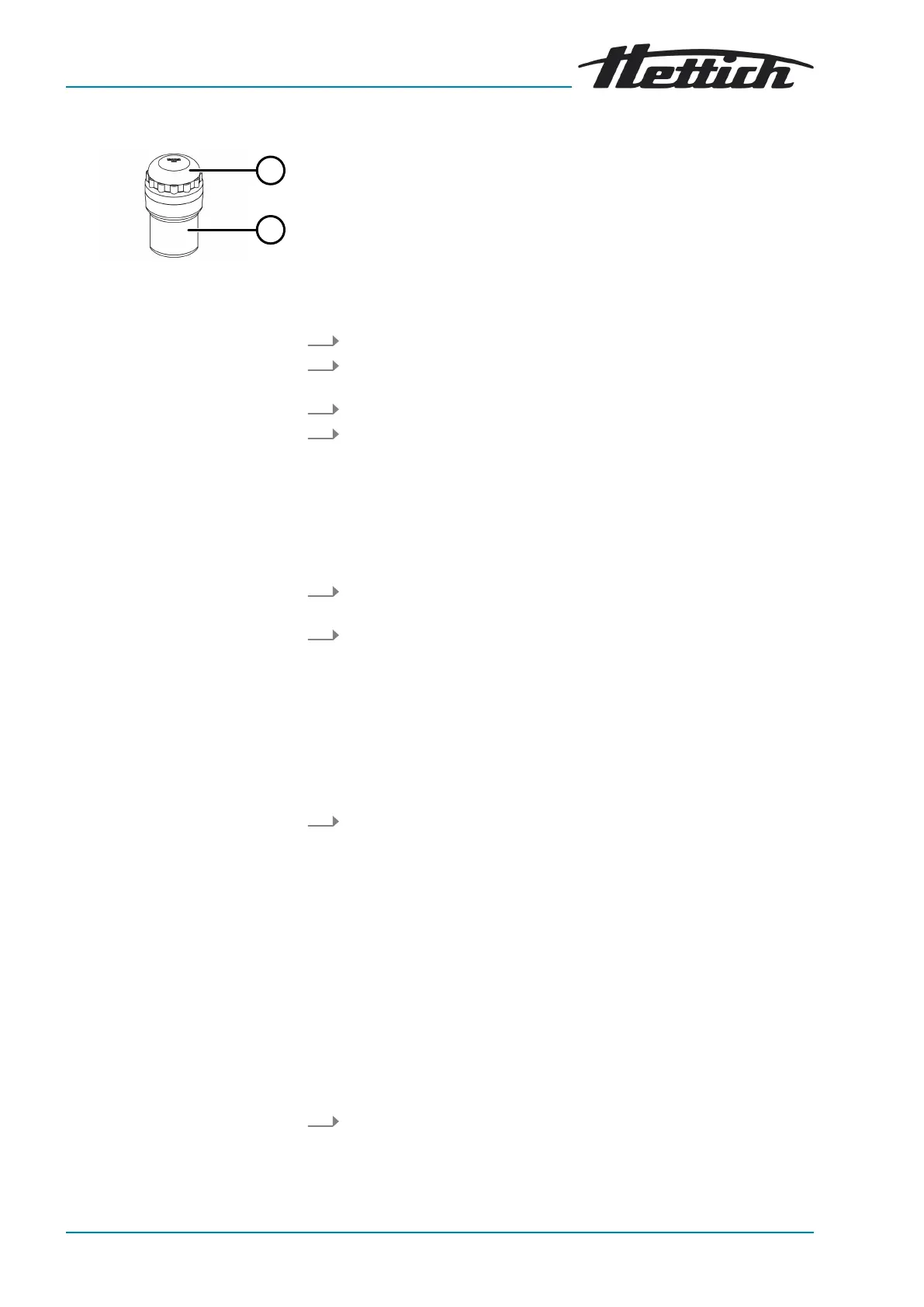
Fig. 24: Biosafety system
1 Lid
2 Bucket
Closing
Opening
6.6.3 Lid with screw cap
1. Place the lid (
1
) centrally on the bucket (
2
).
2. Turn the lid (
1
) clockwise until it is tightly closed.
1. Turn the lid (
1
) anticlockwise until it is open.
2. Remove the lid (
1
) from the bucket (
2
).
6.7
Centrifugation
6.7.1
Centrifugation in continuous operation
Personnel:
■
Trained user
1. Set minutes, seconds and hours on
‘0’
or retrieve a continuously
running program.
2. Press the
[START]
button.
🡆 The centrifugation run is started.
The
[START]
button ashes until the rotor is read in.
The
[START]
button lights up during the centrifugation run.
The timing starts at
‘00:00’
.
The rotor speed or the resulting RCF value, the temperature in
the centrifuging chamber (only for centrifuges with cooling) and the
elapsed time are displayed during the centrifugation run.
3. Press the
[STOP/OPEN]
button to end the centrifugation run.
🡆 Ramp-down takes place with the selected ramp-down parameter.
The ramp-down parameter is displayed.
The right side of the
[STOP/OPEN]
button lights up when the
centrifuge is in ramp-down.
The left side of the
[STOP/OPEN]
button lights up when the rotor is
at a standstill.
The light on the
[START]
button and the right side of the
[STOP/
OPEN]
button go out.
6.7.2
Centrifugation with time preselection
Personnel:
■ Trained user
1. Set centrifugation parameters or retrieve a program or a program link.













 To Next Page