Hex ezCAN for CAN-bus-equipped Motorcycles
_________________________________________________________________________________________________
_________________________________________________________________________________________________
© Hex Innovate (UK) Ltd. Page 29 of 60 ezCAN 2408.x
ezCAN II Gobi for KTM (full support for all 1290 models from
model year 2021 onward, and for all 890 models from model year
2020 onward.)
5.1.3.1 ezCAN II Gobi (2021+ KTM 1290 models)
If an ezCAN II Gobi for KTM is installed on a 2021-onward KTM 1290
model:
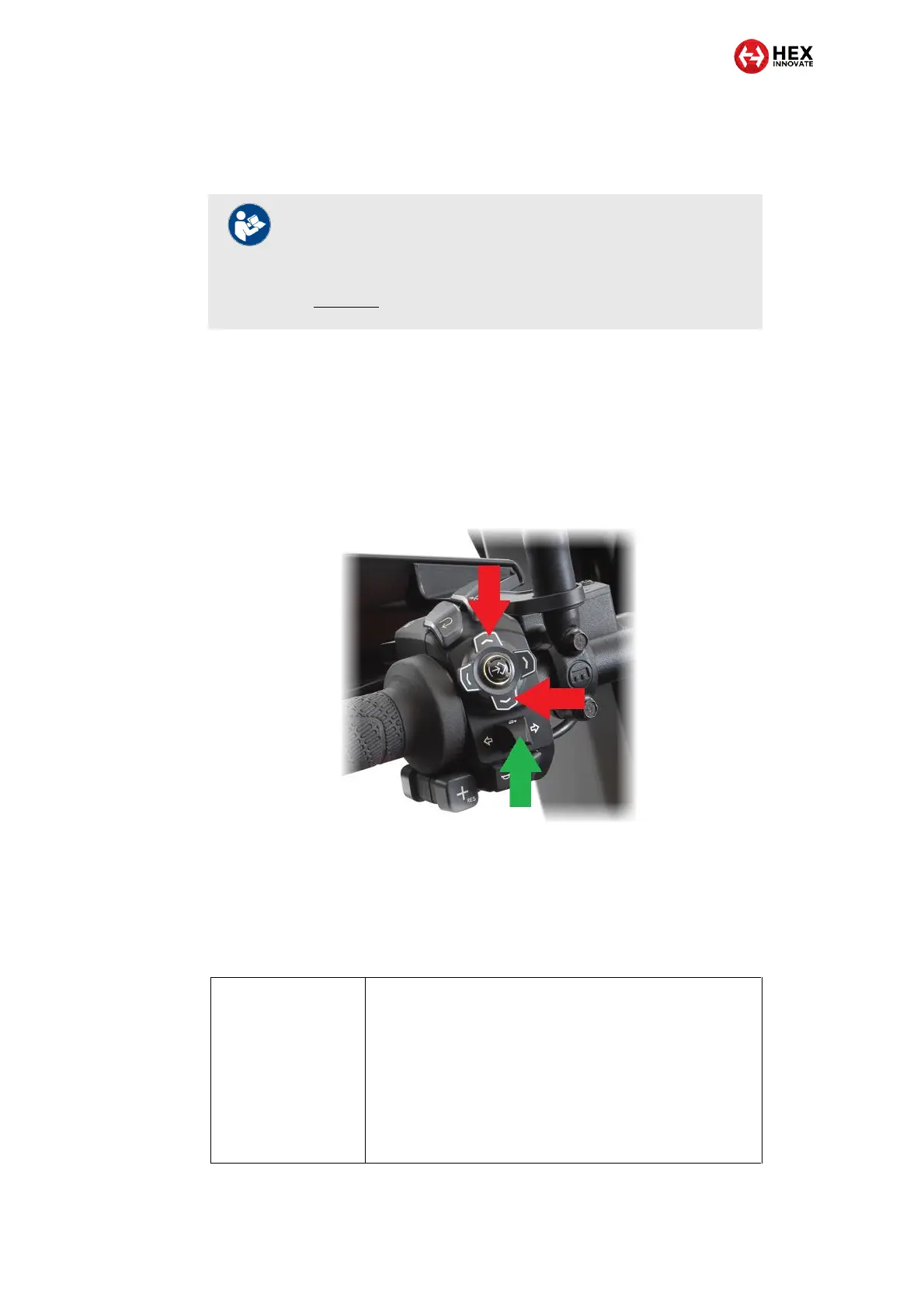
The ezCAN is controlled using the UP and DOWN buttons (red
arrows, below) and turn-signal cancel button (green arrow, below)
on the left-side handlebar controls.
The ezCAN does not need a separate auxiliary light control switch.
5.1.3.2 Controlling Aux 1 and Aux 2 lights on a KTM 1290 (2021+ models only)
The UP, DOWN and TSC buttons referred to in this section are located on
the motorcycle’s left-side handlebar controls.
Adjusting Aux 1 lights
only
1. Press and hold the UP button until the Aux 1 lights flash
twice.
The Aux 1 lights are now in brightness-adjustment
mode.
2. Briefly press and release the UP button to increase light
brightness by 10% per click (to a maximum of 100%), or
the DOWN button to decrease brightness by 10% per
click (to a minimum of 0%).
3. Exit brightness-adjustment mode by not operating the
UP or DOWN buttons for more than 5 seconds.
NOTE
Due to how their electronic platforms are configured, KTM
790 and 890 models are subject to ezCAN functionality
limitations. For a list of the functional ezCAN limitations,
click here.



 To Next Page