Hex ezCAN for CAN-bus-equipped Motorcycles
_________________________________________________________________________________________________
_________________________________________________________________________________________________
© Hex Innovate (UK) Ltd. Page 45 of 60 ezCAN 2408.x
Adjusting Aux 1 lights
only
1. Press and hold the ABS ON button until the Aux 1 lights
flash twice.
The Aux 1 lights are now in brightness-adjustment
mode.
2. Briefly press and release the ABS ON button to adjust
light brightness.
Each press will brighten the Aux 1 lights by 10%
to a maximum of 100%, then roll brightness
through to 0% (OFF).
You can repeat this cycle as many times as you
need.
3. Exit brightness-adjustment mode by not operating the
ABS ON button for more than 5 seconds.
Adjusting Aux 2 lights
only
The brightness of Aux 2 lights cannot be adjusted using the
motorcycle’s controls.
If needed, adjust the brightness of Aux 2 lights using the
Auxiliary Lights Two section of the ezCAN user interface.
Toggling Aux 1 lights
On and Off
Press and hold the ABS ON button until the Aux 1 lights fade
off, or fade on (depending on whether the lights were on or
off.)
If the Aux 1 lights were on, it is normal for them to
flash twice before they fade off.
The state of the lights persists even if the ignition is
cycled.
Toggling Aux 2 lights
On and Off
Aux 2 lights cannot be toggled on or off using the
motorcycle’s controls.
The Aux 2 lights can be set to mimic the on/off state of the
Aux 1 lights. To choose whether the Aux 2 lights switch on or
off based on how the Aux 1 lights are commanded, do the
steps that follow:
1. Click the drop-down menu button in the upper right
corner of the Auxiliary Lights One or Auxiliary Lights
Two sections (below).
2. Click the Extra Settings option.
3. The auxiliary lights Extra Settings menu will be shown.
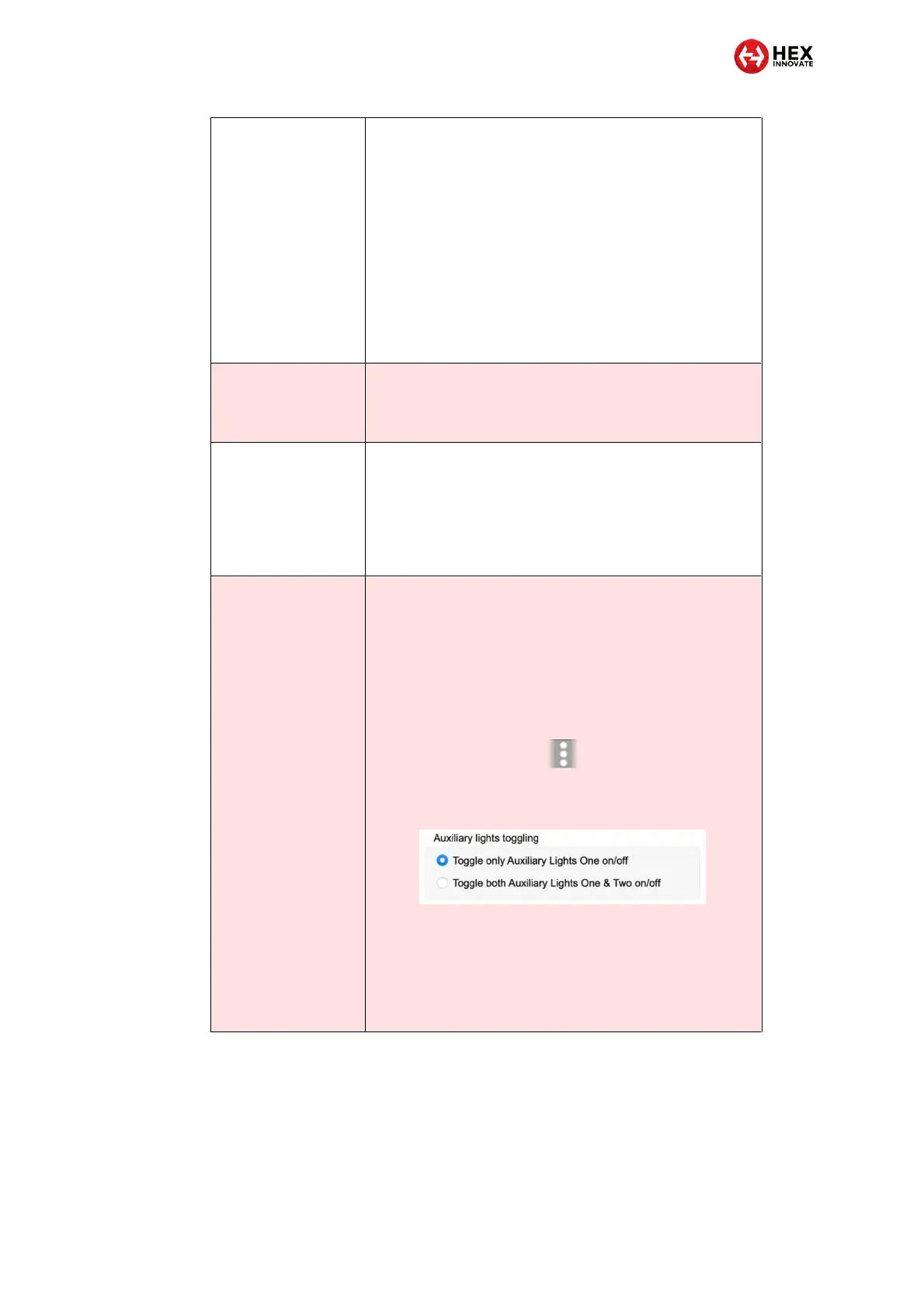
Look for the following section:
4. To control the on/off function of the Aux 1 lights only,
click the Toggle only Auxiliary Lights One on/off radio
button.
5. To control the on/off function of the Aux 1 lights and Aux
2 lights (in other words, to make the Aux 2 lights mimic
the on/off condition of the Aux 1 lights), click the Toggle
both Auxiliary Lights One & Two on/off radio button.



 To Next Page