Wi-Fi 6 2x2:2 User Manual Rev: A0-00
22
CONFIDENTIAL
5 Getting to Know the IO Access Point
5.1 Dual Band 2x2:2 Indoor Access Point
5.1.1 Back / Side View
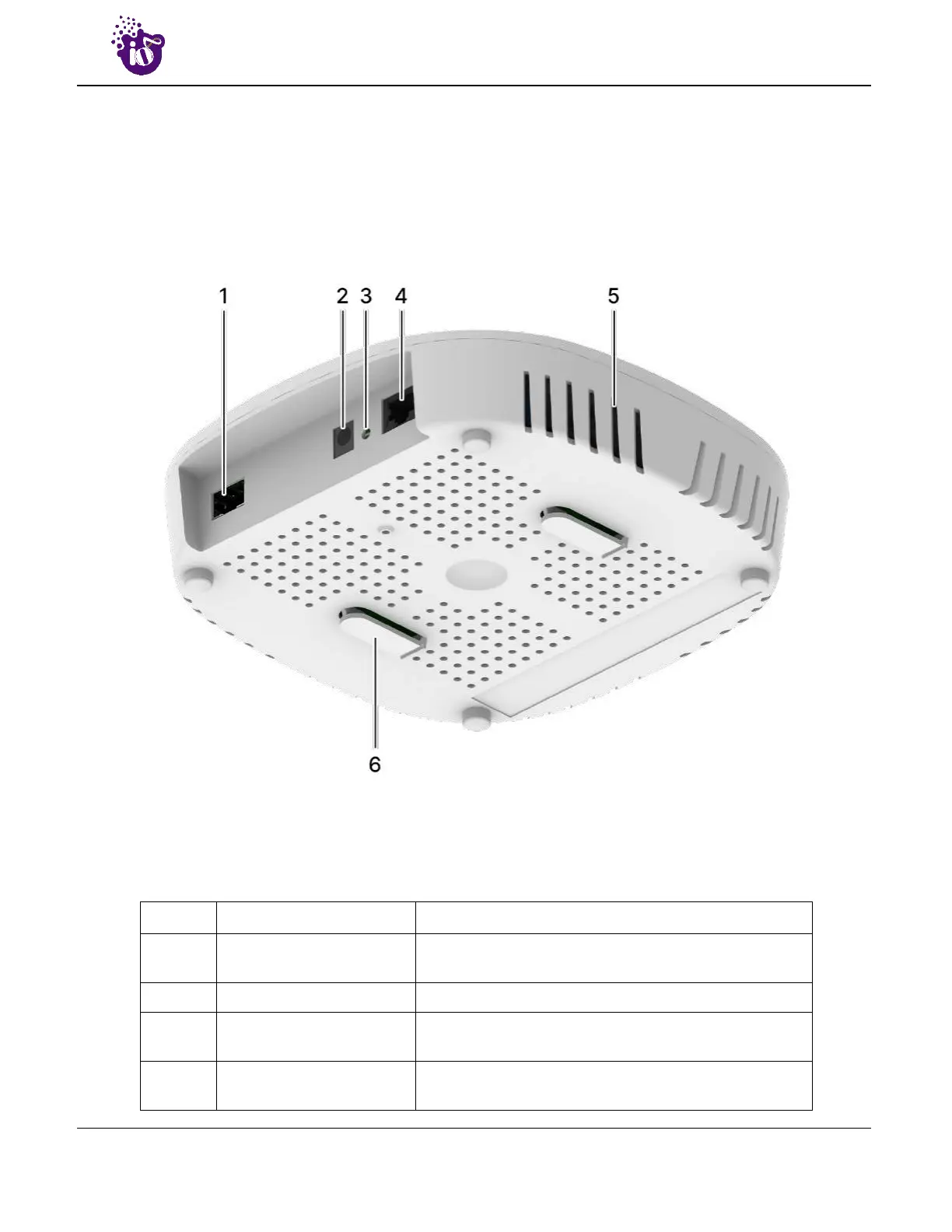
A basic overview of the back/side view of the indoor AP is given below:
Figure 5: Side view of the indoor AP
Information displayed in the above figure is detailed in the table below:
Table 1: List of information displayed in side view of the indoor AP
Callout Name Description
1. SFP Port
Connects fiber cable with the maximum data transfer
rate capability of 2.5 Gbps
2. DC Jack Power up the Access Point with a DC adaptor
3. Power LED
This LED glows in Green color to notify the user that
device is powered ON
4. LAN + PoE Port
Used for powering up the device via PoE adaptor. The
same port carries the data



 To Next Page