Wi-Fi 6 2x2:2 User Manual Rev: A0-00
52
CONFIDENTIAL
10.1.1 Static IP configuration for thick AP
The default IP address of the access point is set to 192.168.1.1. User can change the default IP address with
an unused IP address. Refer “Figure 29: Basic overview of the network interface setup configuration screen to
switch protocol for thick AP” and set the protocol to static address.
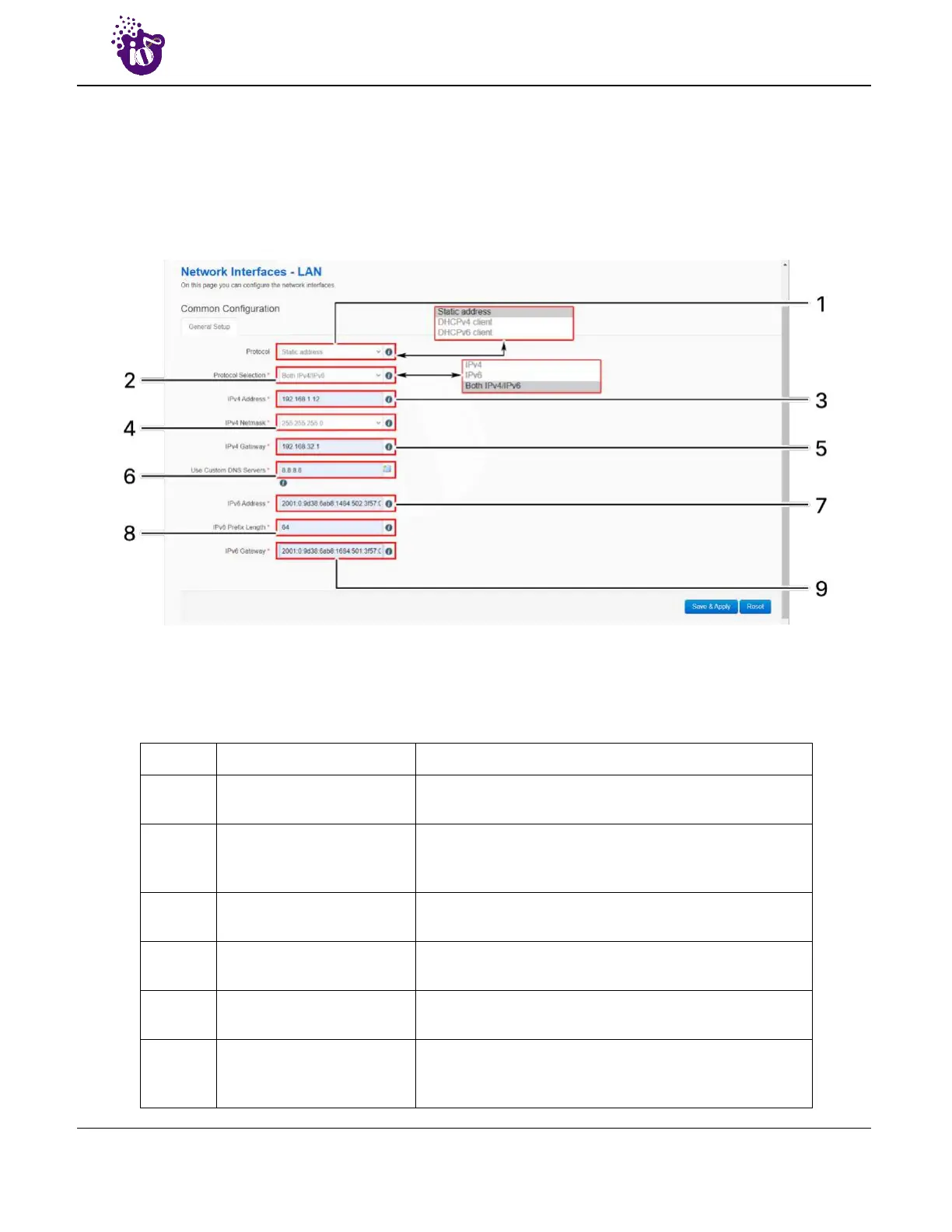
Refer the figure below to provide the static address parameters:
Figure 30: Basic overview of static address parameters for general network interface setup for thick AP
Follow the steps given below to provide static address parameters for thick AP:
Table 20: List of actions to provide static address parameters for thick AP
Callout Name Description
1. Protocol
The protocol is set to “”Static address”. Enter the
following parameters for the same
2. Protocol Selection
Set the static address protocol to IPv4/IPv6/Both IPv4 &
IPv6. Below parameters are shown with respect to IPv4 &
IPv6 protocol selection
3. IPv4 address
Enter the “IPv4 address”. This is a unique address of the
Host/Device eg.192.168.100.10
4. IPv4 netmask
Enter the “IPv4 netmask”. This specifies the number of
bits for network part and host part e.g.255.255.255.0
5. IPv4 gateway
Enter the “IPv4 gateway”. Gateway address is given to
reach other network device e.g.192.168.100.254
6. Use custom DNS servers
Enter the “DNS server”. Click on add icon to add multiple
DNS servers. DNS server is to resolve the transition of
domain name to IP and IP to domain name



 To Next Page