Wi-Fi 6 2x2:2 User Manual Rev: A0-00
85
CONFIDENTIAL
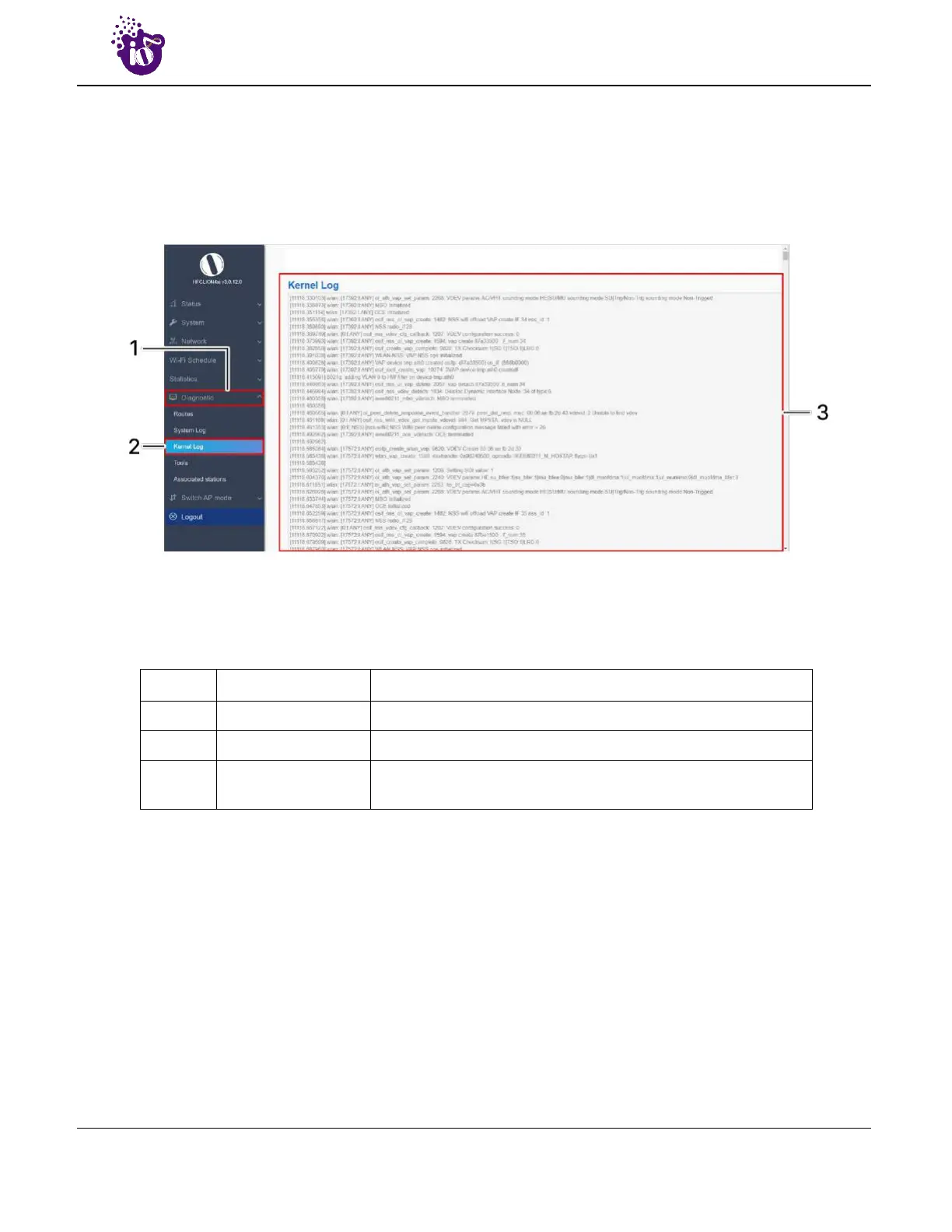
14.3 Kernel Log
Boot logs, driver logs, Wi-Fi and firmware related logs are listed in this screen. Kernel log will be accumulated
from boot up time till shut down time of the respective AP.
A basic overview of the Kernel Log screen is given below:
Figure 53: Basic overview of the Kernel Log screen
Follow the steps given below to view the Kernel log of the AP:
Table 43: List of actions to view the kernel log
Callout Name Description
1. Diagnostics Click on “Diagnostics” dropdown
2. Kernel Log Click on “Kernel Log” option
3. Logs
Boot logs, driver logs, Wi-Fi and firmware related logs are
displayed here for monitoring purpose



 To Next Page