Wi-Fi 6 2x2:2 User Manual Rev: A0-00
47
CONFIDENTIAL
9.6 Factory Reset
The device has factory assigned settings and configurations on deployment. The user can set the device to
the same from this screen. The device will be configured back to factory settings and the existing settings
and configurations will be discarded. It is recommended to take backup before setting the device to factory
reset.
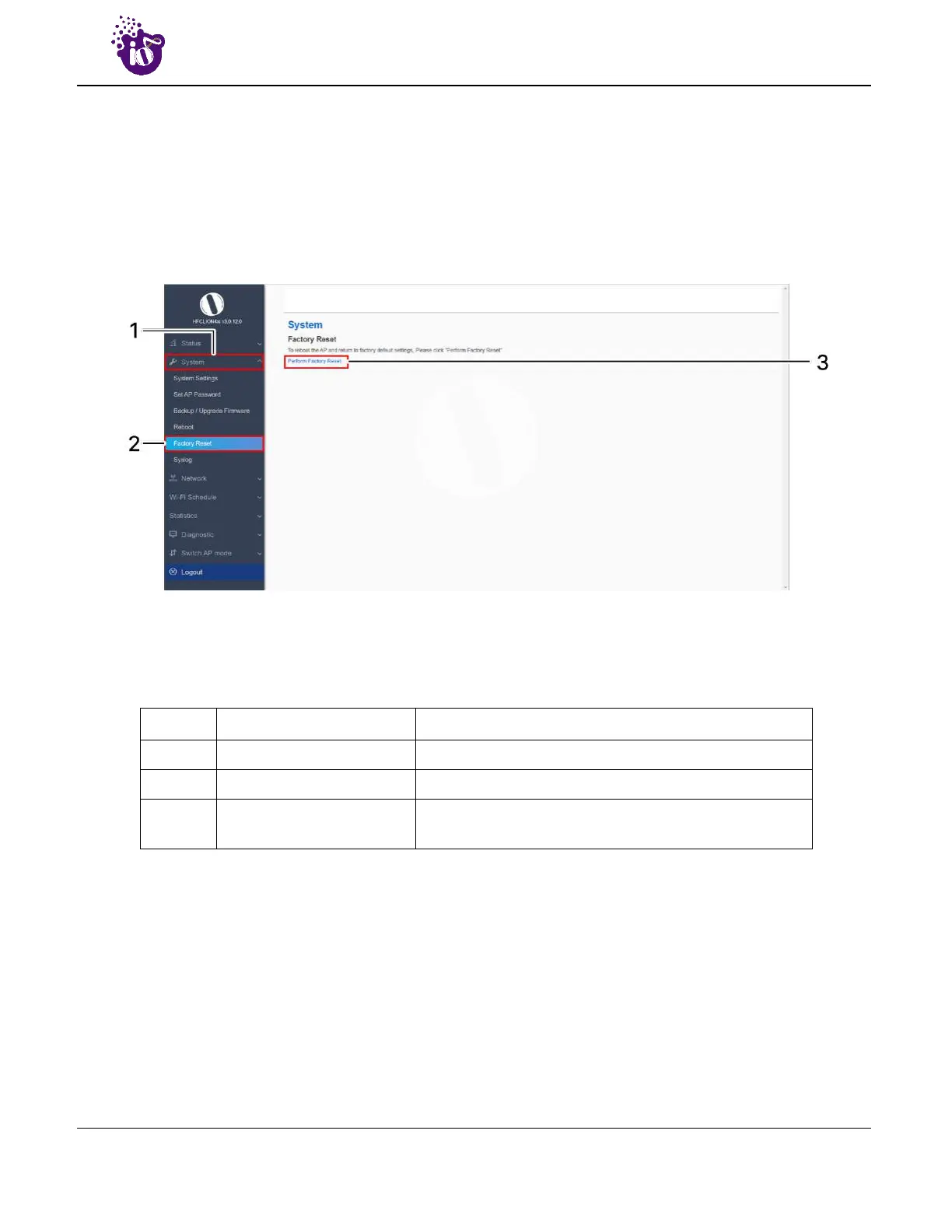
A basic overview of the Factory Reset screen is given below:
Figure 26: Basic overview of the factory reset screen
Follow the steps given below and factory reset the access point:
Table 16: List of actions to factory reset the access point
Callout Name Description
1. System Click on “System” dropdown in navigation toolbar
2. Factory Reset Click on “Factory Reset” option
3. Perform Factory Reset
Click on “Perform Factory Reset” option to factory reset
the respective access point



 To Next Page