Wi-Fi 6 2x2:2 User Manual Rev: A0-00
37
CONFIDENTIAL
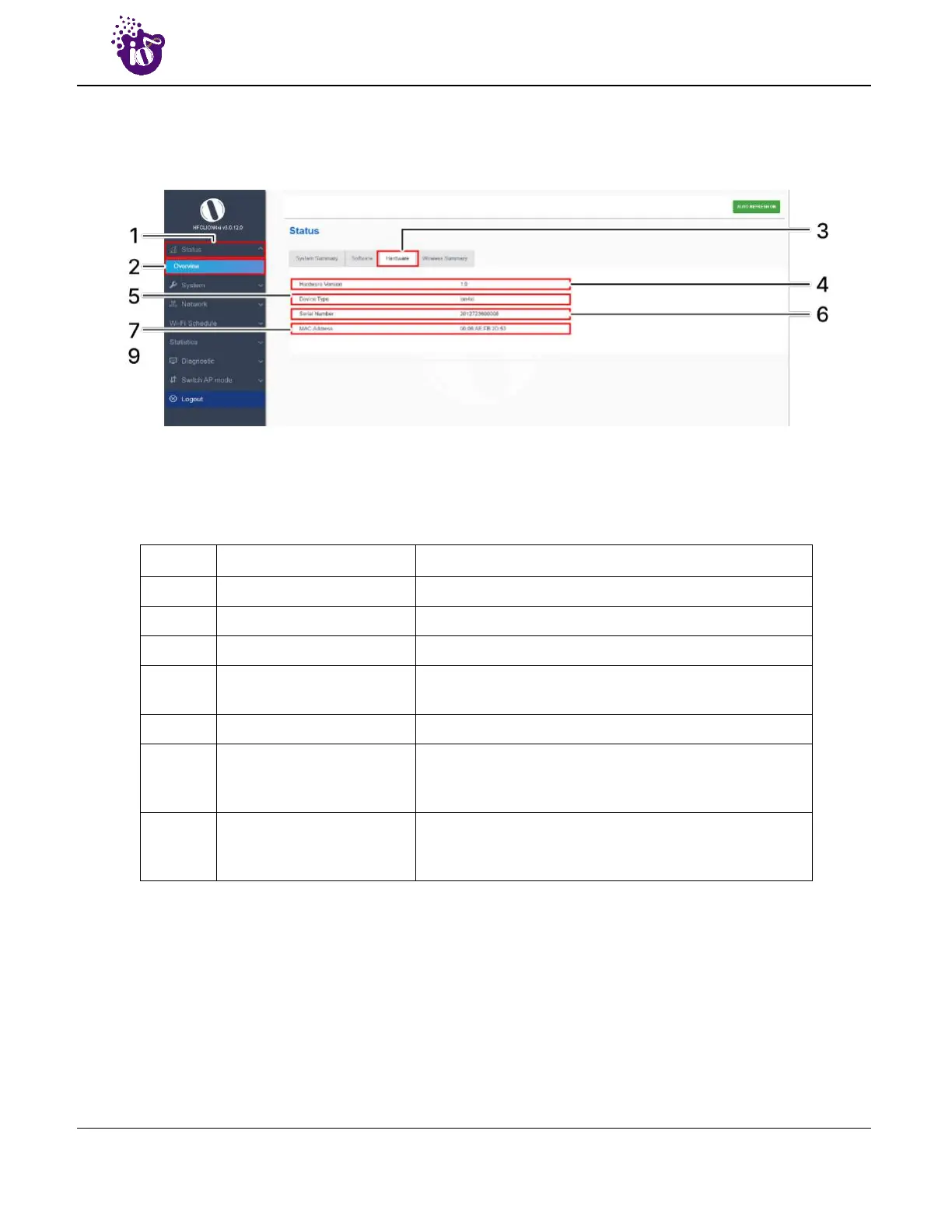
8.3 System hardware
A basic layout of the system hardware is given below:
Figure 17: Basic layout of the system hardware screen
Follow the steps given below to view the system hardware information:
Table 8: List of information displayed in the system hardware screen
Callout Name Description
1. Status Click on the “Status” dropdown
2. Overview Click on “Overview” option
3. Hardware Click on “Hardware” option
4. Hardware Version
Displays the current hardware version of the respective
AP
5. Device Type Displays the device type (Indoor or Outdoor)
6. Serial Number
Displays the serial number of the respective AP. The
same is configured with the factory settings of the
device and reflects in this section on system boot up
7. MAC-Address
Displays the MAC address assigned to the product. The
same is configured with the factory settings of the
device and reflects in this section on system boot up


 To Next Page