Wi-Fi 6 2x2:2 User Manual Rev: A0-00
30
CONFIDENTIAL
6.1.1 Connect to the Indoor Access Point
Follow the steps mentioned below and connect to the indoor AP through GUI:
1. Configure a computer with a 1-domain static IP address e.g. 192.168.1.10 and a subnet mask of
255.255.255.0.
2. For help configuring a static IP address on your computer, check the instructions or online help that
came with that computer.\
3. Connect the Ethernet cable to the computer.
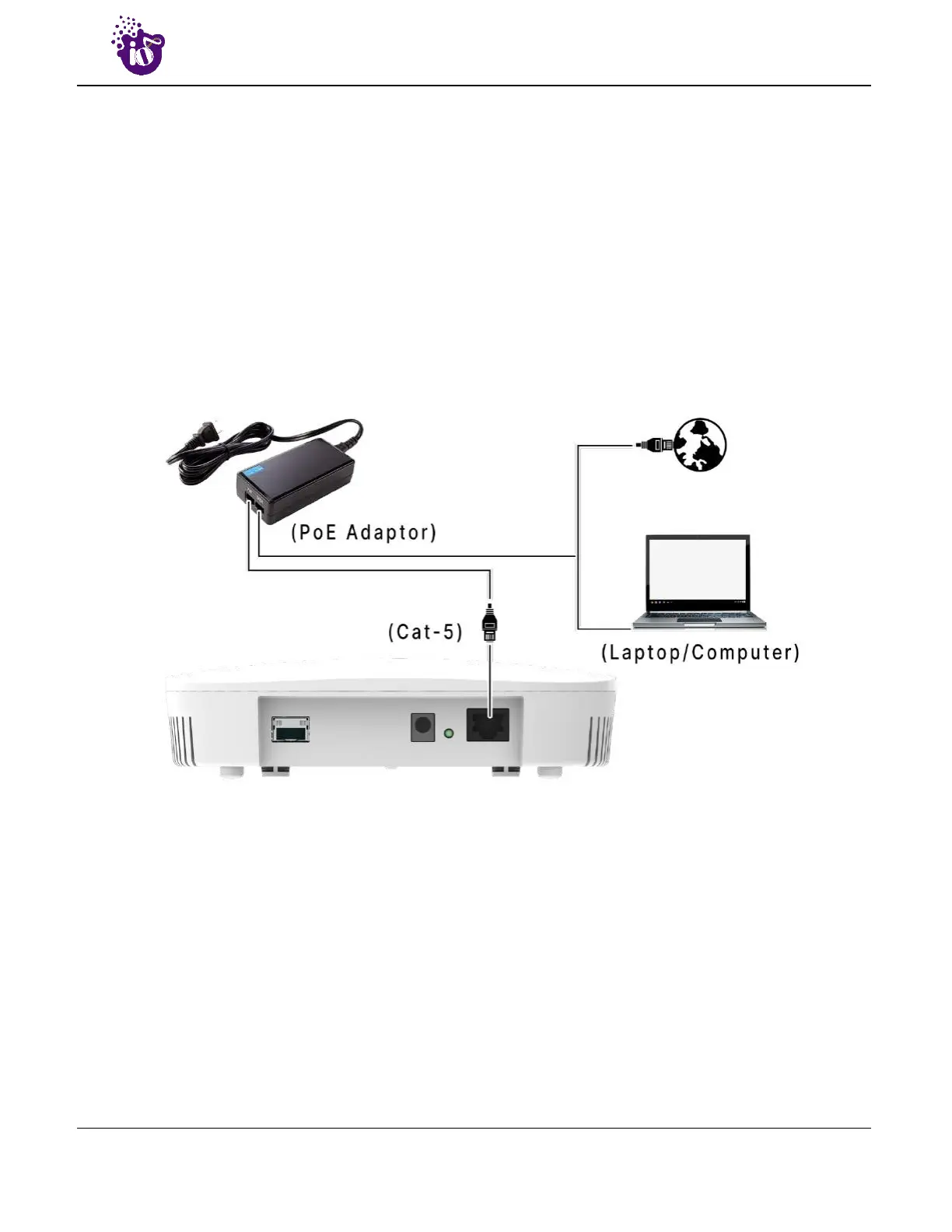
4. Connect the other end of the Ethernet cable to the PoE adaptor (Data/In port). Use the unused port
(P+D/Out) of PoE adaptor and connect it to the LAN + PoE port of the device.
Figure 11: Connect to the network
5. Device will be powered On.
6. Open a web browser and enter the “AP static IP address” (192.168.1.1) in the address bar.
7. A login screen will appear.


 To Next Page