Wi-Fi 6 2x2:2 User Manual Rev: A0-00
50
CONFIDENTIAL
10 Network interfaces of thick AP
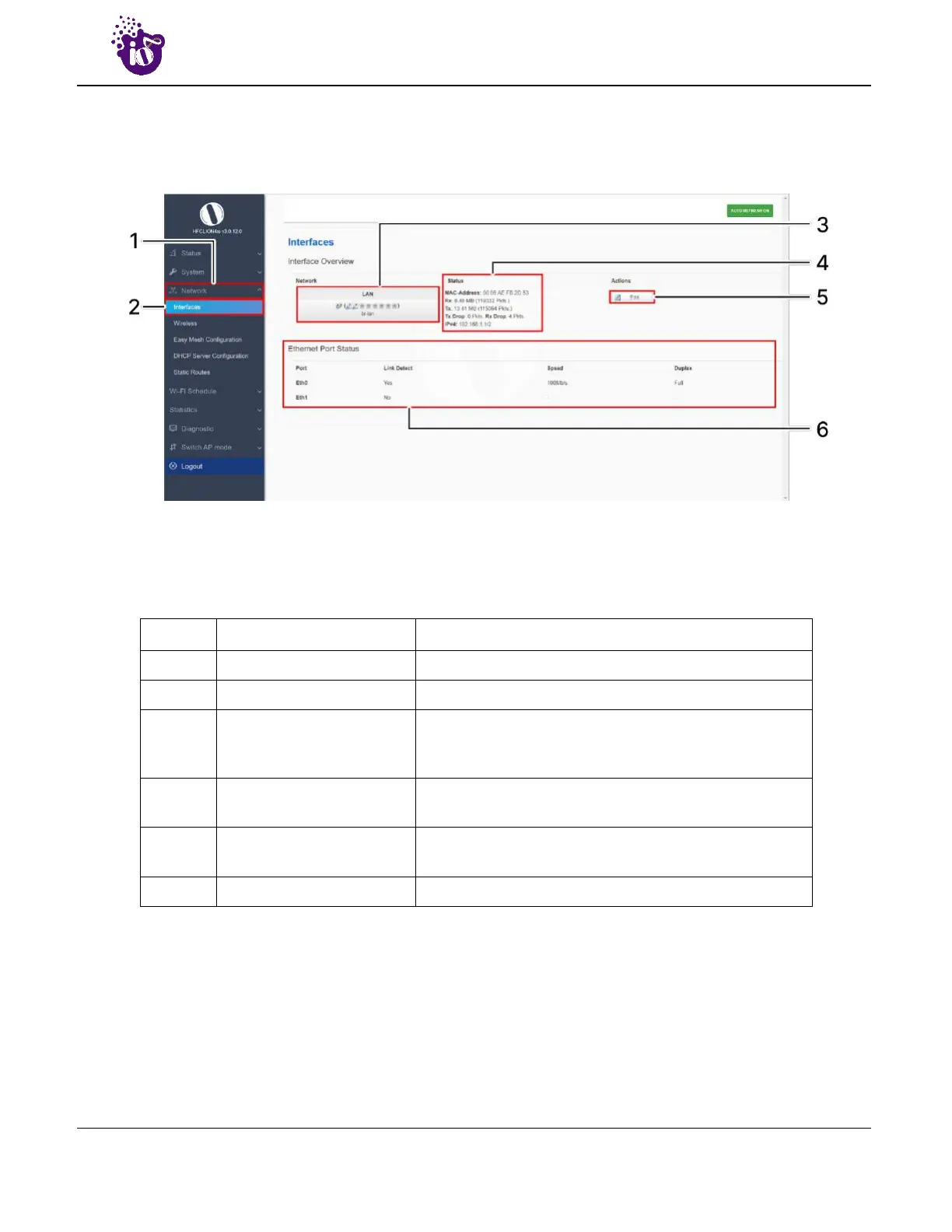
A basic overview of the network interface screen for thick AP is given below:
Figure 28: Basic overview of the interface configuration screen for thick AP
Follow the steps given below to view/edit the interface configuration of thick AP:
Table 18: List of actions to view/edit the network configuration of thick AP
Callout Name Description
1. Network Click on “Network” dropdown
2. Interfaces Click on “Interfaces” option
3.
Network/Interface
overview
Displays the type of network interface available in the
device. The above figure shows the LAN interface
overview
4. Status
Displays the status of the LAN interface with the respect
to the parameters shown in above figure
5. Edit
Click on “Edit” option to configure the LAN-interface
settings
6. Ethernet Port Status Displays the port status of the respective device
The user can click on “edit” option to further modify the following configurations:
1. General setup



 To Next Page