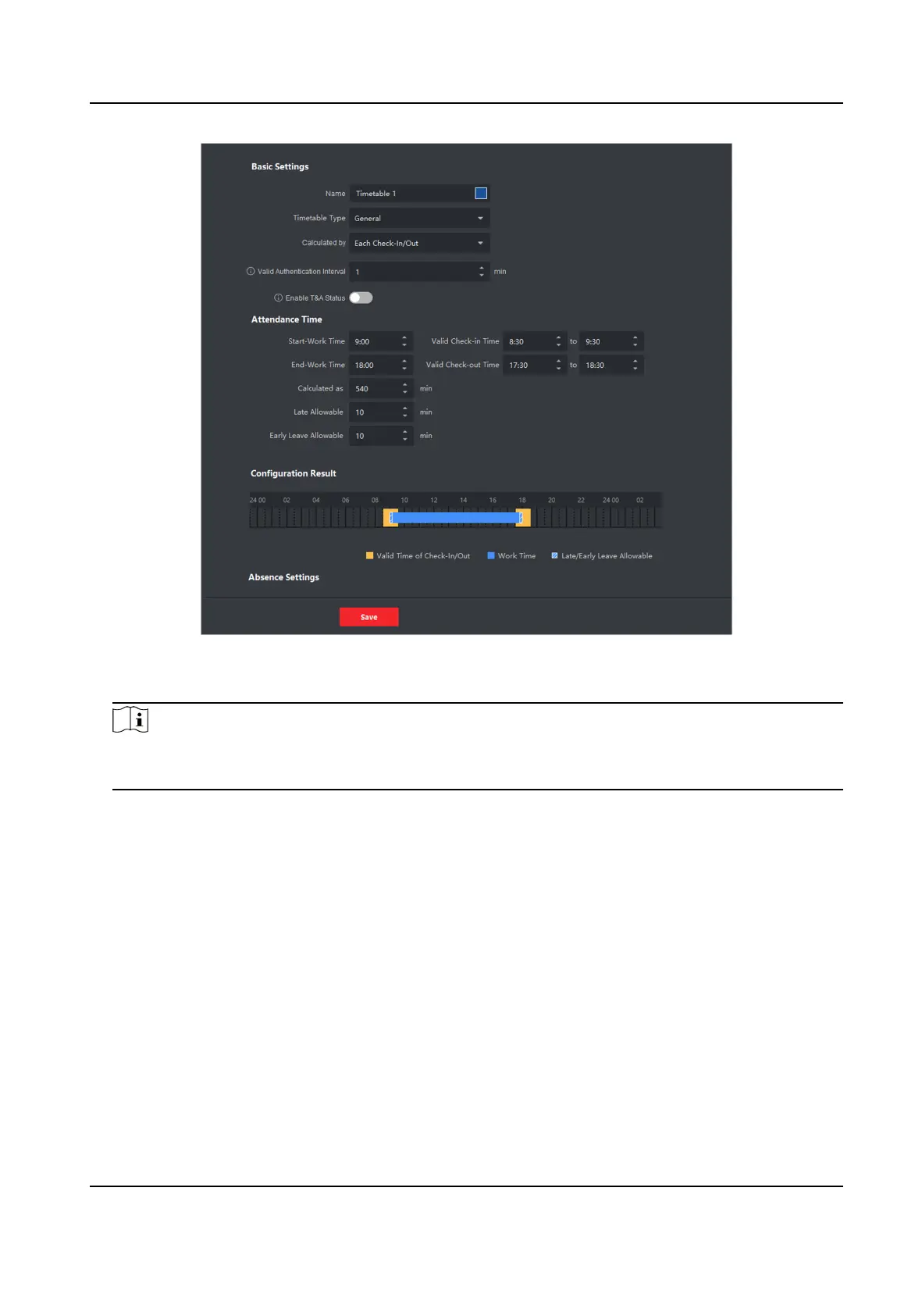
Figure 8-18 Add Timetable
3. Create a name for the metable.
Note
You can click the color icon beside the name to customize the color for the valid metable on
the me bar in the Conguraon Result area.
4. Select the metable type as general.
5. Select calculaon method.
First In & Last Out
The
rst check-in me is recorded as start work me and the last check-out me is recorded
as the end-work me.
Each Check-In/Out
Each check-in me and check-out me is valid and the sum of all periods between adjacent
check-in and check-out
me will be recorded as the valid working duraon.
You need to set Valid Authencaon Interval for this calculaon method. For example, if the
interval between card swiping of the same card is less than the set value, the card swiping is
invalid.
6.
Oponal: Set Enable T&A Status switch to on to calculate according to aendance status of the
device.
DS-K1T341B Series Face Recognion Terminal User Manual
142


 To Next Page
 Loading...