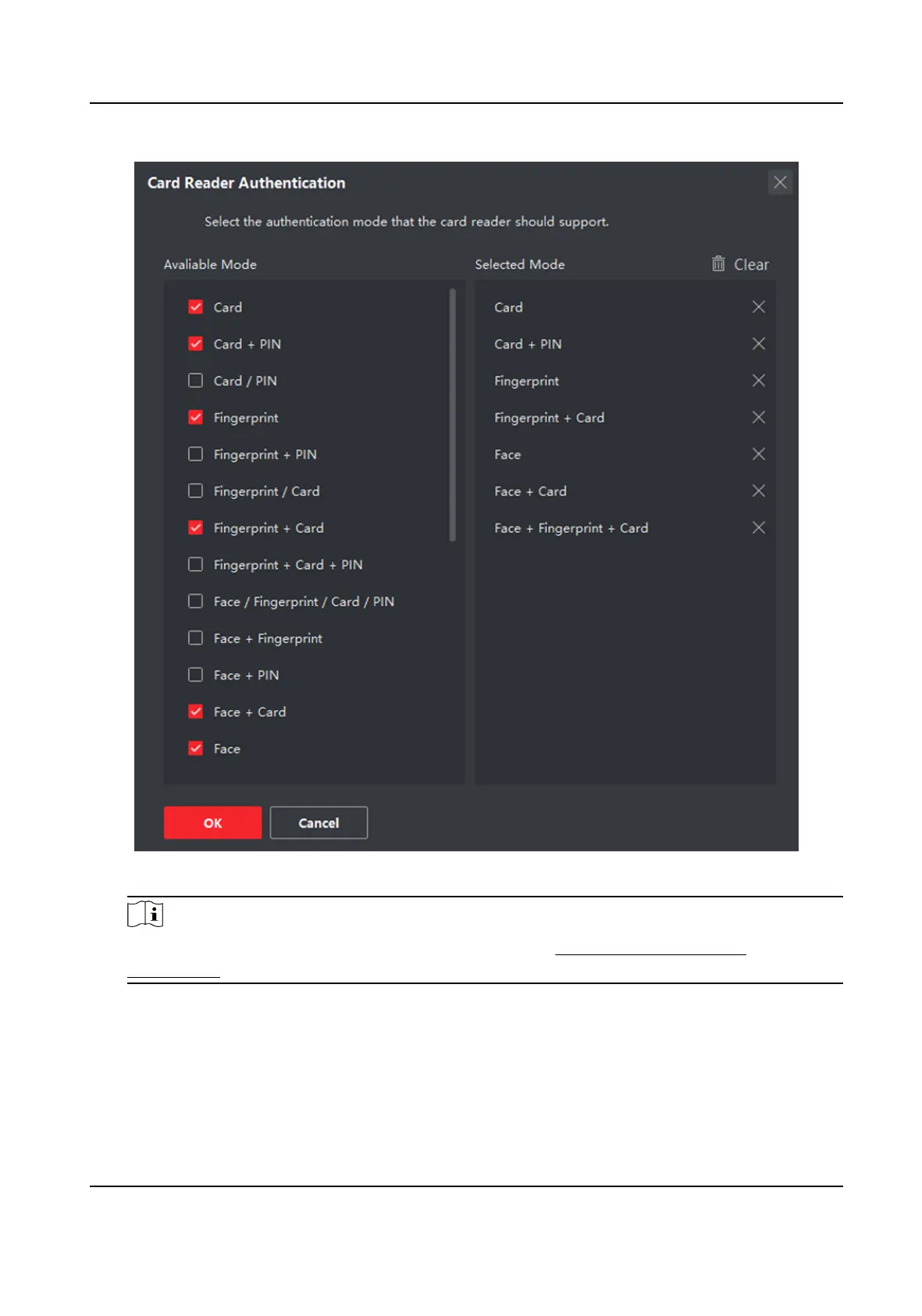
Figure 9-11 Select Card Reader Authencaon Mode
Note
PIN refers to the PIN code set to open the door. Refer to Congure Access Control
Informaon .
2) Check the modes in the Available Mode list and they will be added to the selected modes list.
3) Click OK.
Aer selecng the modes, the selected modes will display as icons with dierent color.
4.
Click the icon to select a card reader authencaon mode, and drag the cursor to draw a color
bar on the schedule, which means in that period of
me, the card reader authencaon is valid.
5.
Repeat the above step to set other me periods.
DS-K1TA70 Series Face Recognion Terminal User Manual
145


 To Next Page
 Loading...