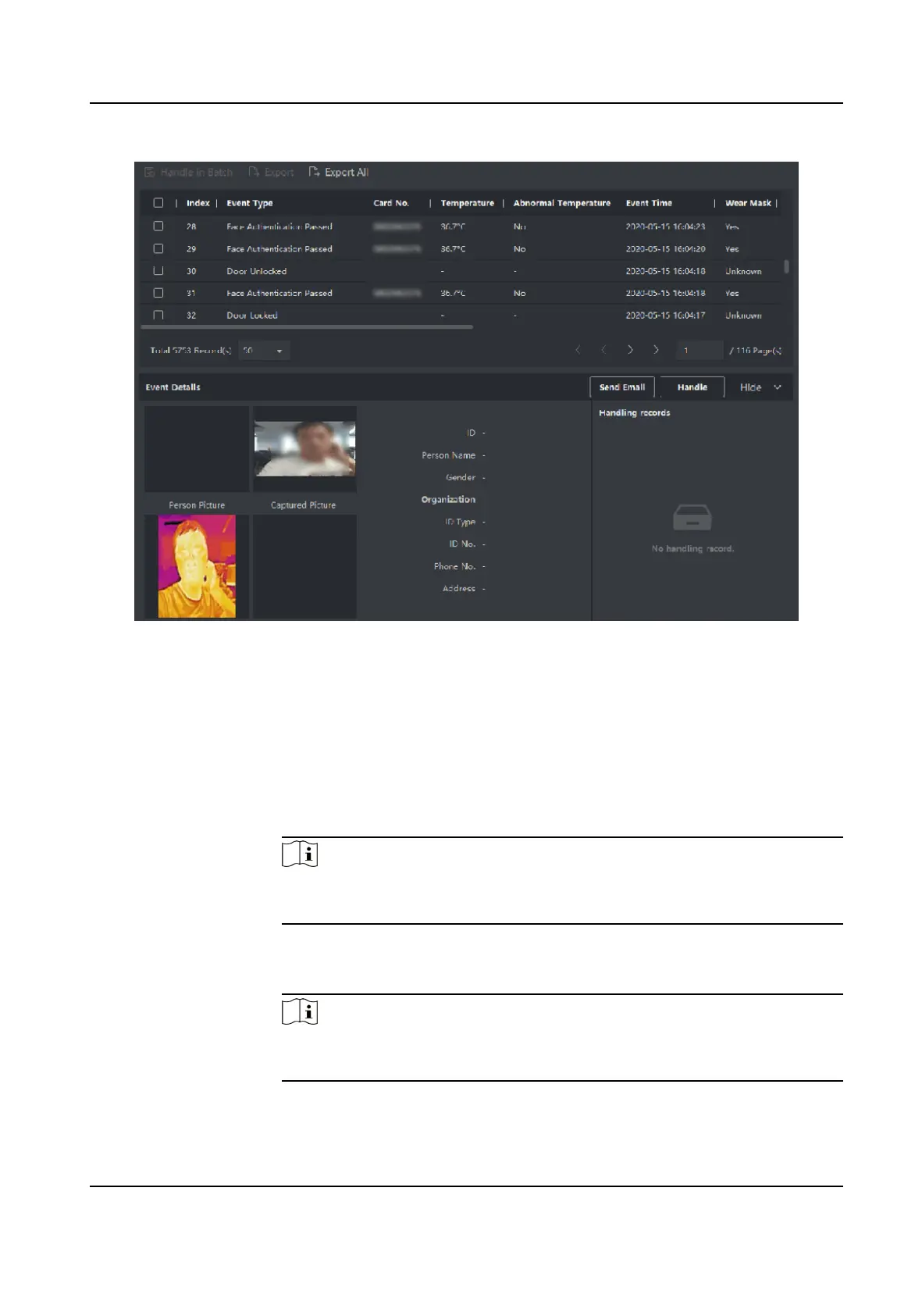
Figure 9-15 Search Historical Event
4.
Oponal: Right click the table header of the event list to customize the event related items to be
displayed in the event list.
5.
Select an event in the event list to view the event details.
6.
Oponal: Perform one of the following operaons.
Handle Single
Event
Handle single event: Select one event that needs to be handled, and then
click Handle in the event informaon details page, and enter the handling
suggeson.
Note
Aer an event is handled, the Handle buon will become Add Remark,
click Add Remark to add more remarks for this handled event.
Batch Handle
Events
Handle events in a batch: Select the events which need to be handled,
and then click Handle in Batch, and enter the handling suggeson.
Note
Aer an event is handled, the Handle buon will become Add Remark,
click Add Remark to add more remarks for this handled event.
DS-K1TA70 Series Face Recognion Terminal User Manual
166


 To Next Page
 Loading...