Compella™ Bariatric Bed System Instructions for Use (178951 REV 6) iii
AIR SUPPLY UNIT
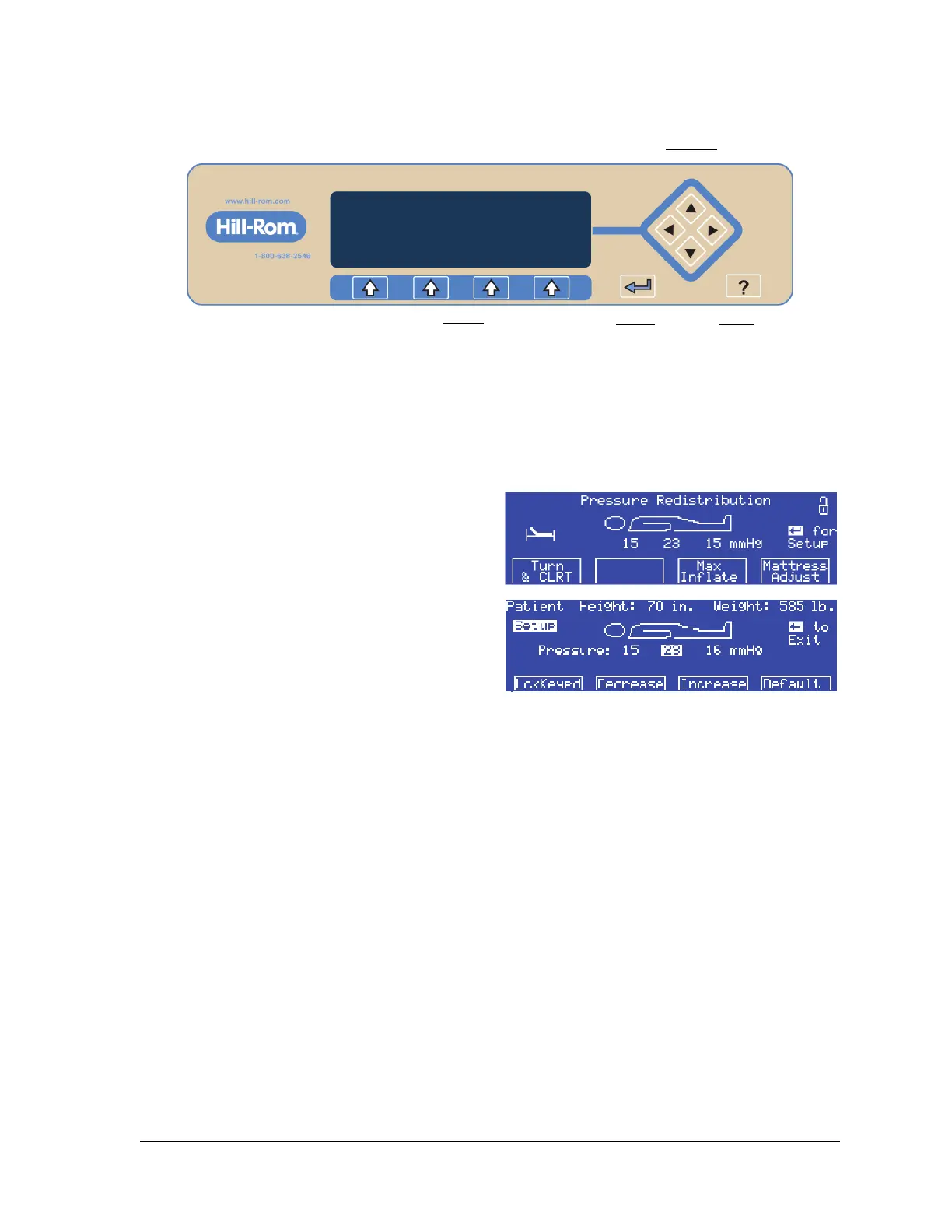
The air supply unit has these controls:
• Menu—selects the Menu options.
• Enter—moves to and from the Patient Setup screen.
• Help—shows the Help screen.
• Arrows—select settings on the Patient Setup screen.
Set Up the Air Surface for the Patient (Refer to page 59)
1. At the Pressure Redistribution screen, press
Enter.
2. Use the arrow keys on the right-side of the
display to select Height or Weight.
3. Press Increase or Decrease as applicable to
enter the correct height or weight.
4. The unit automatically adjusts the pressures for the set height and weight. If necessary, use the
arrow keys to move the cursor to the applicable pressure setting: head, seat, or foot, and use the
Increase and Decrease controls to adjust the settings. To return all pressure settings to the
pressures automatically set by the unit for the set height and weight, press Default.
5. Press Enter to save the pressure settings and return to the Pressure Redistribution screen.















 To Next Page