Surface Features and Controls
60 Compella™ Bariatric Bed System Instructions for Use (178951 REV 6)
b. Enter the patient’s height and weight as follows:
• To increase the shown height or weight, press Increase.
• To decrease the shown height or weight, press Decrease.
3. The unit automatically adjusts the pressures for the set height and weight. If necessary, use the
arrow keys to move the cursor to the applicable pressure setting: head, seat, or foot, and adjust the
settings as follows:
•To increase the pressure, press Increase.
•To decrease the pressure, press Decrease.
•To return all pressure settings to the pressures automatically set by the unit for the set height
and weight, press Default.
To make sure that the patient is getting the intended therapy, periodically check that the support
surface is properly inflated.
4. Press Enter to return to the Pressure Redistribution screen.
The settings will be saved when the system returns to the Pressure Redistribution screen.
Surface Options
Max Inflate Mode
Max Inflate mode inflates the surface assembly to its maximum pressures.
The surface goes into Hyper-Inflate mode to inflate the surface after Seat Deflate and Bed Deflate
modes; it does not go into Max Inflate mode.
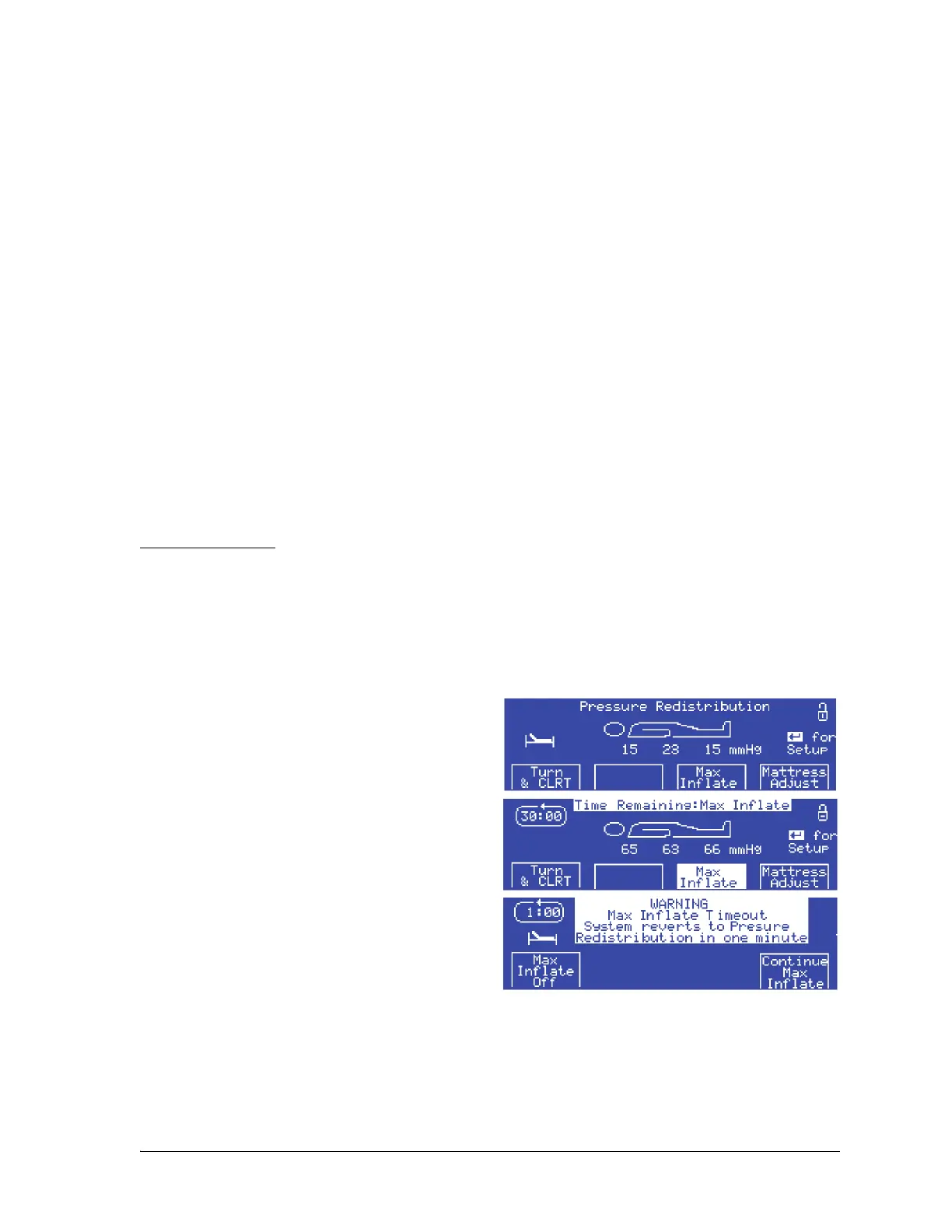
To turn Max Inflate mode on, do as follows:
1. At the Pressure Redistribution screen, press
Max Inflate:
The Max Inflate screen shows the 30-minute
countdown.
2. To turn Max Inflate mode off when it has been
on for less than 30 minutes, press Max Inflate
again.
If the unit is in Max Inflate mode for 29 minutes, the
alarm sounds, and the 1-minute countdown screen
shows:
•Press Max Inflate Off to stop Max inflate
mode.
•Press Continue Max Inflate to continue
Max Inflate mode for 10 minutes.
• Do nothing—Max Inflate mode ends at the end of the 1-minute countdown and the surface
returns to the previous mode.
If the 10-minute extension is selected, then a 10-minute counter screen shows:















 To Next Page