Surface Features and Controls
Compella™ Bariatric Bed System Instructions for Use (178951 REV 6) 59
14. For an air surface, set up the unit for the patient (see page 59).
AIR SUPPLY UNIT
For air surfaces, the air supply unit shows a real-time display of air pressure for the head, seat, and foot
sections of the surface assembly.
For a Compella™ Therapy Surface, the amount of pressure to support a patient is based on the
patient’s height and weight that is entered during setup. This provides custom weight-based pressure
redistribution. All settings are stored in non-volatile memory. If power is interrupted, the air supply unit
automatically returns to the previous settings when the power returns.
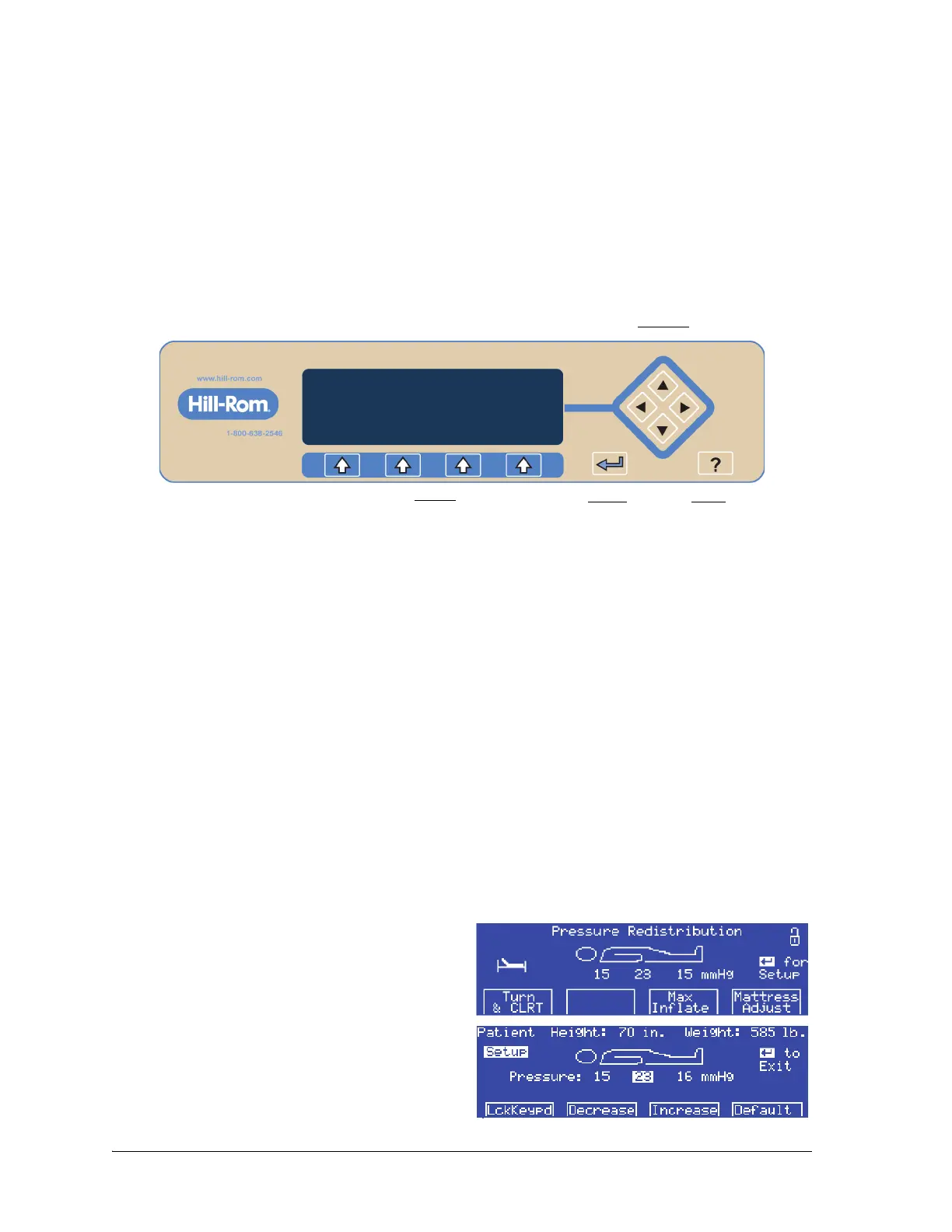
The air supply unit has these controls:
• Menu—selects the Menu options.
• Enter—moves to and from the Patient Setup screen.
• Help—shows the Help screen.
• Arrows—selects settings on the Patient Setup screen.
COMPELLA™ THERAPY SURFACE
The Compella™ Therapy Surface is a therapeutic system that supplies three zone, constant pressure
redistribution, microclimate management, Turn Assist and Continuous Lateral Rotation Therapy (CLRT).
The Compella™ Bariatric Therapy Surface consists of either:
• Therapy Surface with Turn Assist
• Therapy Surface with Turn Assist and CLRT
The Compella™ Therapy Surface supports a patient weight up to 454 kg (1000 lb). The air supply unit has
a maximum weight input of 455 kg or 995 lb.
The weight is entered in 5 kg or 5 lb increments.
Set Up the Unit for the Patient
1. At the Pressure Redistribution screen, press the
Enter control on the air supply unit. The
Patient Setup screen shows.
2. Enter the patient’s height and weight as
follows:
a. Use the arrow keys on the right-side of the
display to select Height or Weight.















 To Next Page