Surface Features and Controls
62 Compella™ Bariatric Bed System Instructions for Use (178951 REV 6)
Turn Assist Mode
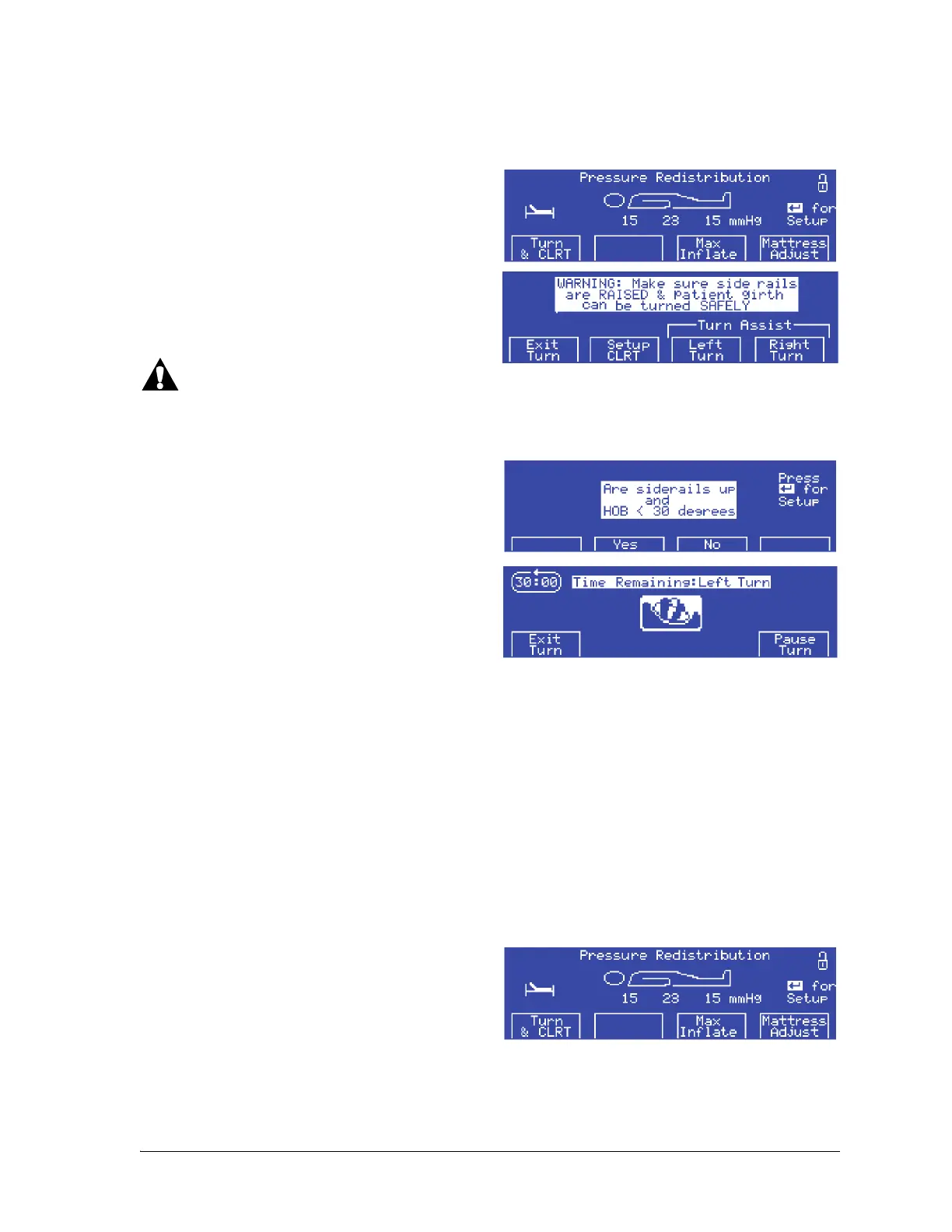
Turn Assist mode helps the caregiver to turn the patient to the left or the right.
To start the Turn Assist mode, do as follows:
1. At the Pressure Redistribution screen, press
Turn & CLRT.
2. The next screen shows the Turn Assist Left
Turn, Right Turn or Exit Turn options. Select
one.
Warning—Do not start a turn in either of these instances: the head section (HOB) angle is greater than
30°; the siderails are not in the Up position; the bed width is not sufficient for the patient to turn. To do
so could cause patient injury.
3. At the Turn Assist Warning screen, make sure
the siderails are in the up position and the
head section is less than 30°.
4. Press Ye s .
5. The selected turn starts and a 30-minute
countdown screen shows with two menu
options:
• Pause Turn—this option stops the turn at
the current angle. Pause will then change
to Resume, which permits the turn to
continue until completion, as indicated by one long beep.
• Exit Turn—this option brings the patient back to a flat position.
If you retract or extend the bed width during the Turn Assist mode, the Pause function will activate to
permit the bolsters to deflate or inflate. To continue with the turn, you will need to press Resume.
6. 1 minute before the Turn mode times out, an audible alarm sounds with menu options to Exit the
turn and thus return the patient to a flat position, or Extend the turn for another 30 minutes.
7. When the 30 minutes lapse, the patient returns to the flat position and the display goes back to the
Pressure Redistribution screen.
Deflate and Inflate the Seat Section for Patient Exit or Entry
1. At the Pressure Redistribution screen, press
Mattress Adjust.















 To Next Page