Surface Features and Controls
Compella™ Bariatric Bed System Instructions for Use (178951 REV 6) 67
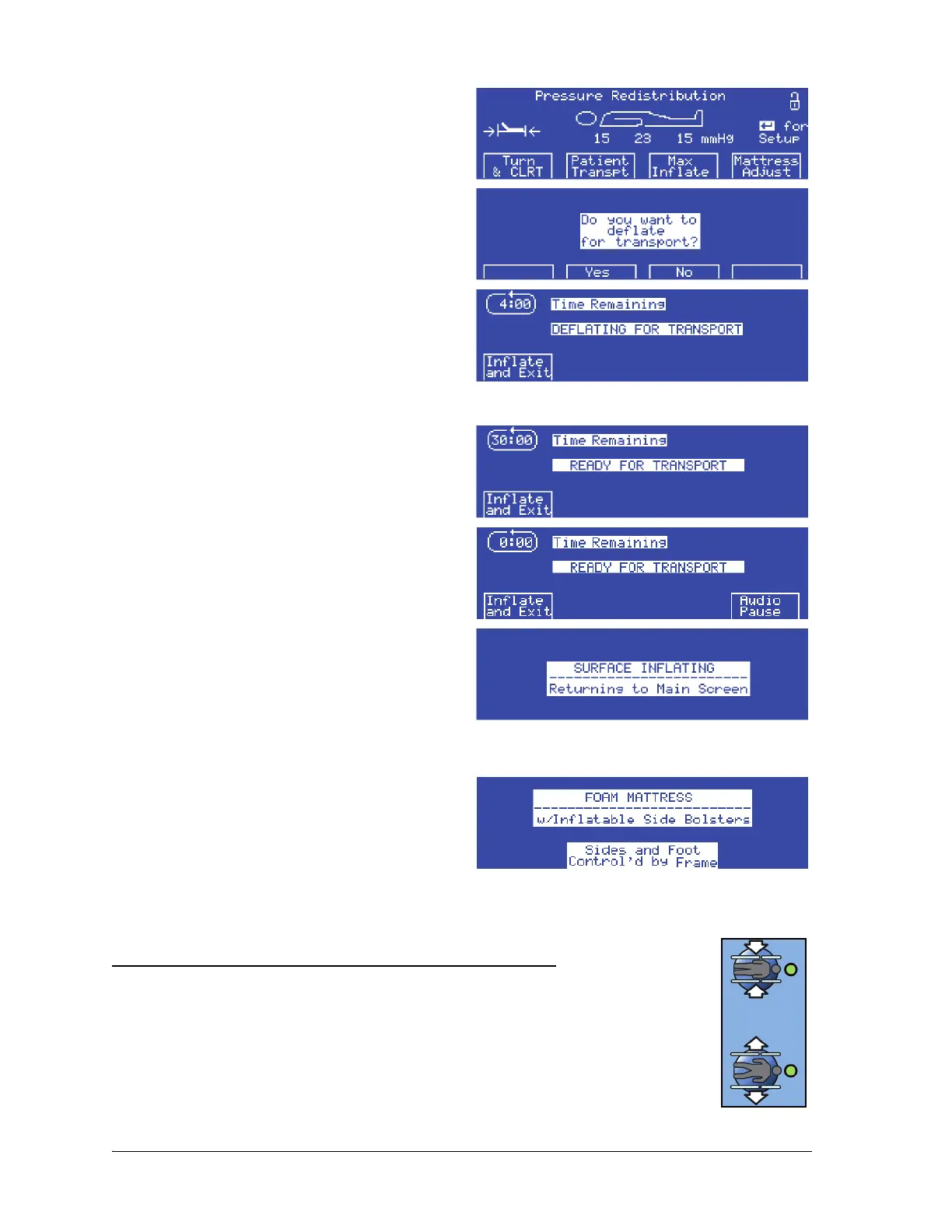
1. At the Pressure Redistribution screen, press
Patient Transpt. The Do you want to deflate
for transport? screen shows.
2. Press Ye s . The side bolsters and foot section of
the surface start to deflate, and the Deflating
for Transport screen shows.
If you press No, the display returns to the Pressure
Redistribution screen.
3. When the side bolsters and foot section are
deflated, the Ready for Transport screen
shows.
4. If the surface is deflated for more than 30
minutes, the alarm sounds. To mute the alarm
for 10 minutes, press Audio Pause.
To inflate the side bolsters and foot section, press
Inflate and Exit. The Surface Inflating screen
flashes, the side bolsters and foot section inflate,
and the unit goes into Pressure Redistribution
mode in 5 seconds.
COMPELLA™ FOAM SURFACE WITH INFLATABLE SIDE BOLSTERS
The foam surface with inflatable side bolsters and
foot section is for patient weights up to 454 kg
(1000 lb). The width of the foam surface is
adjustable from 40" to 50" (102 cm to 127 cm).
Deflate and Inflate the Side Bolsters and Foot Section
Automatically (using the Caregiver Width Adjust controls)
The side bolsters and foot section automatically adjust to the frame width
and/or length as long as the bed is plugged into AC power and the air supply
unit is correctly connected to the frame (see “Bed Width Adjustment” on
page 33).















 To Next Page