Surface Features and Controls
Compella™ Bariatric Bed System Instructions for Use (178951 REV 6) 65
10. If Exit CLRT is selected, the patient is centered, CLRT stops and the surface goes into Pressure
Redistribution mode. The Pressure Redistribution screen shows.
Deflate and Inflate the Side Bolsters and Foot Section
Automatically (using the Caregiver Width Adjust controls)
The side bolsters and foot section automatically adjust to the frame width
and/or length as long as the bed is plugged into AC power and the air supply
unit is correctly connected to the frame (see “Bed Width Adjustment” on
page 33).
Side Bolsters
• The side bolsters will inflate anytime the frame
width extensions are all fully extended.
• The side bolsters will deflate for 2 minutes
anytime some or all of the frame width
extensions are partially or fully retracted.
Foot Section
The foot section will automatically inflate or deflate
sufficiently to accommodate any adjustment to the foot extension of the frame.
Manually (using the Air Supply Unit)
The side bolsters and foot section can be operated manually only when the frame is disconnected from
AC power or the air supply unit loses communication with the frame.
Side Bolsters
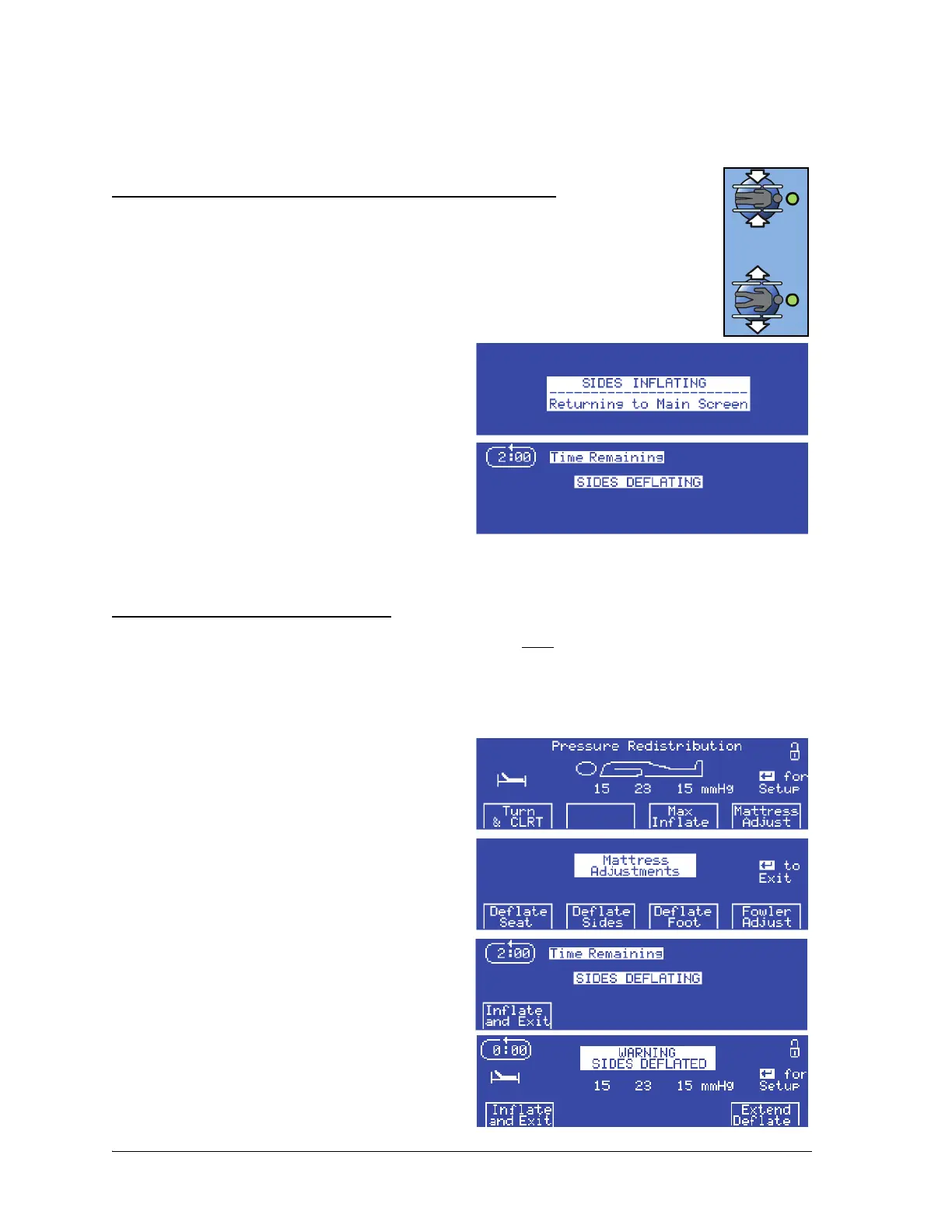
To deflate the side bolsters, do as follows:
1. At the Pressure Redistribution screen, press
Mattress Adjust.
2. Press Deflate Sides. The Sides Deflating
screen shows.
During the Deflate Sides mode, you may use Seat
Deflate mode, Foot Deflate mode, Max Inflate
mode, or Transport Deflate mode as necessary.
3. If the side bolsters are deflated for 30 minutes,
an alarm sounds, and the Warning: Sides
Deflated screen shows:















 To Next Page