Surface Features and Controls
64 Compella™ Bariatric Bed System Instructions for Use (178951 REV 6)
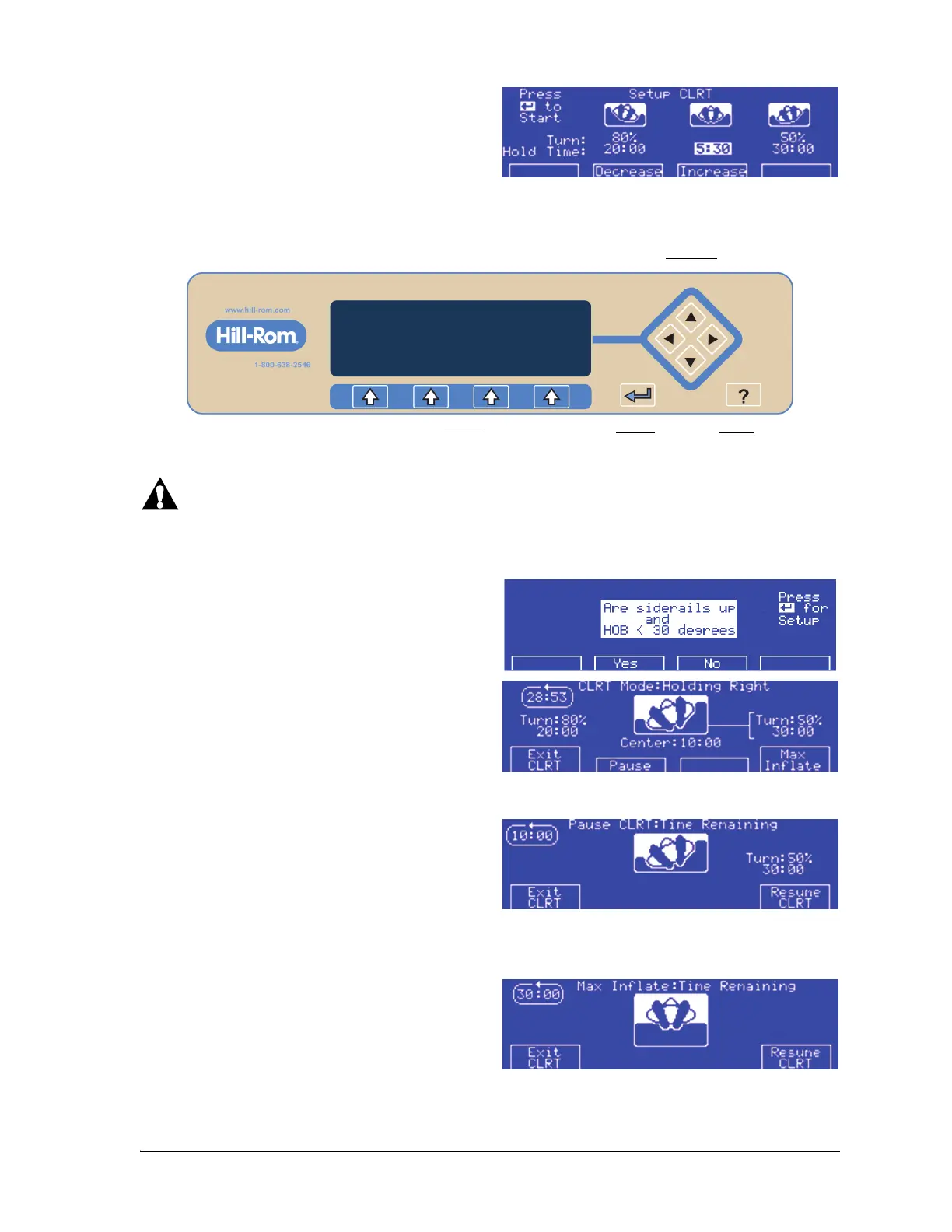
3. At the Setup CLRT screen, use the Decrease
and Increase buttons to increase or decrease
the highlighted % of turn (10% increments) or
hold times (30-second increments).
Use the arrow keys on the right side of the control panel (inside the diamond) to highlight what you
need to adjust.
4. After the parameters are set, press the Enter key to continue.
Warning—Do not start a turn in either of these instances: the head section (HOB) angle is greater than
30°; the siderails are not in the Up position; the bed width is not sufficient for the patient to turn. To do
so could cause patient injury.
5. At the Siderail warning screen, press Ye s or No.
6. The CLRT Mode screen shows.
7. CLRT begins. During therapy you have the
option to Exit CLRT, Pause, or Max Inflate.
If you retract or extend the bed width during CLRT,
the Pause function will activate to permit the
bolsters to deflate or inflate.
8. If Pause is selected, the patient will stop
rotating and stay at the current angle for 10
minutes. From Pause you can Exit CLRT and
return to the Pressure Redistribution screen or
Resume CLRT.
If CLRT is Paused for 10 minutes, an alert sounds. You will need to either press Exit CLRT or Resume CLRT.
9. If Max Inflate is selected, the patient is
centered and cushions inflated to maximum
pressure. From there you can Exit CLRT and
return to the Pressure Redistribution screen or
you can Resume CLRT.















 To Next Page