Surface Features and Controls
Compella™ Bariatric Bed System Instructions for Use (178951 REV 6) 61
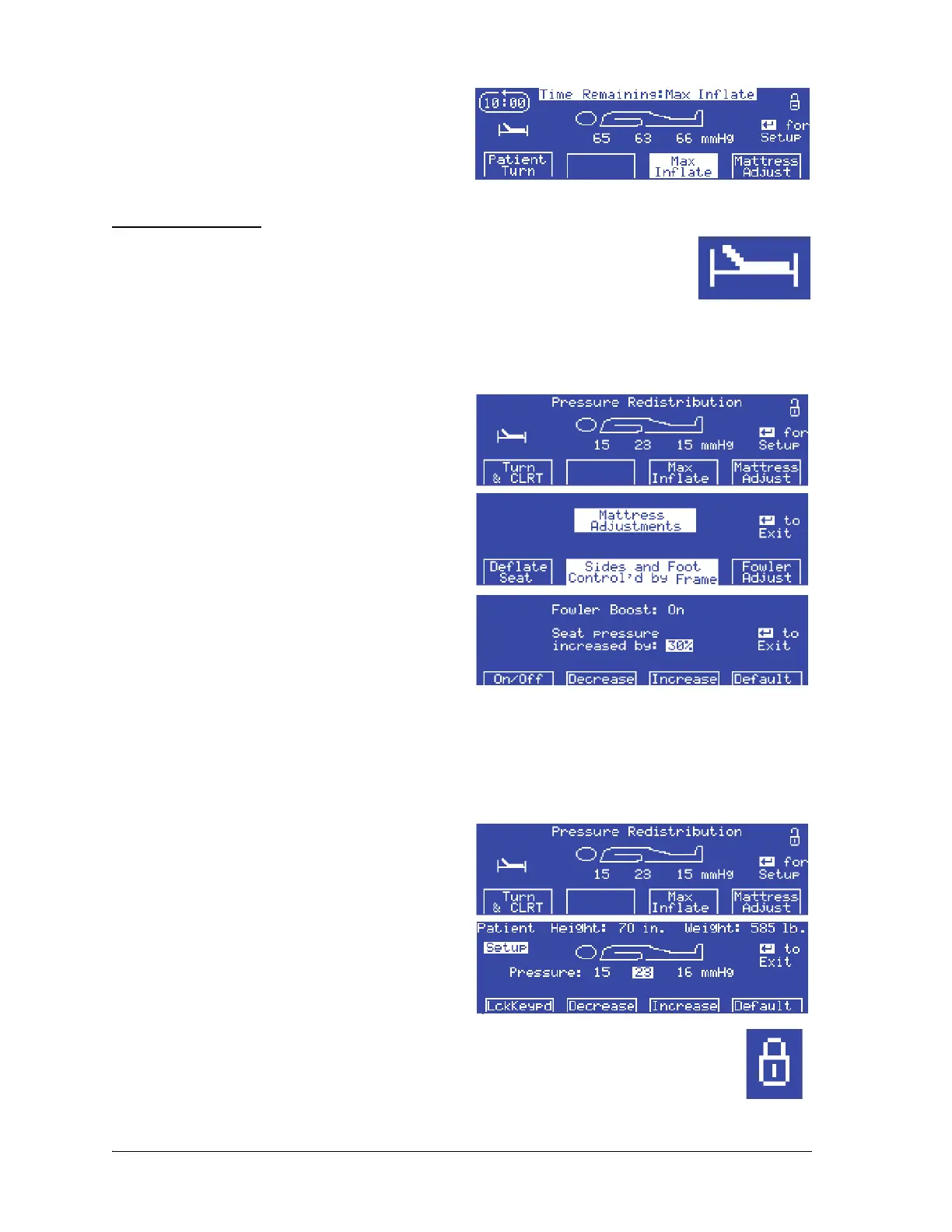
• Press the highlighted Max Inflate option
to stop Max inflate mode immediately.
• Do nothing—Max Inflate mode ends at
the end of the 1-minute countdown and
the surface returns to the previous mode.
Fowler Boost Mode
When the unit is turned on, it automatically defaults to Fowler Boost mode. For
patients in an inclined position, Fowler Boost mode increases support in the seat
zone.
When the unit is in Fowler Boost mode, the Fowler Boost indicator is on.
To turn Fowler Boost mode on or off, do as follows:
1. At the Pressure Redistribution screen, press
Mattress Adjust. The Mattress Adjustments
screen shows.
2. Press Fowler Adjust. The Fowler Boost screen
shows.
3. Press On/Off to turn Fowler Boost mode On or
Off.
4. If necessary, adjust the setting as follows:
• To increase the pressure, press Increase.
• To decrease the pressure, press Decrease.
•Press Default to return to the standard Fowler Boost setting of 30% more than the seat
section’s set pressure.
5. Press Enter to return to the previous therapy screen.
Lock or Unlock the Control Panel
1. At the Pressure Redistribution screen, press
Enter. The Patient Setup screen shows.
2. Press Lck Keypd. The control panel is locked
(or unlocked) and the previous therapy screen
shows.
When the control panel is locked, the Lockout indicator shows in the upper right-hand
corner of the screen.















 To Next Page