Surface Features and Controls
Compella™ Bariatric Bed System Instructions for Use (178951 REV 6) 63
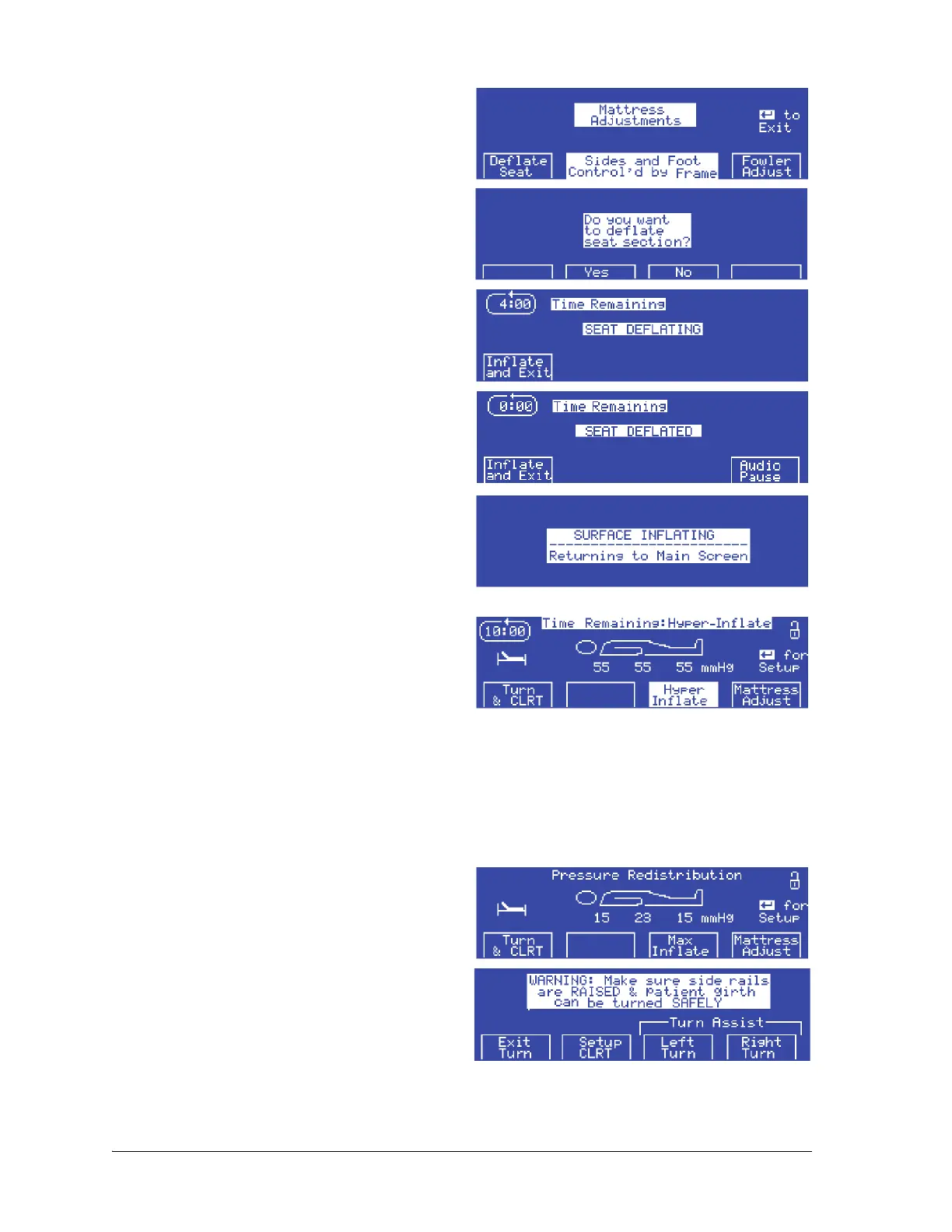
2. At the Mattress Adjust screen, press Deflate
Seat. The Do you want to deflate seat
section? screen shows.
3. Press Ye s . The seat section fully deflates within
4 minutes as shown on the Seat Deflating
countdown screen.
4. If the seat section is deflated for 30 minutes,
the alarm sounds. To continue with the Deflate
Seat mode, press Audio Pause to mute the
alarm for 10 minutes.
To inflate the seat section and exit the Deflate Seat
mode, do as follows:
1. Press Inflate and Exit. The Surface Inflating
screen flashes for 5 seconds.
2. The unit goes into Hyper-Inflate mode to
inflate the surface to 55 mmHg for 10 minutes:
If the unit is in Pressure Redistribution mode,
the Hyper-Inflate screen shows and highlights
Hyper Inflate.
Continuous Lateral Rotation Therapy
(CLRT) Mode
The rotation mode provides gentle, side-to-side, continuous lateral rotation therapy (CLRT) to help
prevent and treat pulmonary complications related to immobility. Patients can be positioned laterally
on the right or left side with varying amounts of turn and pause times to match each individual patient’s
condition. Pressure relief is provided when the rotation mode is active.
To start CLRT mode, do as follows:
1. At the Pressure Redistribution screen, press
Turn & CLRT.
2. Make sure the siderails are raised. Press Setup
CLRT.















 To Next Page