Surface Features and Controls
58 Compella™ Bariatric Bed System Instructions for Use (178951 REV 6)
Warning—Incorrect use or handling of the power cord may cause damage to the power cord. If
damage has occurred to the power cord, immediately remove the bed from service, and contact your
facility-authorized maintenance person or Hill-Rom Technical Support. Failure to do so could cause
injury or damage.
9. Connect the power cord to the patient left-hand side of the air supply unit.
10. Use the magnets to attach the power cord to these locations along the bed and to a correctly
grounded AC power outlet:
• Under the patient left-foot corner of the bed.
• Along the side of the intermediate frame on the patient left-hand side of the bed.
• At the patient head-left corner of the bed.
11. Plug the air supply unit power cord into the AC power outlet. Do not put the air supply unit in a
position that makes it difficult to unplug the power cord.
The Power switch on the caregiver’s right-side of the air supply unit turns the unit On and Off.
12. At the same time, press and hold the Help (?) control and the Power switch. Listen for a notification
tone to make sure the audio alarm system is operating correctly. If you do not hear a tone, do not
use the air supply unit.
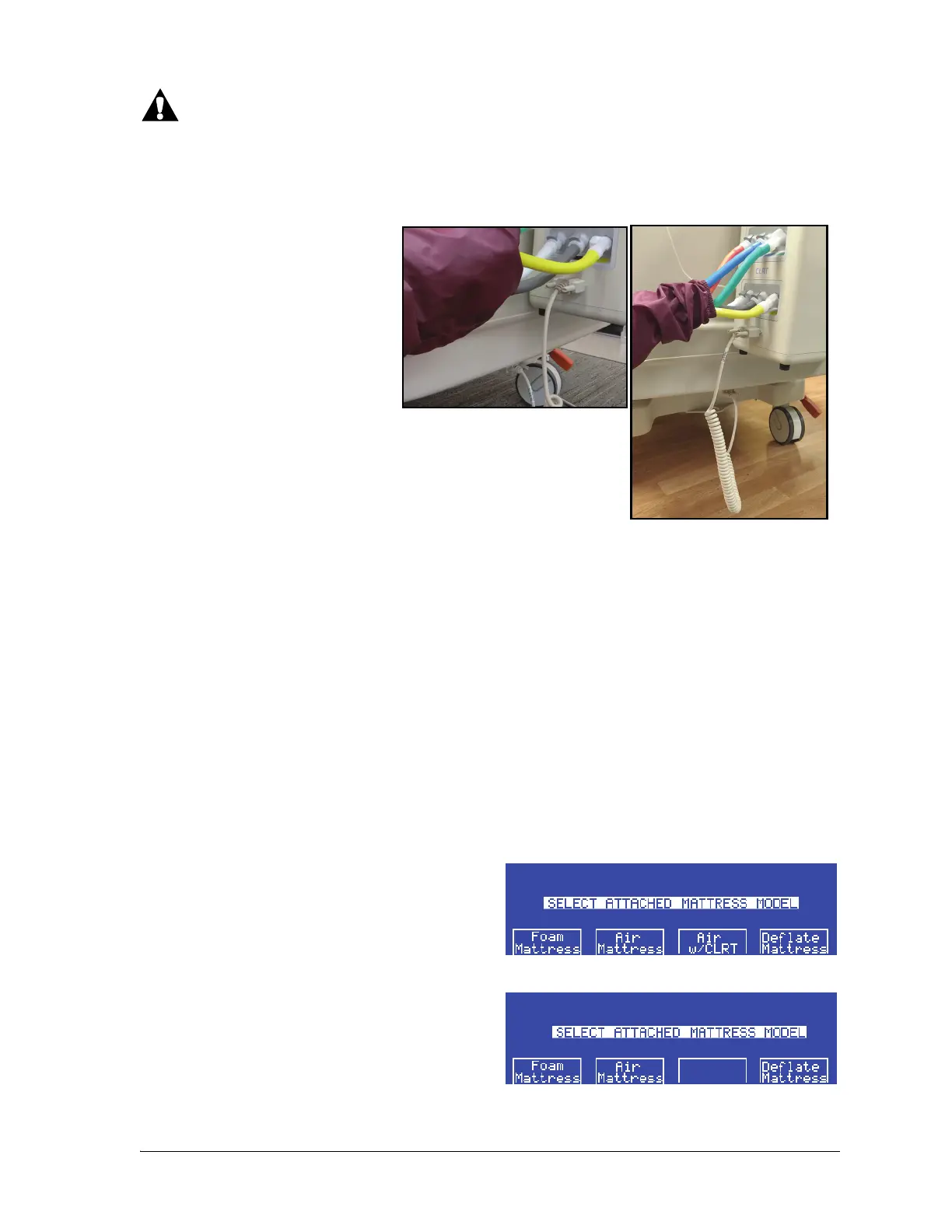
8. At the foot end of the bed,
connect the surface
communication cable to the air
supply unit and to the bed.
13. The Select Attached Mattress Model screen
shows. Select the correct surface.















 To Next Page