81
Communicating with PC
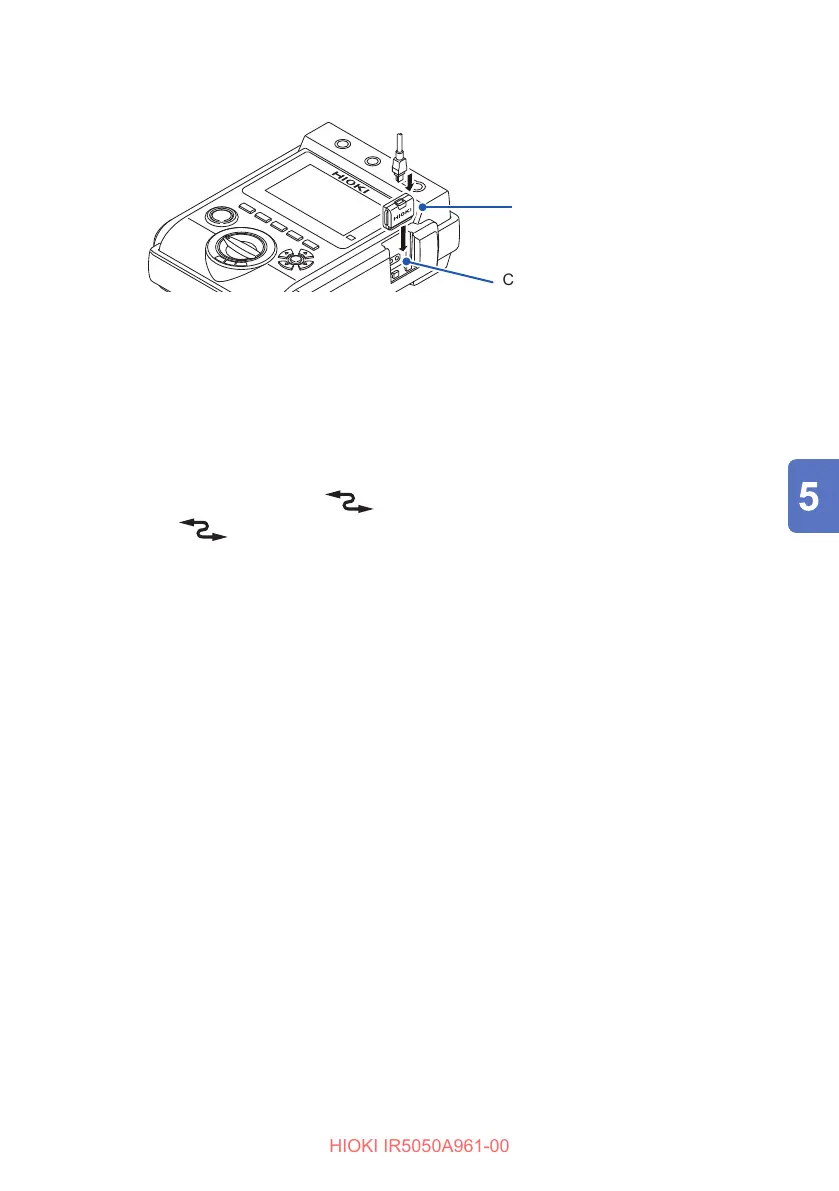
Installing the communications adapter in the instrument
USB cable
Communications adapter
Communications port
11
22
1
Install the communications adapter in the instrument.
2
Connect a USB cable to the communications adapter.
3
Communicate with the instrument using communications commands and
the Instrument Memory Download Tool.
• Connect the cable in the correct direction.
• During communications, the
mark appears on the LCD.
• When the
mark is lit, the instrument’s operation keys are disabled.
• Do not disconnect the USB cable during communications.
• When the wireless communications function (GENNECT Cross) is on,
communications cannot be performed using the DT4900-01. To use the DT4900-
01, turn o the wireless communications function or remove the Z3210.



 To Next Page