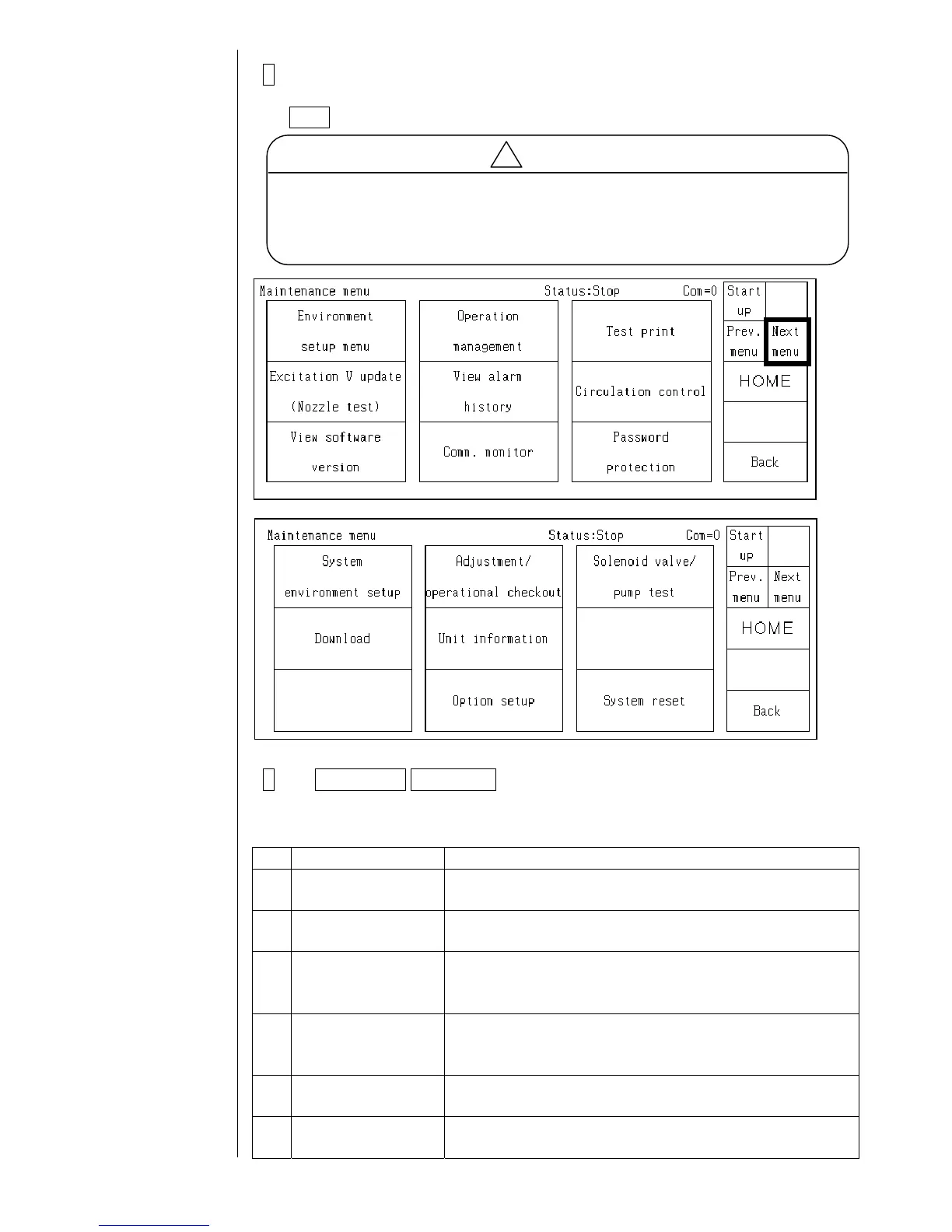
3 When passing the password judgment, the "service personnel
Caution
After the completion of the service maintenance work, be sure to return
the setting of the “service personnel maintenance” to “1” (protect) (when
the power supply is turned off, the display of the “service personnel
maintenance” automatically turns to non-display (protect)).
maintenance" is displayed and therefore, select "0" and press the
Back key.
4 The Prev. menu Next menu switching key is displayed and thereby the
menu for the service personnel maintenance can be displayed.
!
Features of the service personnel maintenance mode
No. Functions Contents
1 Maintenance menu The second page of the maintenance menu can be
displayed.
2 User environment
setup screen
The excitation V-ref. warning can be displayed.
3 Operation
management
screen
The cumulative operating time can be changed.
4 Operation
management
screen
The heating unit temperature and the ink temperature can
be displayed.
5 Excitation V update
screen
The indicator value of excitation voltage output and the
ambient temperature can be displayed.
6 Select language
screen
The language saving and input mode are possible.
2-2



 To Next Page