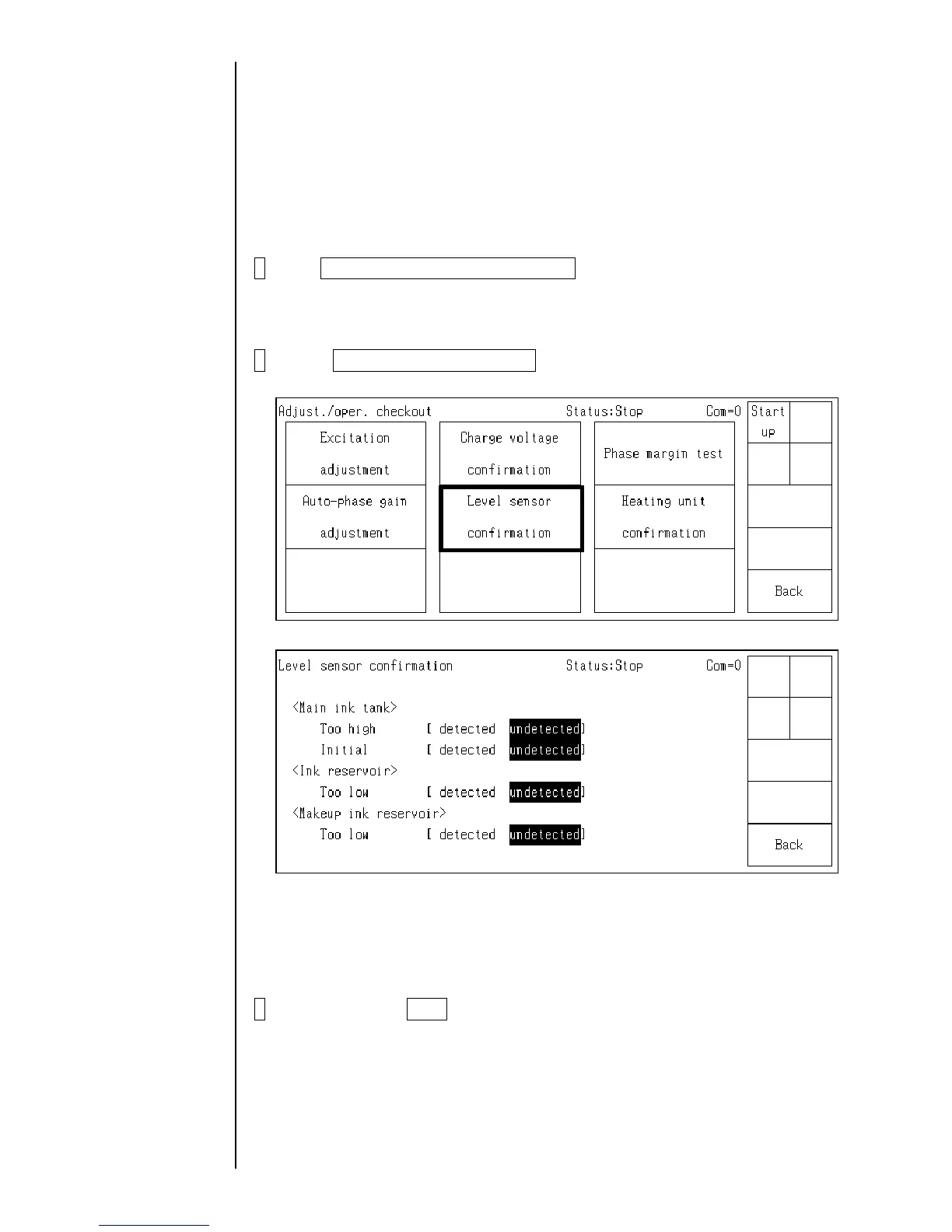
2.3.5 Level sensor confirmation
- The operation confirmation of level sensor in the main ink tank is performed.
(1) Too high
(2) Initial level
- The operation confirmation of level sensor in the ink reservoir is performed.
(1) Too low
- The operation confirmation of level sensor in the makeup ink reservoir is performed.
(1) Too low
- Perform this test in a "stop" or "standby" state.
1 Press adjustment/operational checkout at the second page of the service
maintenance screen.
When the previous menu and the next menu are not displayed in the maintenance menu,
set to the service personnel maintenance mode by the password protection.
2 Press Level sensor confirmation.
The level sensor operation state is displayed.
Detected: The sensor detected the level.
(The ink and the makeup ink are present.)
Undetected: The sensor did not detect the level.
(The ink and the makeup ink are not present.)
3 When pressing Back, the screen returns to the adjustment/operational
checkout screen.
With respect to the
password protection,
refer to " 2.1 setting of
service personnel
maintenance mode"
2-14



 To Next Page