2-30
2.12 Language registration
-This function is to register screen languages.
(Only English is registered when shipped.)
- Register the languages to the IJP from the memory card.
- If the customer is using password to protect the functions for maintenance work,
release the protection on functions and after setting this function is finished, reset the
protection on functions.
1 Be sure to turn off the power.
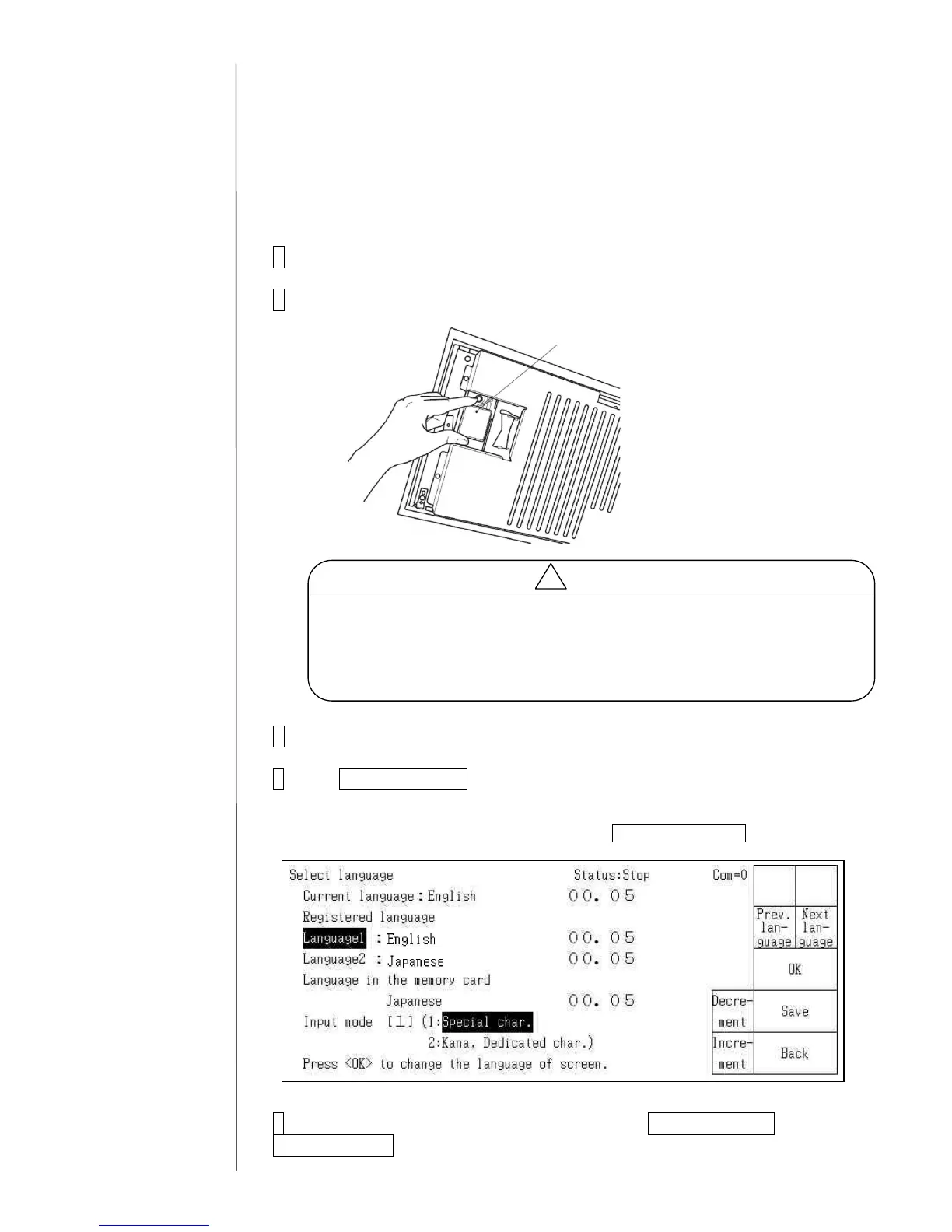
2 Insert the memory card with the IJP system data into the slot.
3 Turn on the power.
4 Press Select language.
In case that the languages in the memory card are not displayed on the screen, put it into
the Service pesonnel maintenance mode by using Password protection.
5 Point the cursor to the Language 1 and press Prev. Language or
Next Language, and select a desirable language.
- If the software version is different between the CF card and the IJP, download
is automatically executed.



 To Next Page