2-24
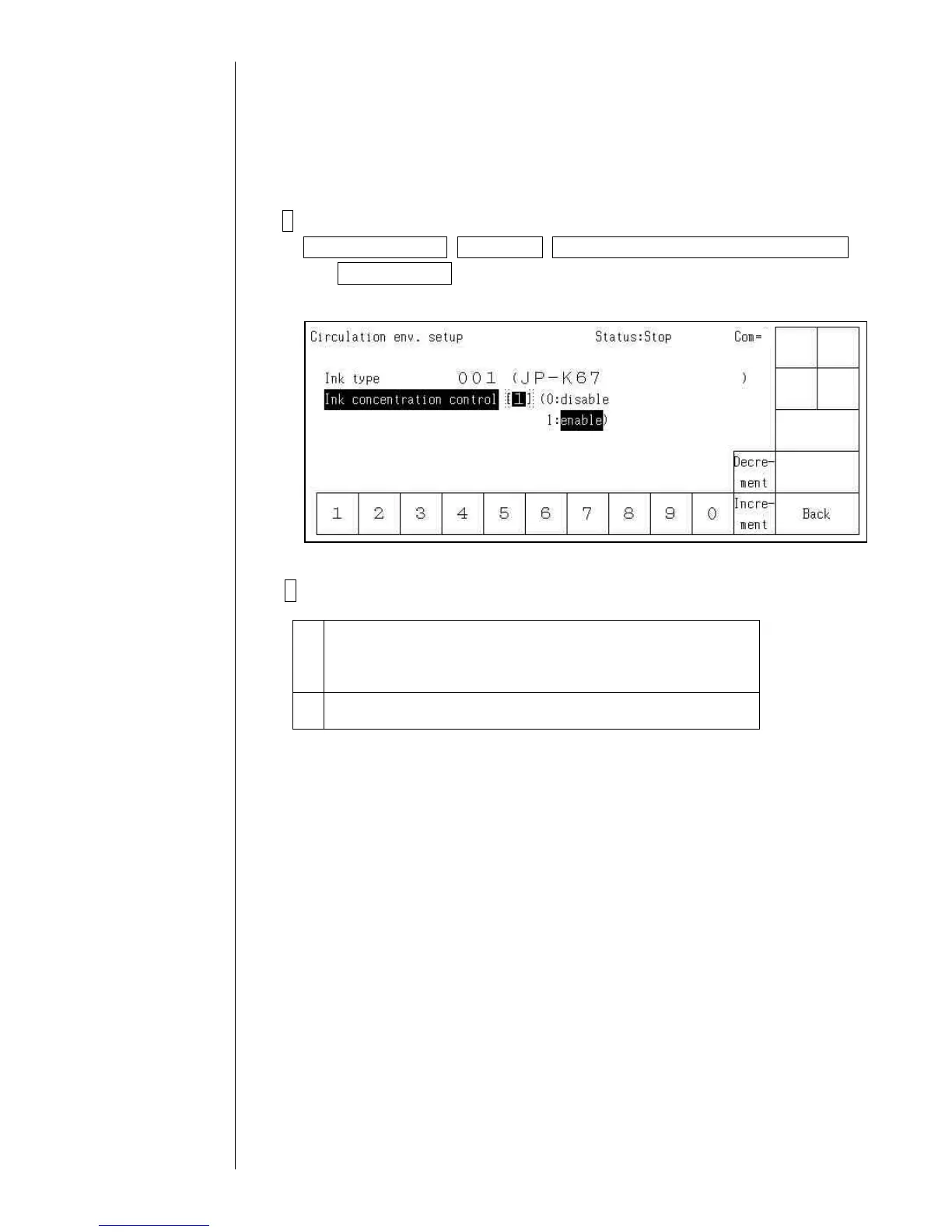
2.7 Ink concentration control
- Select whether or not the ink concentration is controlled based on results of the viscosity
measurement.
- Select whether or not the Ink concentration confirmation message will be displayed when
the power is turned on.
- Perform these at “stop” state
1 Confirm the IJ printer is “stop” state, and press buttons in order of
Circulation control, Next menu, Circulation system environment setup
and Start/Continue in the maintenance menu, and then the Circulation
env. setup screen is displayed.
2 Press either [0: Disable] or [1: Enable].
0 The ink concentration is controlled by the dot count control
without measurement of the ink viscosity.
(Dot count control: Amount of ink which is used for printing
and vaporized makeup ink are automatically refilled.)
1 The ink concentration is controlled based on results of the
viscosity measurement.
Caution 1. The default is [1:Enable]
Caution 2. [1. Enable] can not be selected for some inks.
The dot count control is performed for the inks.



 To Next Page