2-29
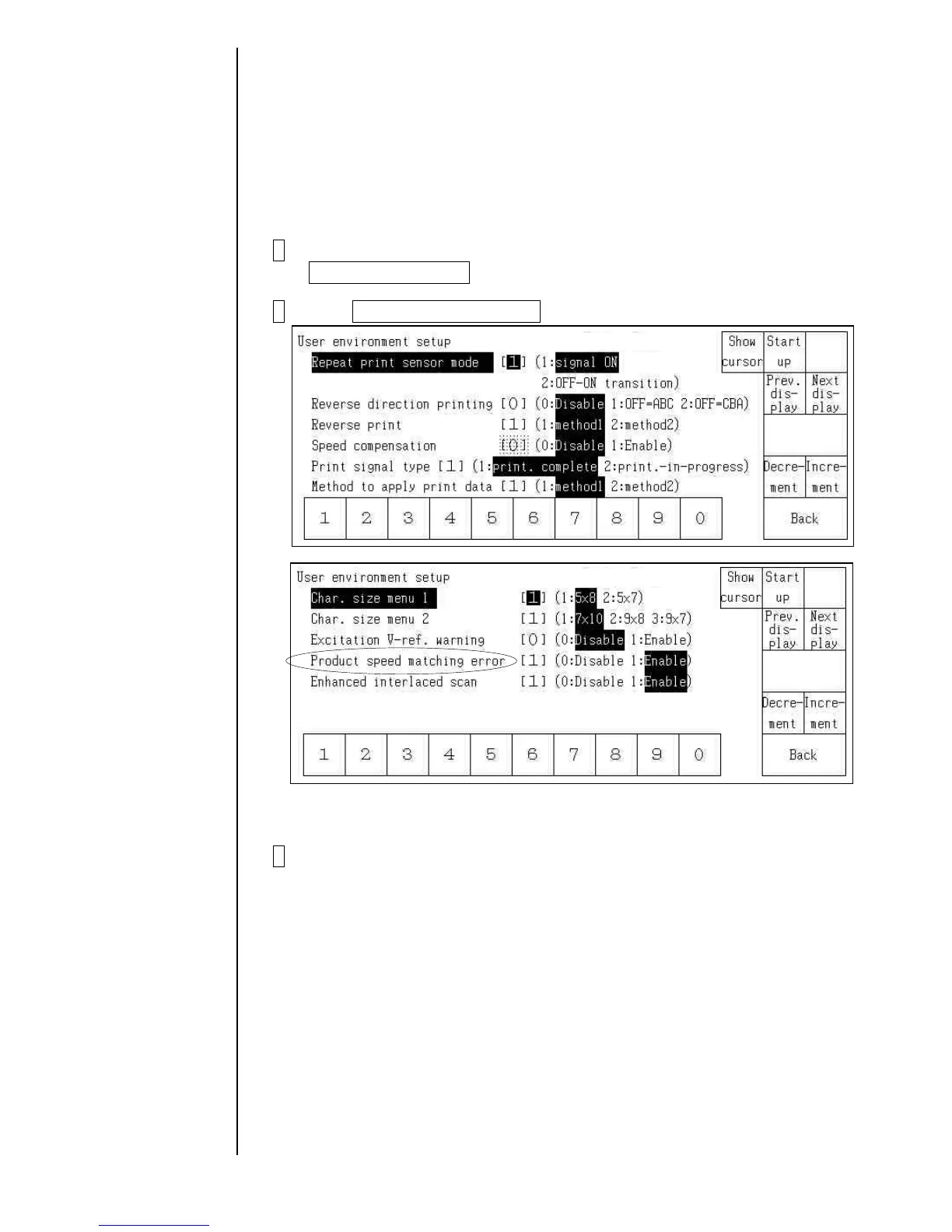
2.11 Handling of the warning “Product Speed Matching Error”
- The warning “Product Speed Matching Error” can be set to “Enable” or “Disable”.
Enable: The warning message is displayed when the conditions are met.
Disable: The warning is not displayed even is the conditions are met.
- The screen for the setting is displayed at the “Service personnel maintenance mode”, and
it is not displayed at the “User maintenance mode”.
1 Put it into the Service personnel maintenance mode by using
Password protection.
2 Press User environment setup at the Environment setup menu.
3 Change the setting value of the “Product speed matching error”.
* Caution:
Even if a condition for the warning happens and the print disordered, the warning will
not be displayed when the value is set to “disable”.



 To Next Page