3-31
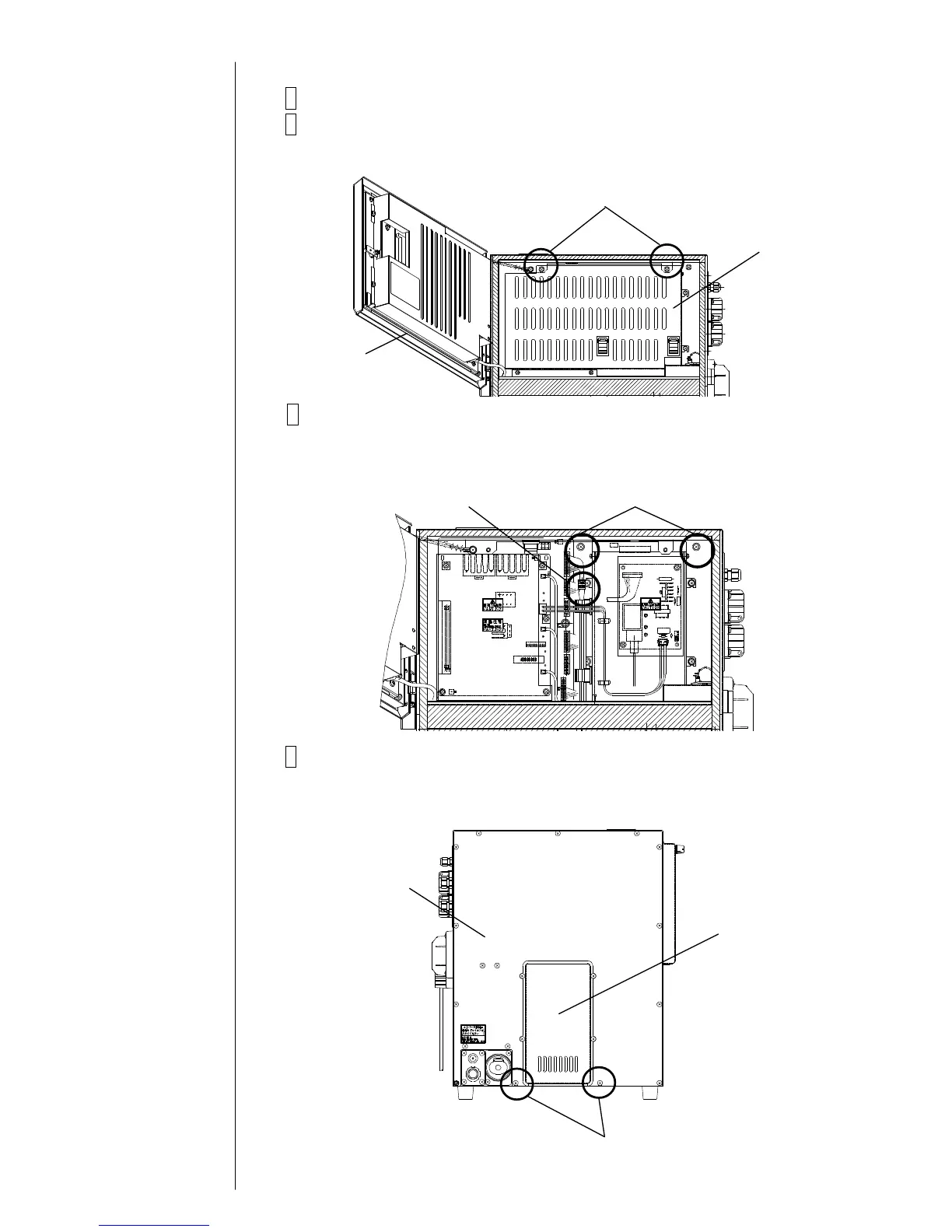
3.3.7 Fan Replacement Procedure
1 Turn off the power supply.
2 Open the operation panel and remove the fixing screws (2 locations).
Remove the electrical component cover.
3 Remove the fixing screw of the board base (2 locations) and the
connector of the fan.
{3 wires (black, red, and blue), 4-pin connector}
4 Remove the exhaust cover and the rear cover.
"Caution" Take care not to cause the removed connector of the fan to be
caught.



 To Next Page