24
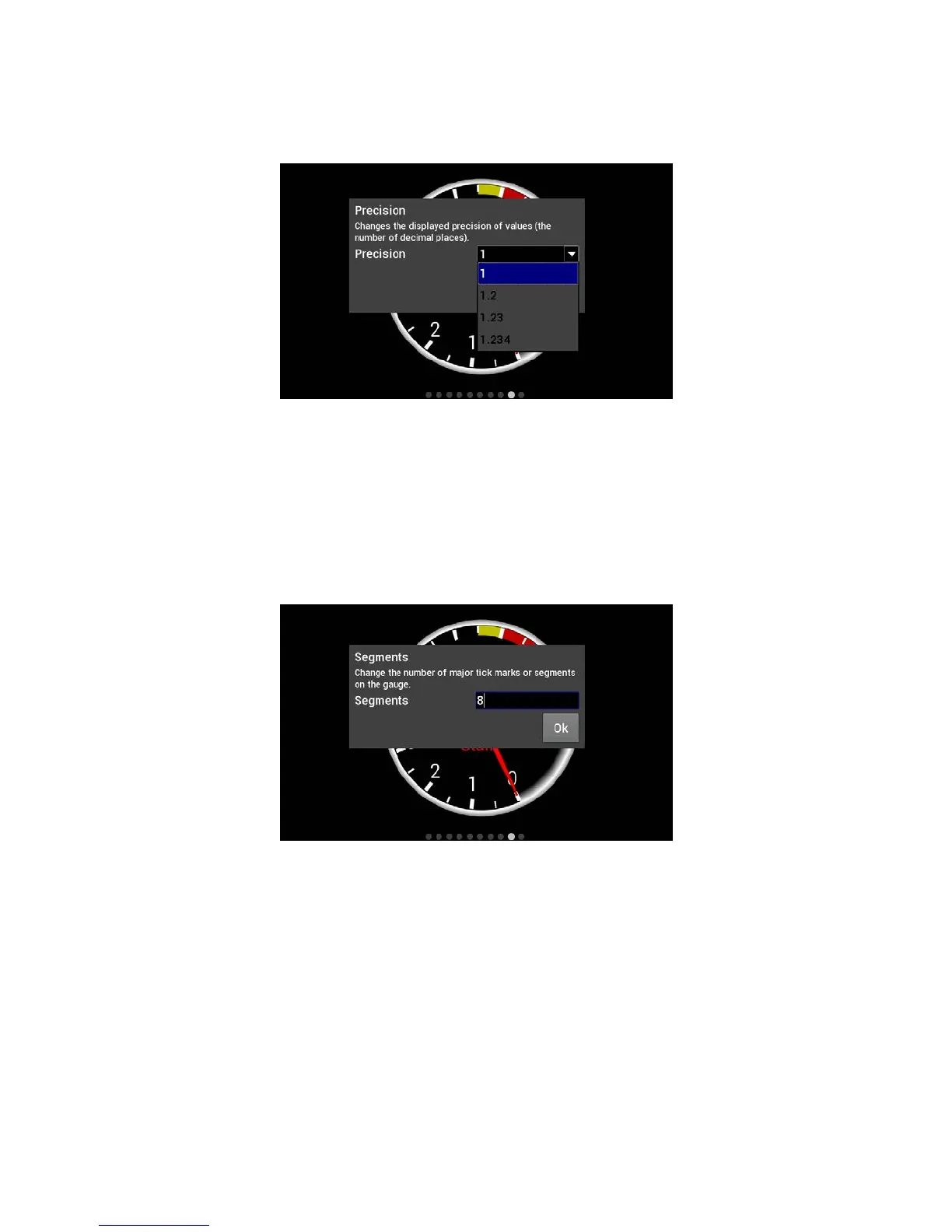
Precision
Changing the precision of a gauge will show more or less decimal points after the whole number.
Tachometers generally will not use any decimal places; however it may be beneficial to display fuel flow or
AFR values with one or more decimal place.
Segments
Users can configure the number of segments on gauges. For example, a 0-8000 RPM tachometer with 8
segments would be divided into 1000 RPM increments. A 0-16,000 RPM tachometer would be divided into
2000 RPM increments.
Choose 0 segments to remove the scale completely.
NOTE: Ensure the number of segments is matched up with the range you specify. E.g. If you choose
6 segments in a 0-8000 tachometer range, the scale markers will be at 0, 1333, 2667, 4000,
5333, 6667, and 8000. We would recommend using 4 or 8 segments instead.
Scale Values Visible
This will toggle the Scale Values on or off.
Scale Divisor
This value is the total range of a gauge divided by the number of segments. In this example, if you wanted the
Scale Values of the tachometer to display 10, 20, 30… instead of 1, 2, 3… the scale divisor would be set to
100 instead of 1000.










 To Next Page