FAXITRON PATH USER MANUAL | HOLOGIC | REVISION 024
ECTION
ISION
oftware
5
5-13
Inveting, Window Level and Contrast Adjustment
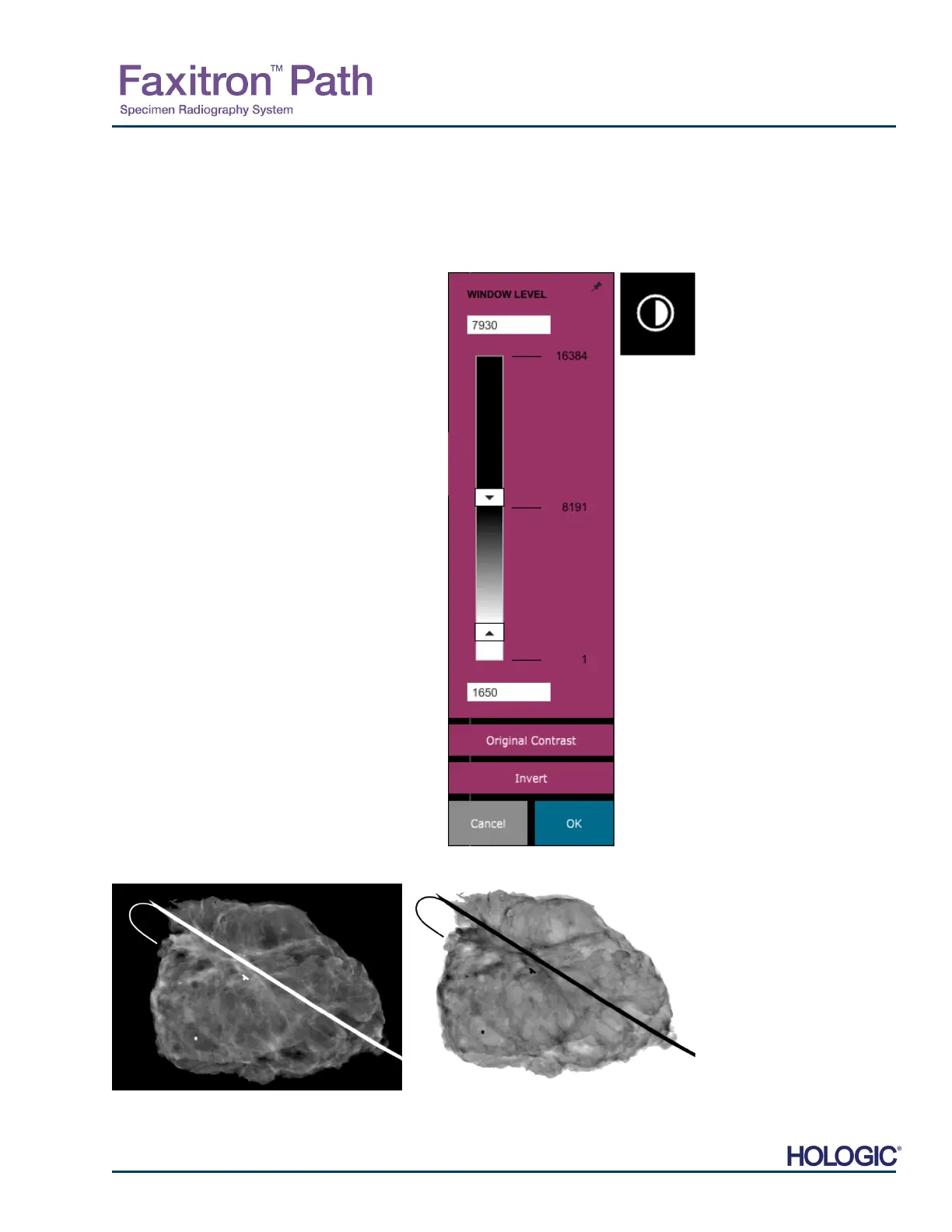
The button, shown in Figure 5.4.3, will open the Window Level and Contrast adjustment tool.
This tool allows the user to adjust the image’s window level and contrast. The user may also
restore the Original Contrast by pressing the Original Contrast button, or invert the image by
pressing the Invert button. Inverting flips the color scheme from being predominantly black to
being predominantly white and vice versa. See Figure 5.4.4 below.
The user may also adjust the slider bar for desired
image contrast by clicking on the bar and moving it
up and down or by clicking on any of the indicated
arrows on the bar to move the lower or upper window
level limits. See Figure 5.4.3 (Informally this is also
known as "Window Leveling.").
n example of inverting is shown below:
5.4.1 Cont.
Figure 5.4.3
Window Level and Contrast Tool
icon and Controls
Figures 5.4.4
Example of inverting with the
djust Contrast
and Window
Level tool













 To Next Page