MPA2C3 Installation Guide 141
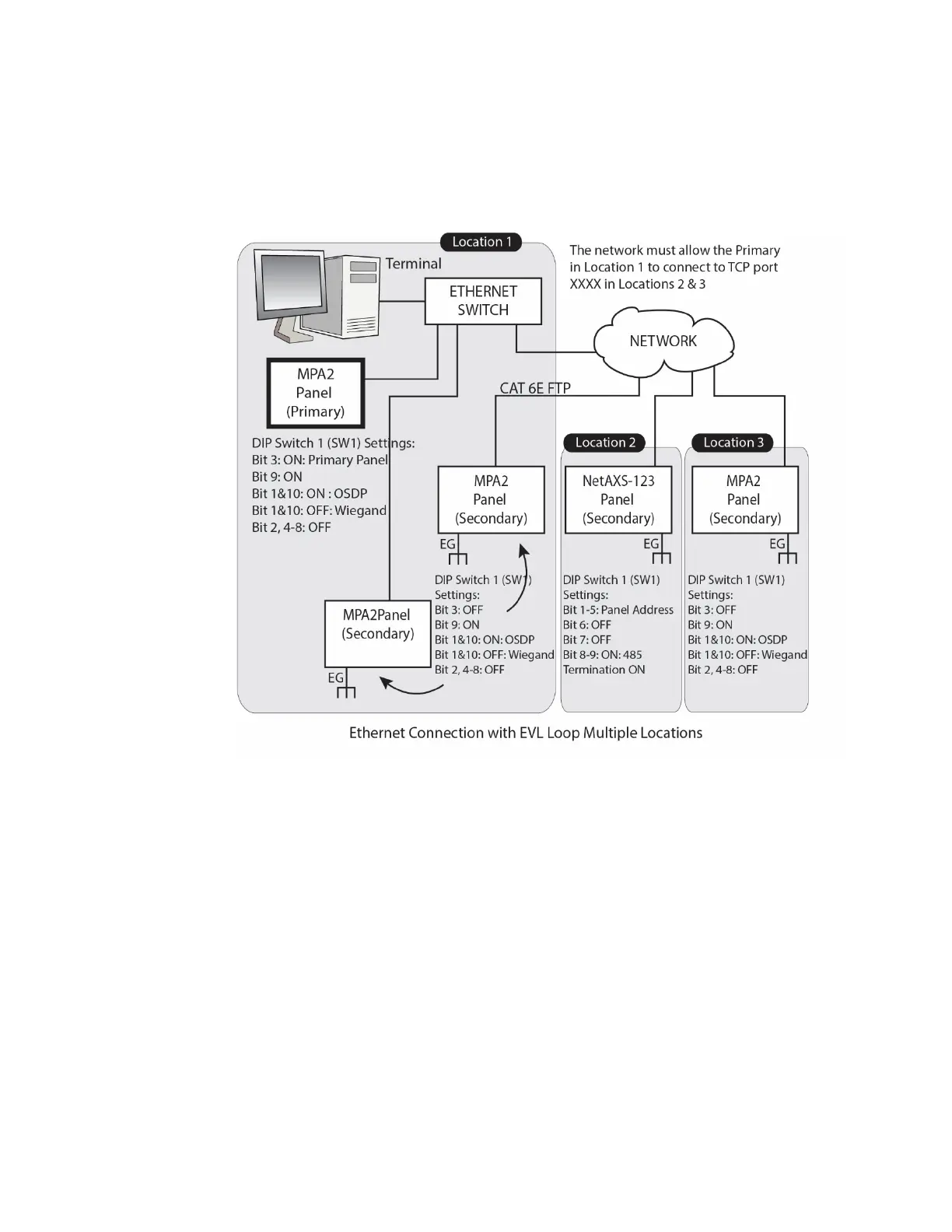
Ethernet Connection with Ethernet Virtual Loop – Multiple
Locations
Figure 4-6 Ethernet Connection with Ethernet Virtual Loop – Multiple Locations
Note:
• Network must provide DHCP server (or use dedicated Network configuration
with a router shown in next section).
• Recommend that Network provide firewall protection from unauthorized access.
• If the locations are in different Geographic time zones, it is recommended that
each time zone
• should be served by its own “Ethernet Virtual Loop”. The reason is that all
controllers on the same Ethernet Virtual loop must be set to the same
Geographic time zone.
• The
• network must allow the primary panel in Location 1 to connect to TCP port
#9876 in Locations 2 and 3.



 To Next Page
 Loading...





