8–6 Hardware Guide
Hardware Upgrades
Adding and Upgrading Memory
Modules
Å
WARNING: The memory compartments are the only user-accessible
internal compartments on the notebook. All other areas that require a
tool to open should be opened only by an authorized service provider.
Å
WARNING: Failure to unplug the power cord and remove all battery
packs before installing a memory expansion module can damage the
equipment and expose you to the risk of electrical shock.
Ä
CAUTION: Electrostatic discharge (ESD) can damage electronic
components. Before beginning any procedure, ensure that you are
discharged of static electricity by touching a grounded metal object.
For more information, refer on the Documentation Library CD to the
Regulatory and Safety Notices guide.
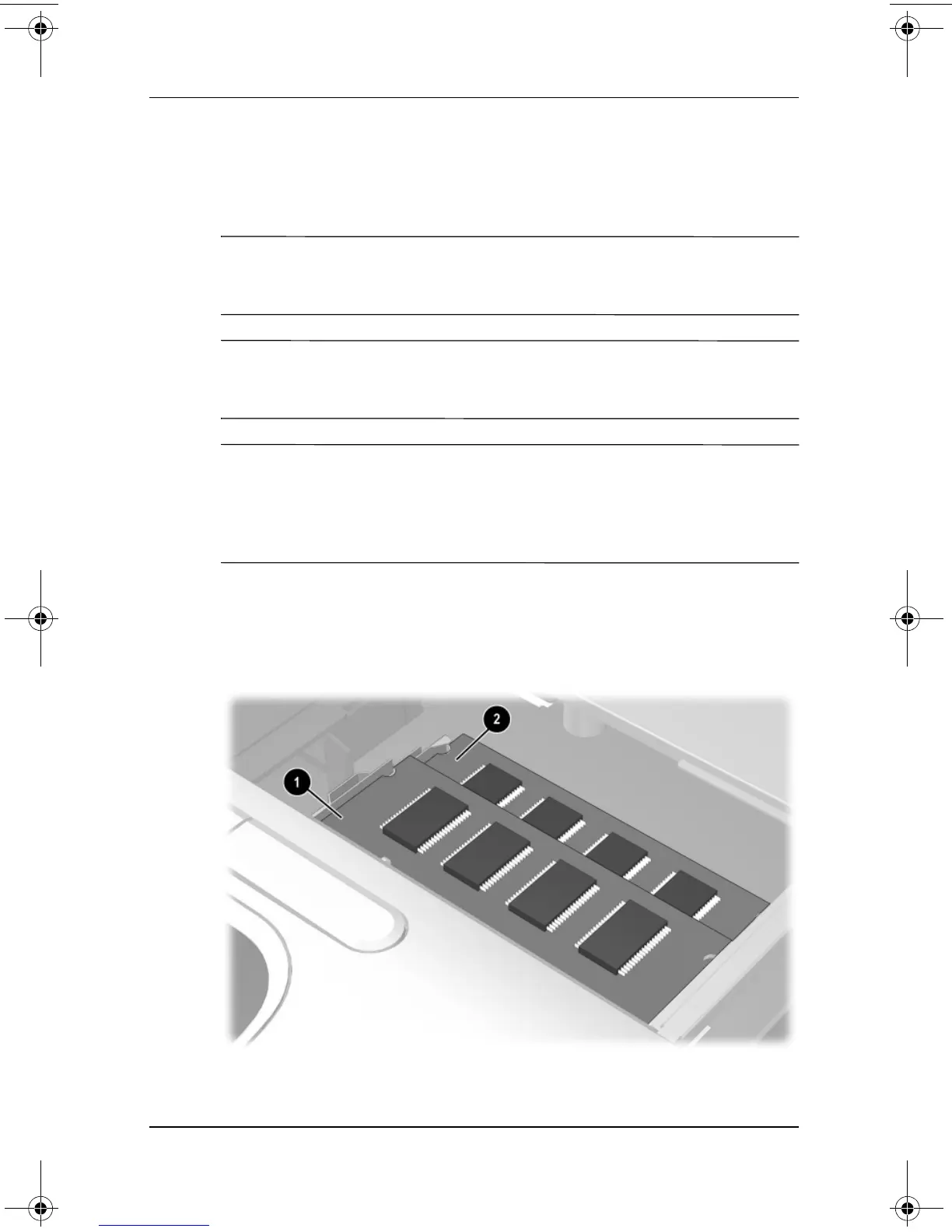
The notebook has 2 memory slots, one on top of the other, located
under the keyboard. The memory expansion slot 1 is on top of
the primary memory slot 2. The primary memory slot is on the
bottom and is populated at the factory.
333644-001.book Page 6 Thursday, July 10, 2003 2:56 PM


 To Next Page
 Loading...



