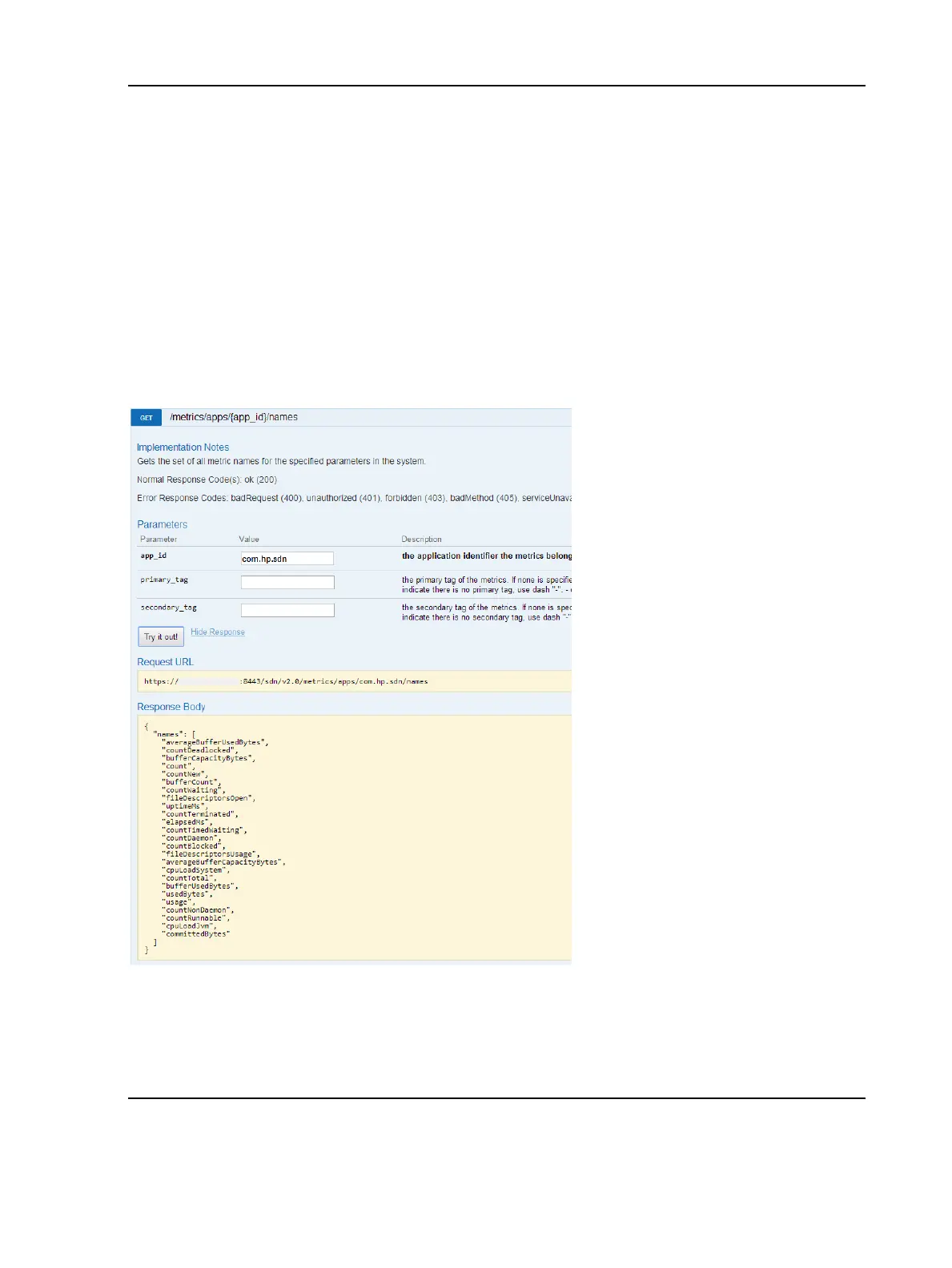
Example 12 Metric names associated with a specific application
Metric names associated with a specific application are displayed using the following call.
Curl equivalent command
curl --noproxy <controller_ip> -X GET --header
"X-Auth-Token:<token>" --fail -ksSfL --url
"https://<controller_ip>:8443/sdn/v2.0/metrics/apps/<app_id>/names"
Curl output for app_id=com.hp.sdn
{"names":["averageBufferUsedBytes","countDeadlocked","bufferCapacityBytes","count",
"countNew","bufferCount","countWaiting","fileDescriptorsOpen","uptimeMs","cou
ntTerminated",
"elapsedMs","countTimedWaiting","countDaemon","countBlocked","fileDescriptorsUsage",
"averageBuff
erCapacityBytes","cpuLoadSystem","countTotal","bufferUsedBytes","usedBytes",
"usage","countNonDaemon","countRu nnable","cpuLoadJvm","committedBytes"]}
Result
Optional query parameters are provided in each of the calls. To see the metric
names for specific primary tags and optionally secondary tags, you may be specific
in the call so that only the applicable metric names are displayed.
220 Examples of Metrics



 To Next Page