DescriptionScreen component
Indicates the category for this alert. Multiple origins can contribute alerts to the same
topic.
Topic
Identifies the controller that generated the alert. The controller is represented as a
hexadecimal number. When you use controller teaming, this ID enables you to identify
which controller in the team generated the alert.
Controller ID
Viewing the alert notification counter
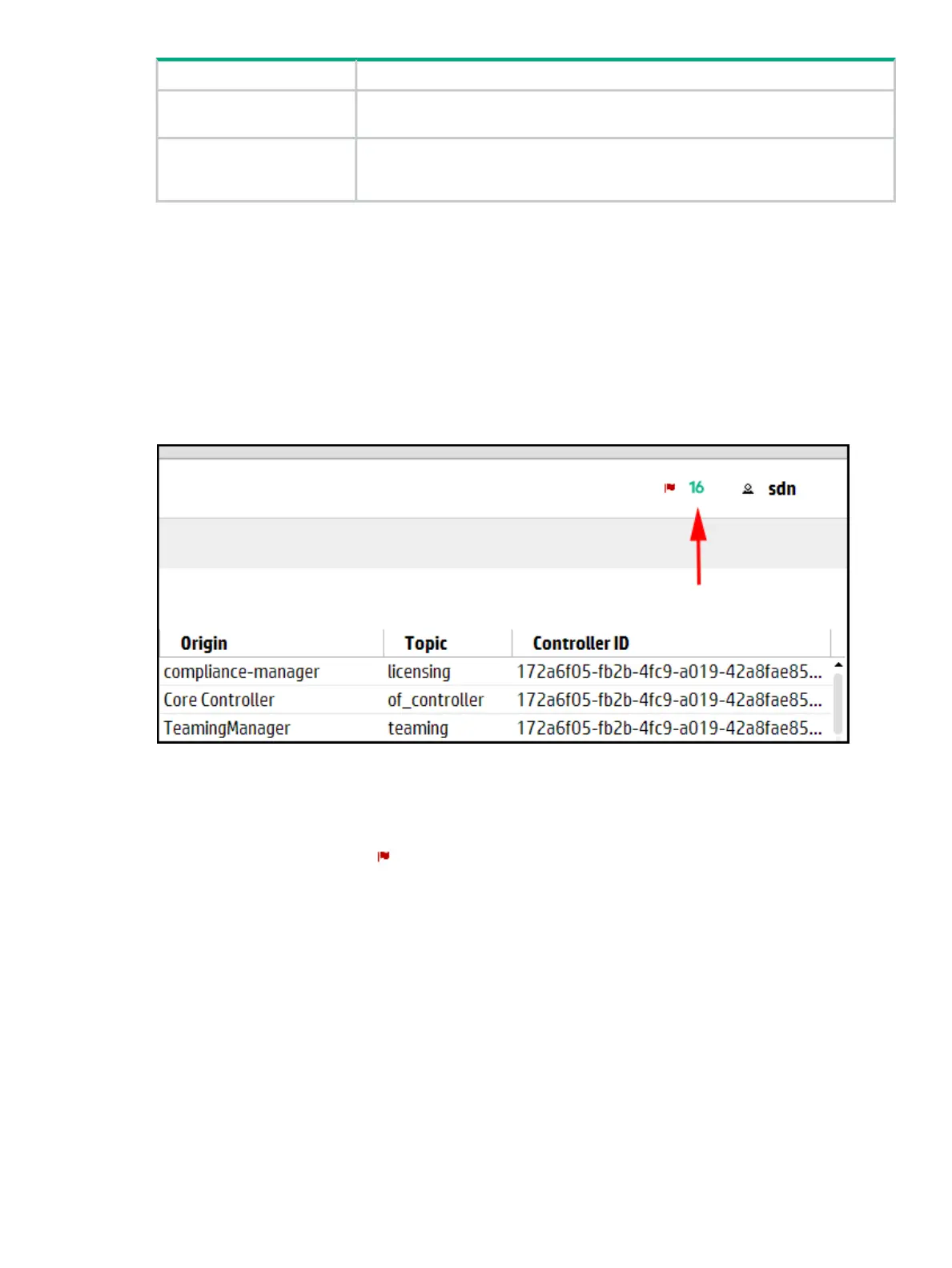
The alert notification counter is displayed in the top banner and appears on all controller screens.
This counter indicates the number of active alerts:
• The controller increments this counter when each new alert occurs.
• The controller decrements this counter when you acknowledge an alert or when the controller
deletes an alert according to the alert policies set for aging out alerts (for details see,
“Configuring how alerts age out” (page 31).
Figure 6 Alert notification counter
Viewing the ten most severe recent active alerts
To display a summary of up to 10 alerts ranked by severity (highest to lowest) and then by date
and time (newest to oldest):
• In the top banner, click .
The Alerts as of today window is displayed.
Alerts 29



 To Next Page