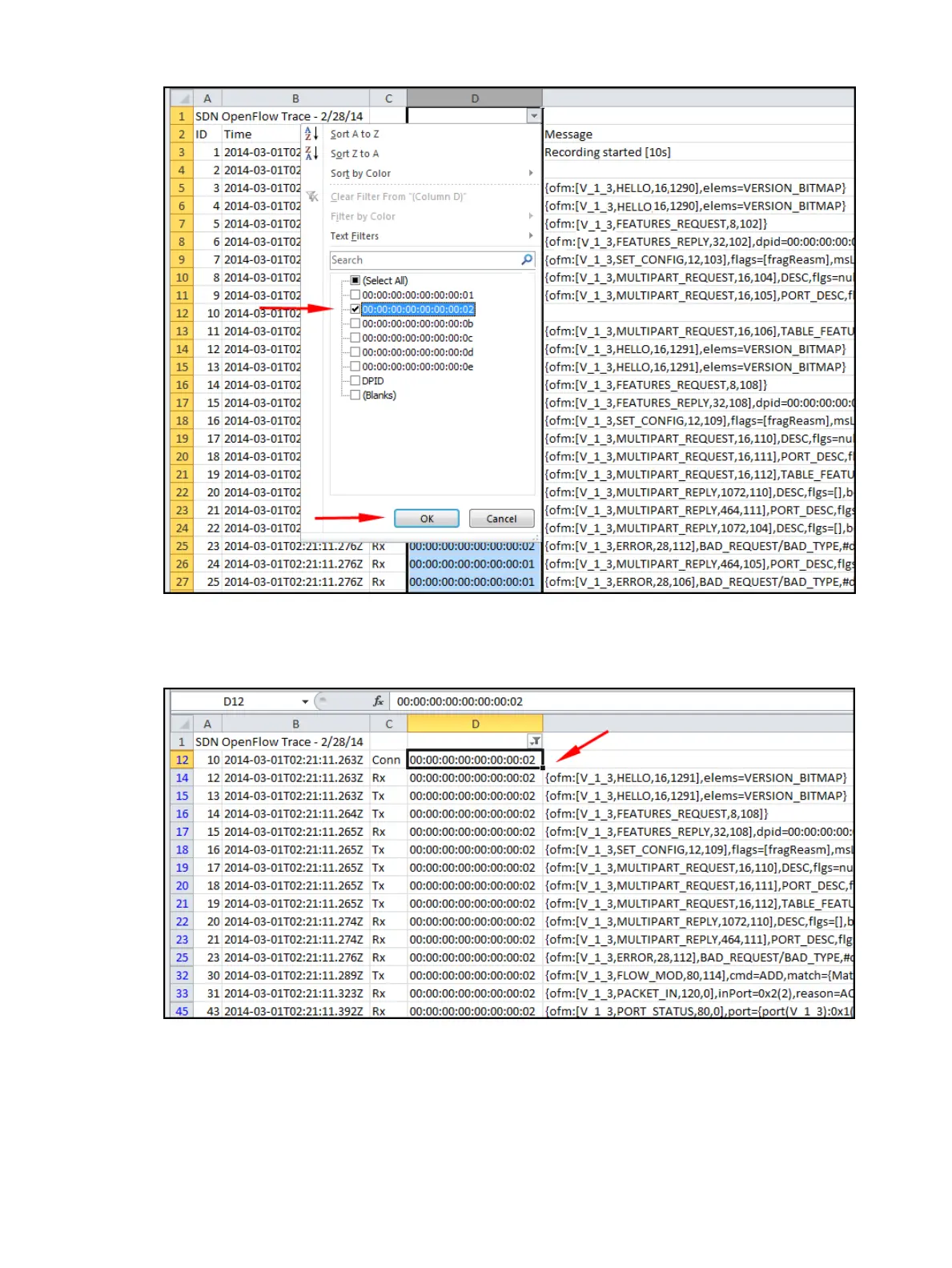
Figure 41 Applying the filter
5. In the resulting display, only the data filtered to data path 00:00:00:00:00:00:00:02 appears.
Figure 42 Filtered trace log
Changing the OpenFlow trace interval
The default trace interval is ten seconds. To change the interval, change the value for the
record.duration key of the com.hp.sdn.ctl.of.impl.TraceManager component.:
1. From the navigation menu, select Configurations. Then select the Basic tab.
2. Select the com.hp.sdn.ctl.of.impl.TraceManager component.
74 Using the SDN controller UI



 To Next Page