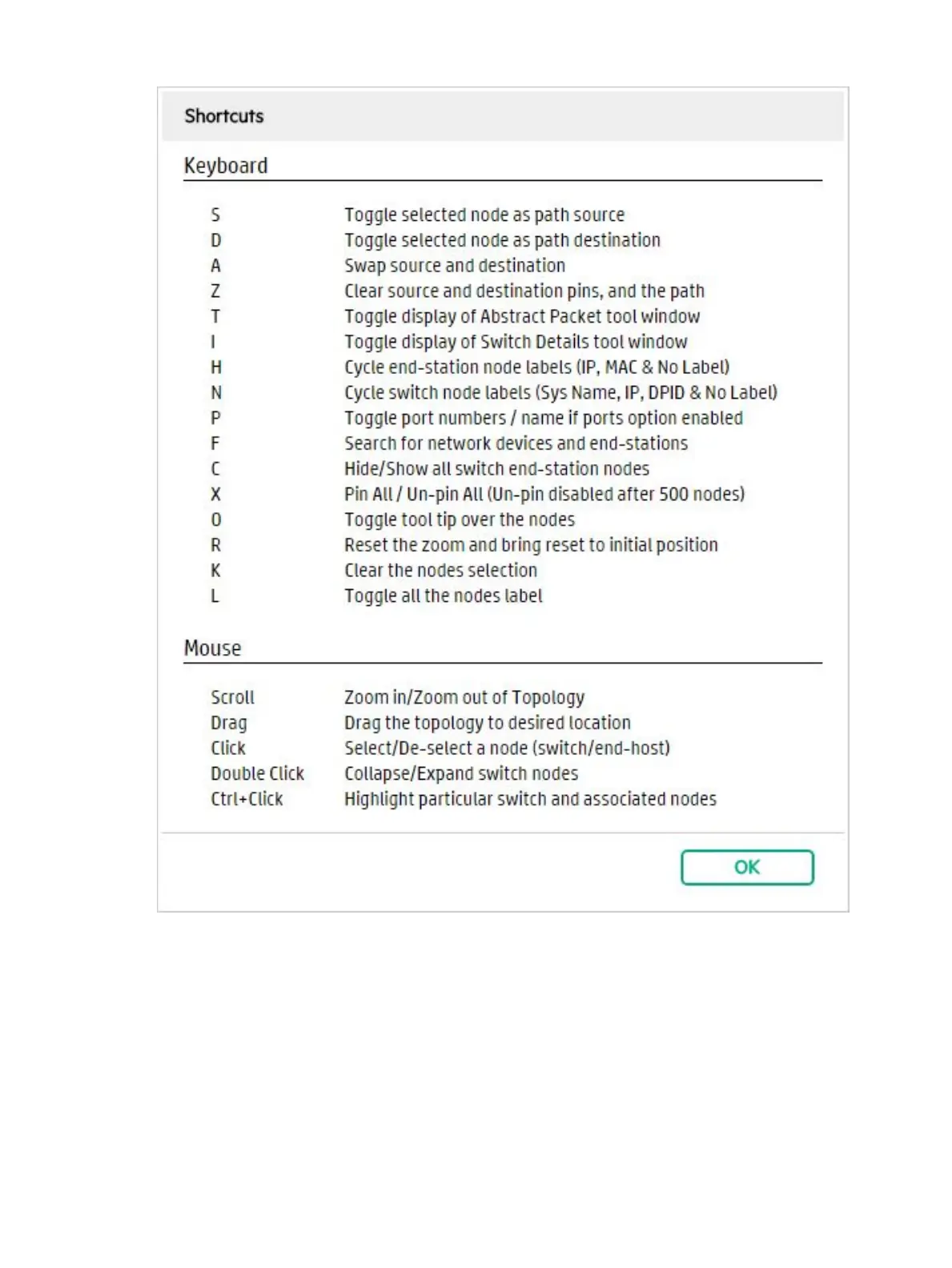
Figure 28 Keyboard shortcuts
See also:
• “Changing switch and host node labeling” (page 63)
• “Using the mouse to change the topology display” (page 65)
• “Viewing node tooltips” (page 65)
Changing switch and host node labeling
You can change how nodes are labeled in the topology using keyboard shortcuts.
To turn on or off ALL node labels, enter the keyboard shortcut L.
To change the host node labeling in the topology, enter the keyboard shortcut H and the display
will cycle through the different node labels each time you enter H.
OpenFlow topology 63



 To Next Page