Filtering the OpenFlow trace log in a CSV file
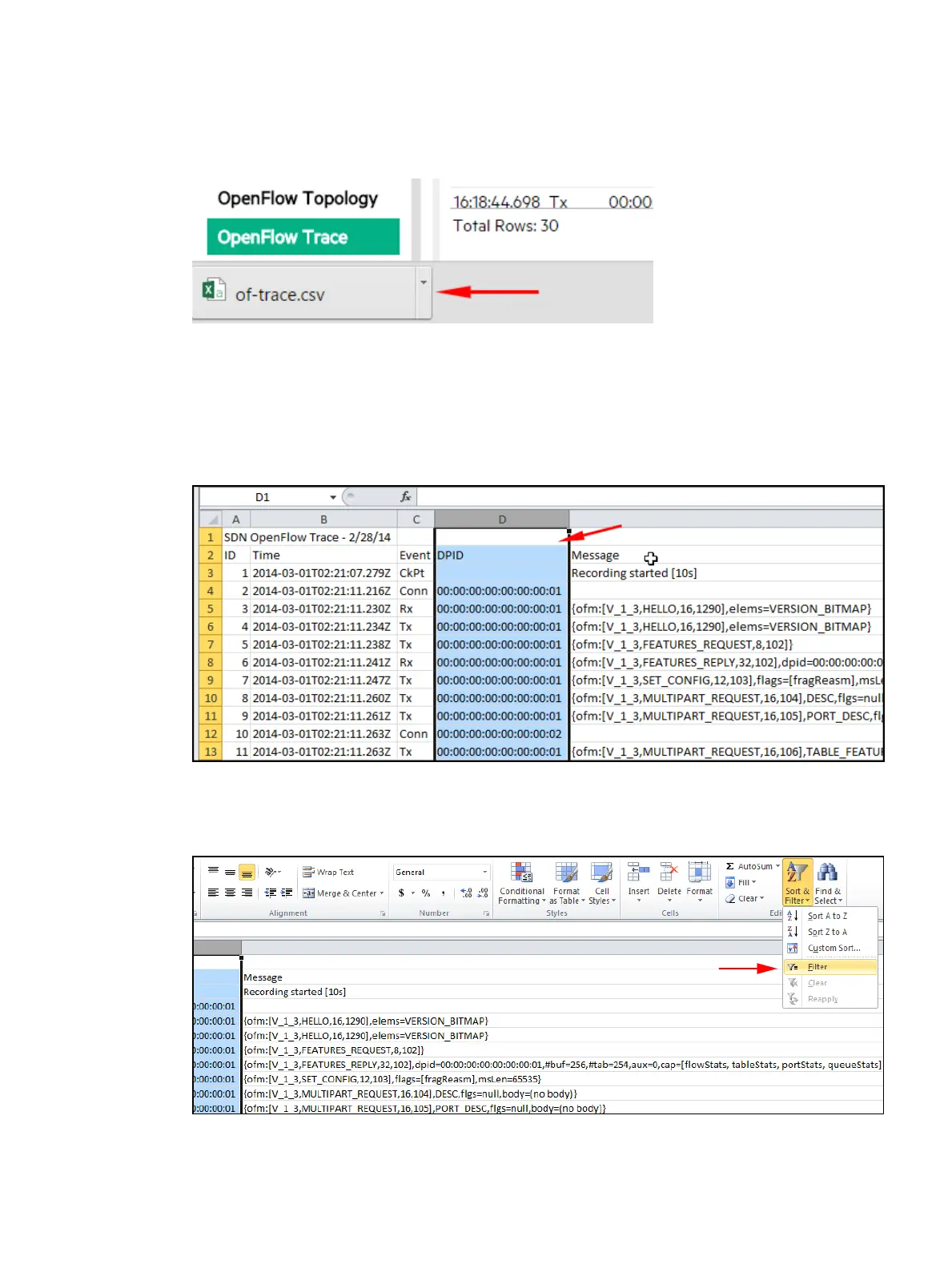
1. Open the CSV file in the default folder. For example, using Google Chrome, open the menu
adjacent to the file name (of-trace.csv) and select Show in folder.
Figure 38 Accessing the stored CSV file
In the resulting folder listing, locate the of-trace.csv file and open it using an application,
such as Microsoft Excel, that enables you to read the log messages and configure a filter.
For example, to investigate the messages collected for data path 00.00.00.00.00.00.00.02:
2. Select the DPID (Data Path ID) column.
Figure 39 DPID column
3. Set the filter.
Figure 40 Setting the filter
4. Apply the filter by checking the box for data path 00.00.00.00.00.00.00.02.
OpenFlow Trace log 73



 To Next Page