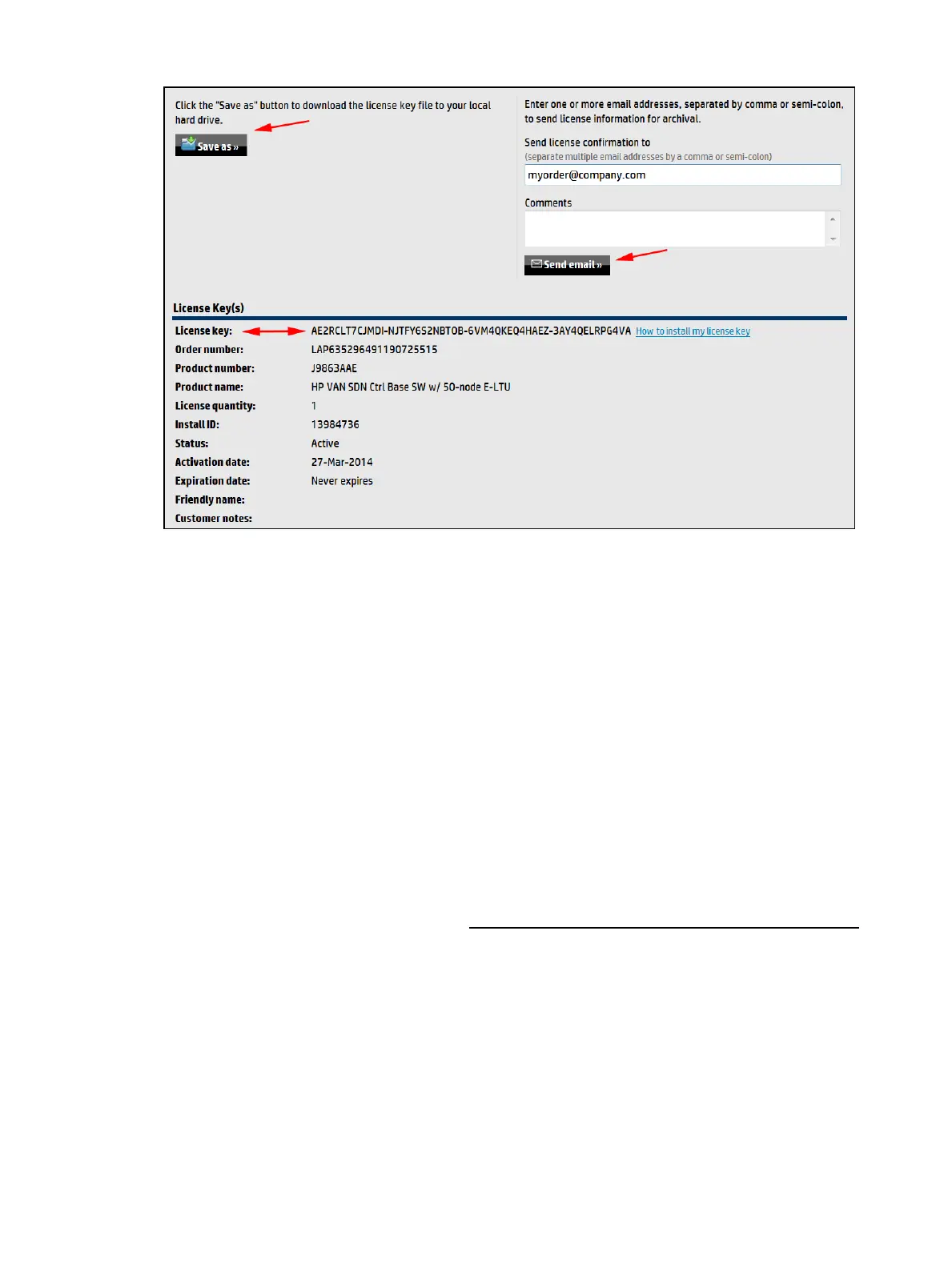
Figure 53 Reviewing your registration
10. Review your license registration details, and record the License key listed.
11. Optional: To download the license key file, click Save as, and then save it to your local hard
drive.
12. Optional: To e-mail the registration details:
a. Enter one or more e-mail addresses, separated by a comma or semi-colon in the field
provided.
b. Optional: Enter Comments about this license.
c. Click Send email.
13. Optional: If you want to register additional licenses for this order:
a. Click Register more for this order to return to the license selection screen shown in
Figure 51.
b. Repeat steps “5” (page 88) through 13 until you have registered all licenses.
Viewing your license information
To view your license information:
1. Log on to the My Networking portal at http://www.hpe.com/networking/mynetworking
2. Select My Licenses.
3. Click View Licenses to see a screen similar to the following:
90 License Registration and Activation



 To Next Page