a team is formed, Add Nodes licenses can be added to the team leader for increased
support. In addition, you must:
– Use non-previously licensed controller installations to form the team.
– Use a new hardware platform (or Virtual Machine) with a new installation of the
HPE VAN SDN Controller.
– Run the same software version on all controllers.
• Application Licenses—Licenses for SDN applications. For more information, refer to the
administrator guide for the specific application.
Preparing for license registration
Prerequisites for license registration
Before beginning the license registration and activation process, you must do the following:
• Obtain a Hewlett Packard Enterprise My Networking portal user account.
• Obtain the order number or product registration ID, and e-mail address from your HPE VAN
SDN Controller license order confirmation.
• Install the HPE VAN SDN Controller software and have the controller running, as described
in the HPE VAN SDN Controller Installation Guide.
Identifying the Install ID displayed in the controller UI
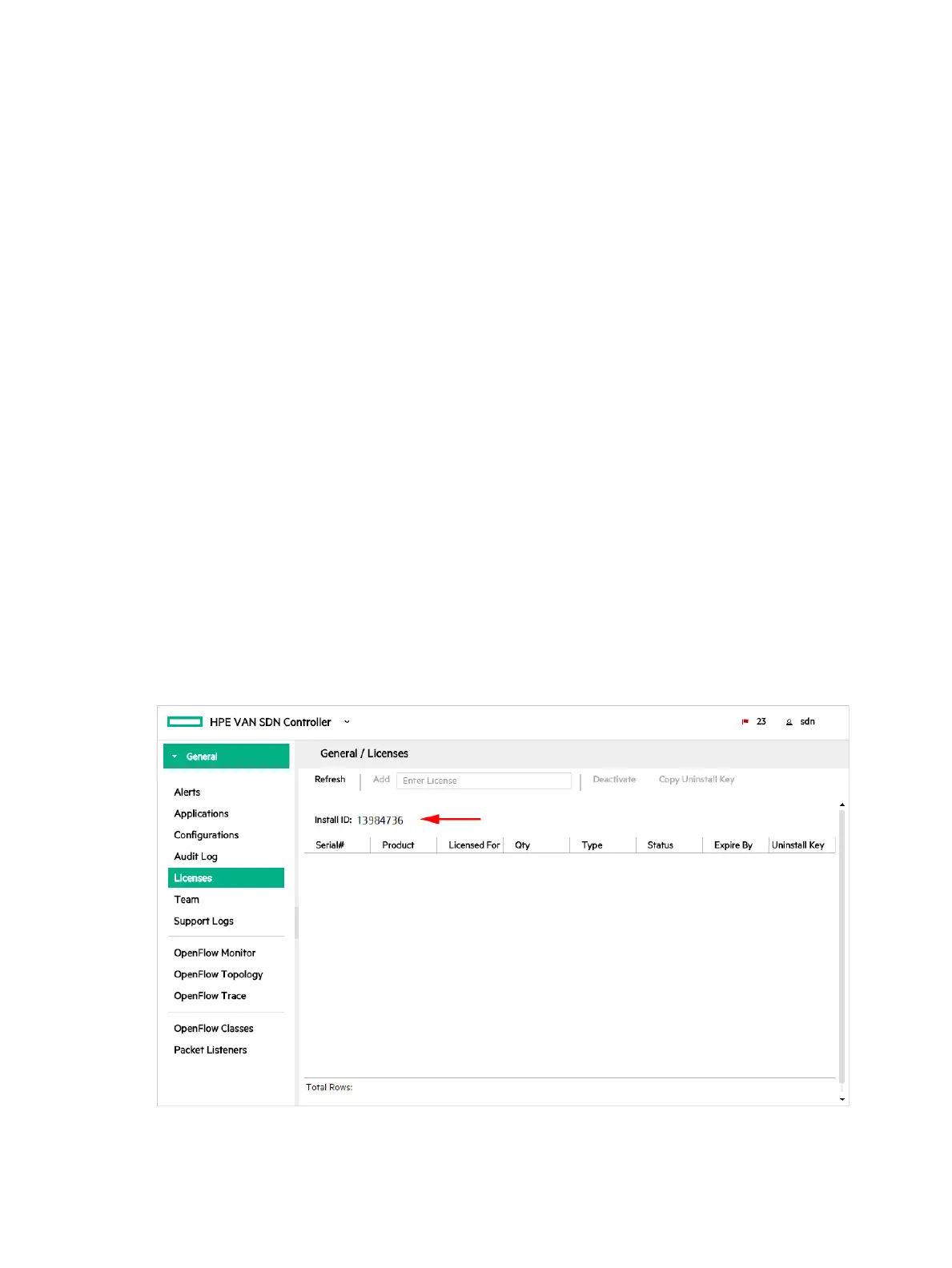
Each controller installation generates a unique Install ID that is used for licensing activities.
To view the Install ID using the UI, select Licences from the navigation menu. In the Licenses
screen, the Install ID appears before the list licenses.
To use curl commands and the REST APIs to complete this task, see “curl commands” (page 170).
Figure 50 Default License GUI
Registering and activating a license
Using your Install ID, you must now register your license on the My Networking portal. Doing
this results in a license key, which enables you to activate the license on the controller.
Preparing for license registration 87



 To Next Page