DescriptionScreen component
Copies the trace log into a CSV (comma-separated values) file. See see “Exporting the
OpenFlow Trace log” (page 72).
Export
The time the message event was generated.Time
The event type. For example:Event
CkPt
Indicates a check point in the trace log, such as the starting or stopping of a trace
operation.
Rx
Indicates an OpenFlow message received by the controller (from a datapath).
Tx
Indicates an OpenFlow message sent from the controller (to a datapath).
The Data Path ID of the data path associated with the event.Data Path ID
The trace message.Message
Starting, stopping, or clearing OpenFlow trace
Use the buttons above the Time field to control trace operations (see “OpenFlow Trace screen
details” (page 70)).
Displaying trace event details
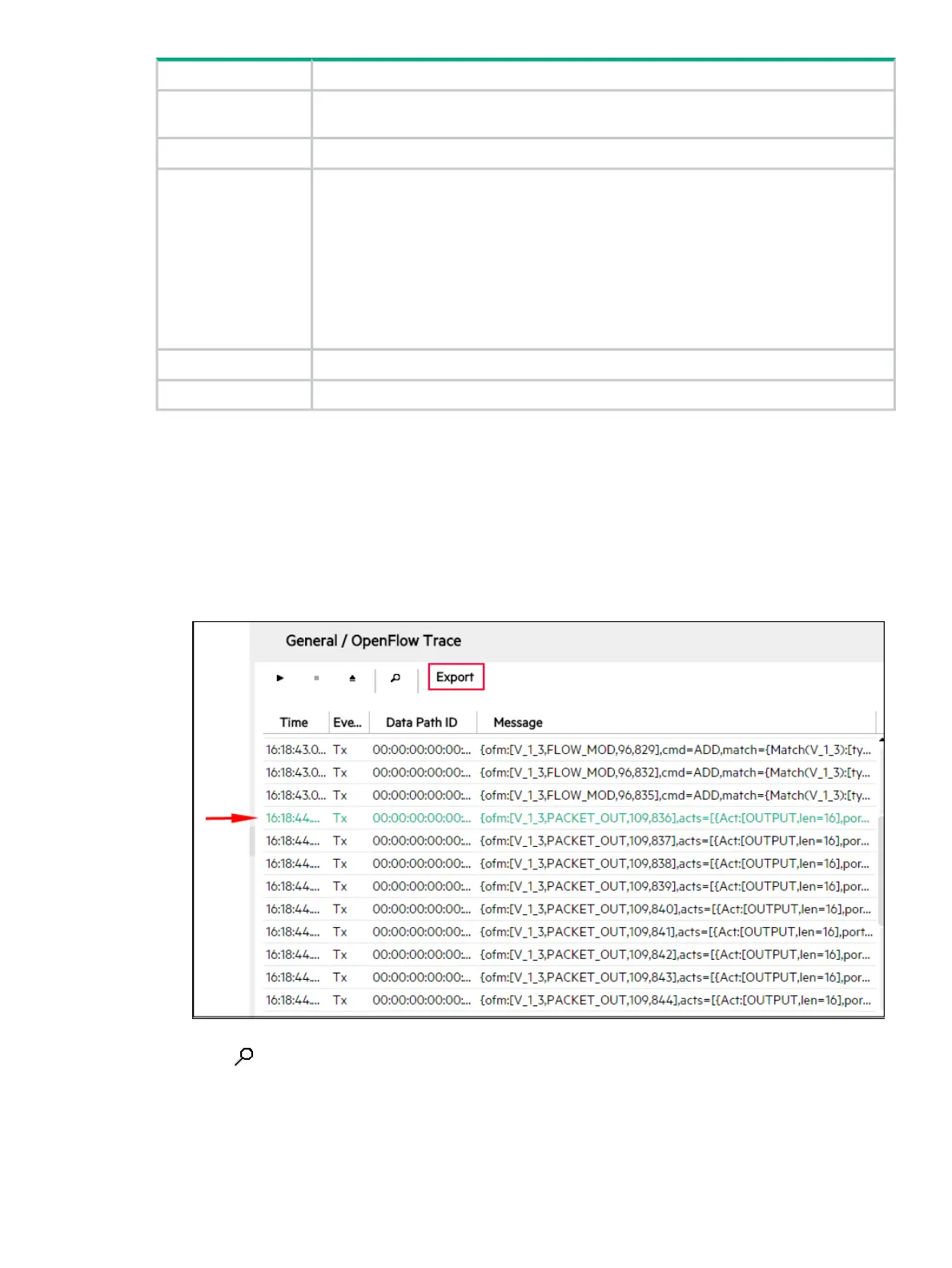
1. Select the event you want to examine.
Figure 36 Selecting an event in the OpenFlow Trace log
2. Click . Alternatively, double-click on the event.
The Event Detail dialog box is displayed.
OpenFlow Trace log 71



 To Next Page