5. Record the license key in the above screen for use when you activate the license on the
controller.
Activating a license on the controller
To activate a license on the controller, you must add the license key. If the controller has no
licenses listed, enter the license key for the HPE VAN SDN Ctrl Base SW w/50–node E-LTU
before you add any other license keys.
There are several ways to activate a license on the controller:
• To use the controller UI to activate a license, see “Adding and activating a license using the
controller UI” (page 92)
• To use a Python script on the controller to complete this task, see “Activating a license using
a script” (page 93)
• To use curl commands and the REST APIs to complete this task, see “curl commands”
(page 170).
Adding and activating a license using the controller UI
Use the following procedure to add and activate a license using the controller UI.
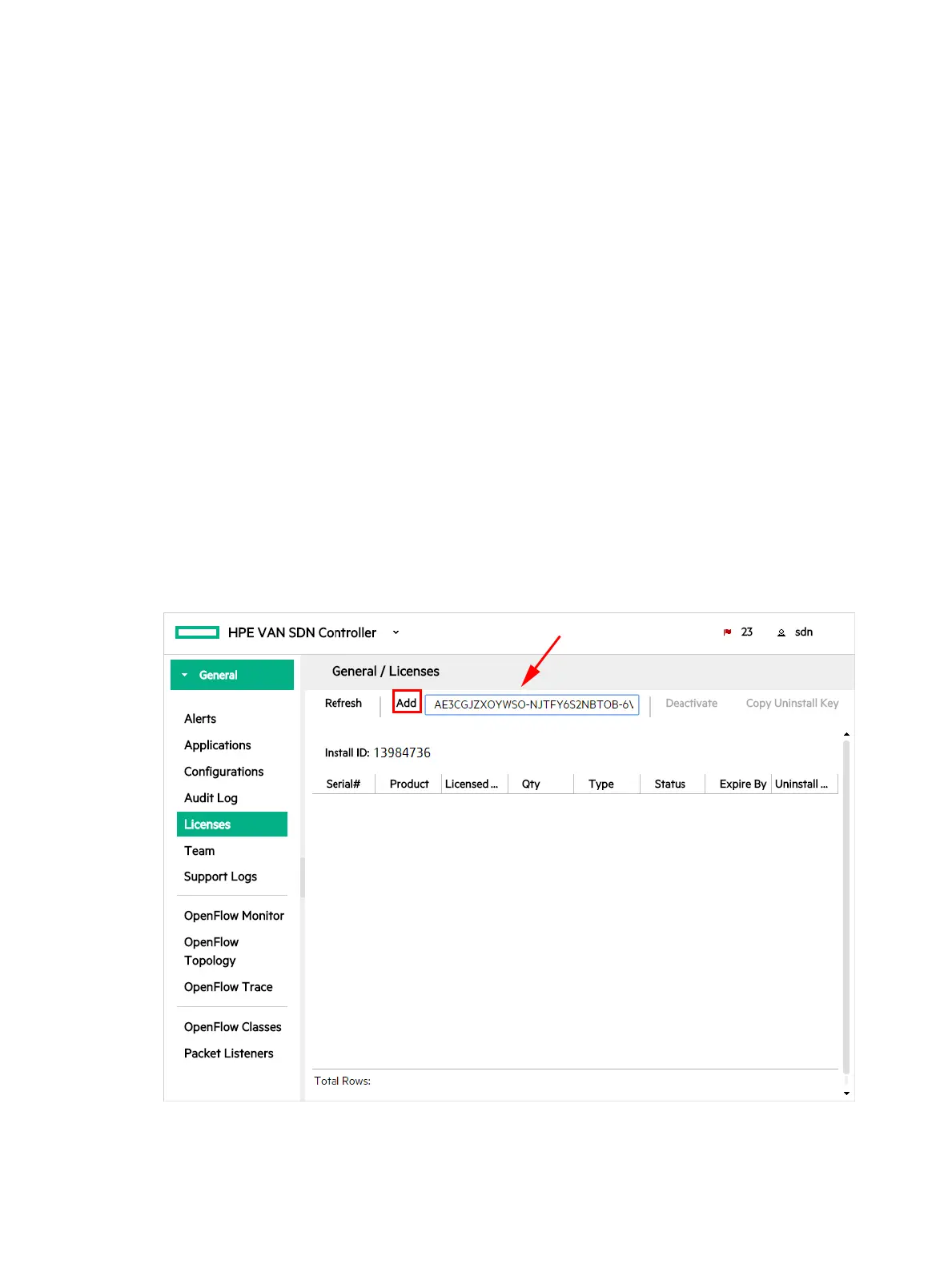
1. In the controller UI, from the navigation menu, select Licenses.
2. On the Licenses screen, enter the license key you acquired in “Registering your license
and obtaining a license key” (page 88) in the text box next to the Add button.
Entering the key in the field enables the Add button.
Figure 55 Enter the License Key
92 License Registration and Activation



 To Next Page