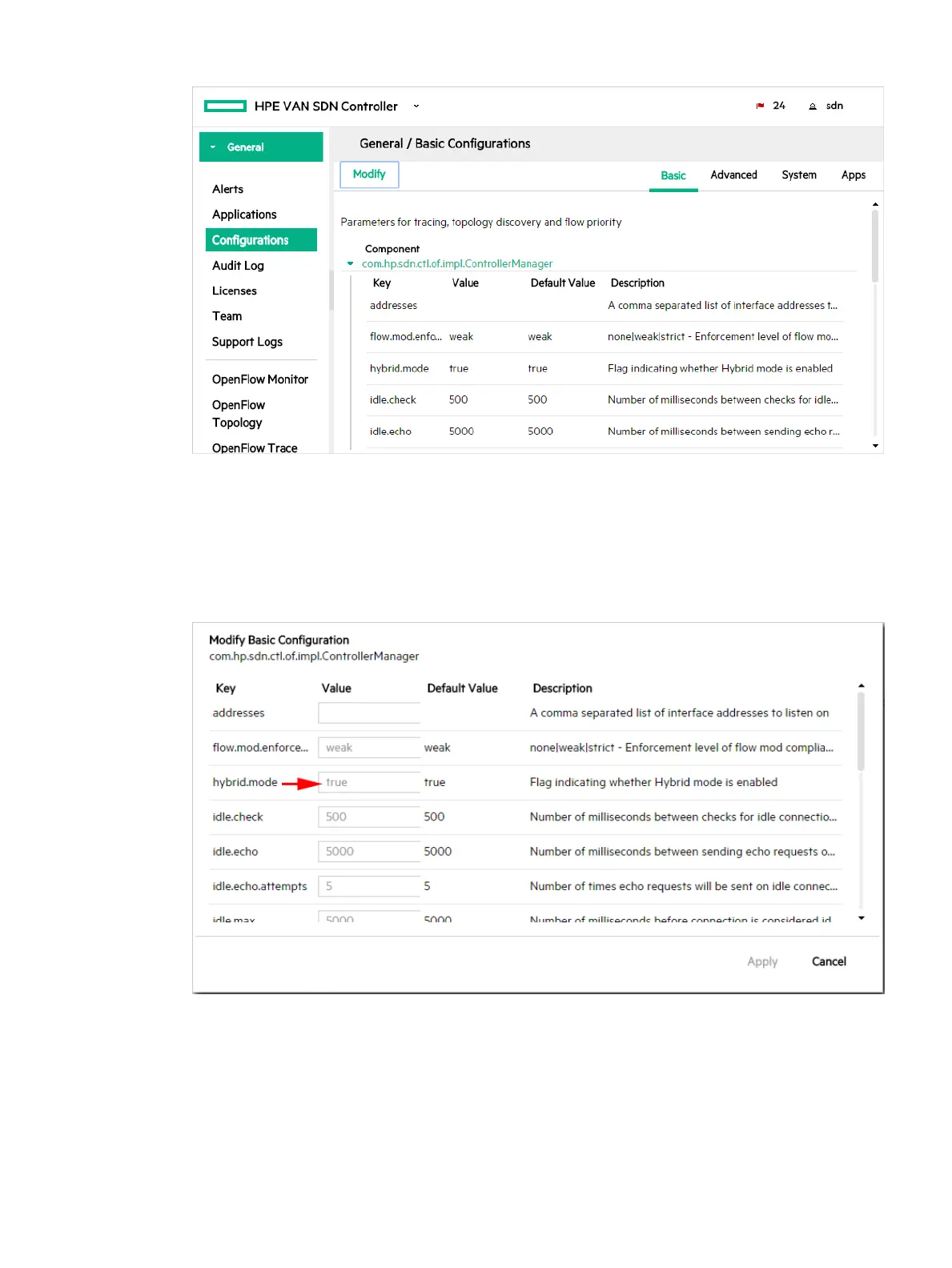
Figure 46 Open the Controller Manager component
Continue with the following steps if you want to change the setting.
3. Click Modify.
The Modify Basic Configuration dialog box is displayed for the
com.hp.sdn.ctl.of.impl.ControllerManager component.
Figure 47 Select the hybrid.mode field
4. Set hybrid.mode to one of the following:
• true (the default): Enables hybrid mode. The controller makes packet-forwarding
decisions only as required by installed applications.
• false: Disables hybrid mode. The controller makes all forwarding decisions. (Release
2.0 of the HPE VAN SDN Controller operates only in this mode – pure OpenFlow mode).
Viewing and changing the hybrid mode configuration 81



 To Next Page