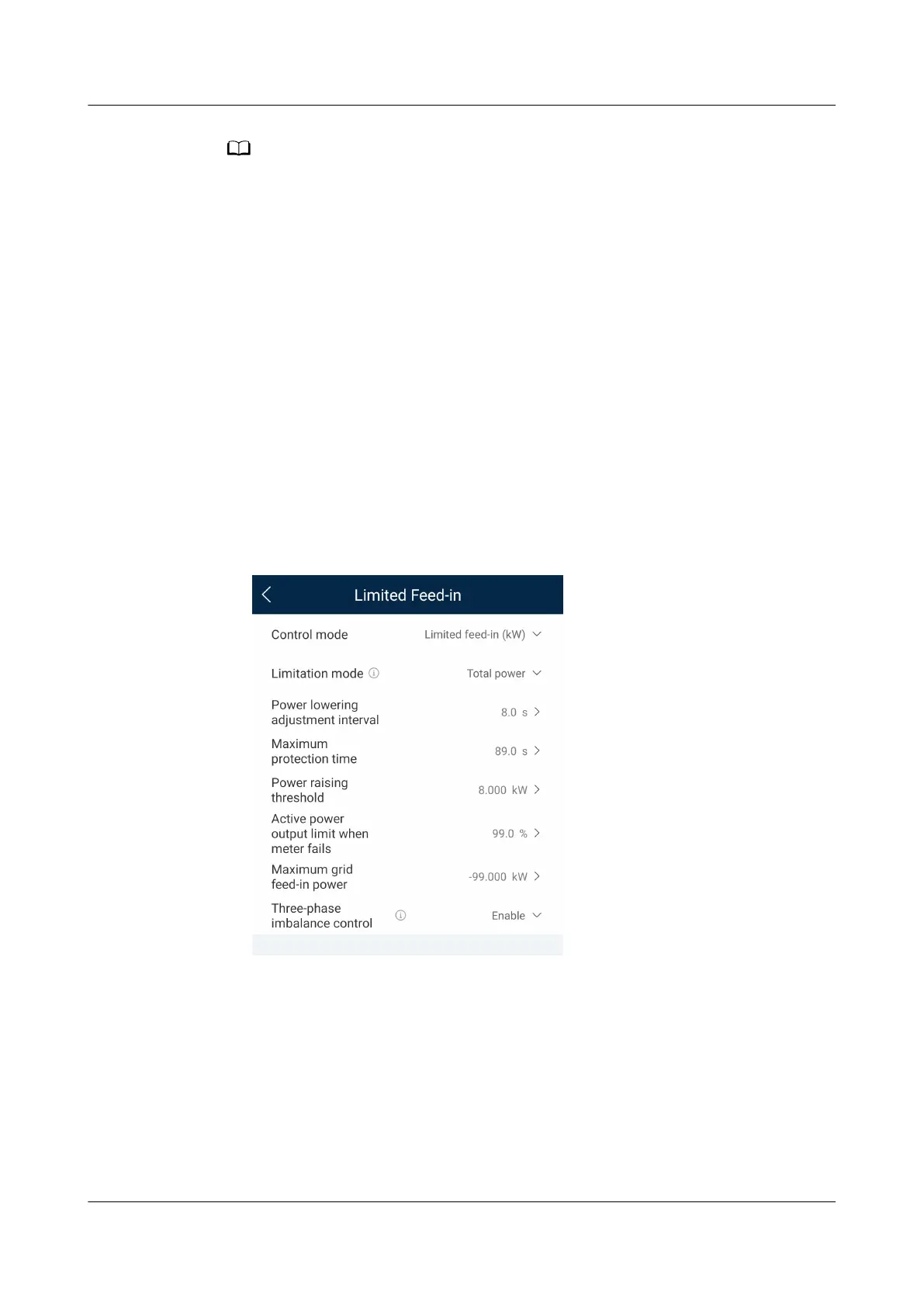
Three-phase imbalance control is supported in the EMMA networking scenario where only
one inverter is applied or multiple inverters are connected in parallel.
Prerequisites
● Choose Device monitoring > Inverter > Settings and check that Output
mode is set to Three-phase, four-wire and Meter Connection Mode in
Settings is set to Three-phase four-wire.
● In the asymmetric phase feeding with feed-in limitation scenario, choose
Power adjustment > Limited Feed-in and check that Limitation mode is set
to Single phase power.
● In the PV+ESS asymmetric phase feeding for self-consumption scenario,
choose Power adjustment > Battery control and check that Working Mode
is set to Maximum self-consumption or TOU.
Procedure
1. Log in to the local commissioning screen.
2. Choose Power adjustment > Limited Feed-in and set Three-phase
imbalance control to Enable.
7.3.4 (Optional) Setting the Physical Layout of the Smart PV
Optimizers
The Smart PV Optimizer is a DC to DC converter which implements maximum
power point tracking (MPPT) of each PV module to improve the energy yield of
the PV system. It enables module-level shutdown and monitoring.
If optimizers are congured for PV modules, you can view the physical location of
each optimizer after creating a physical layout. If a PV module is faulty, you can
quickly locate the faulty PV module based on the physical layout to rectify the
SUN2000-(5K-12K)-MAP0 Series
User Manual 7 Power-On and Commissioning
Issue 01 (2024-05-13) Copyright © Huawei Digital Power Technologies Co., Ltd. 102












 To Next Page