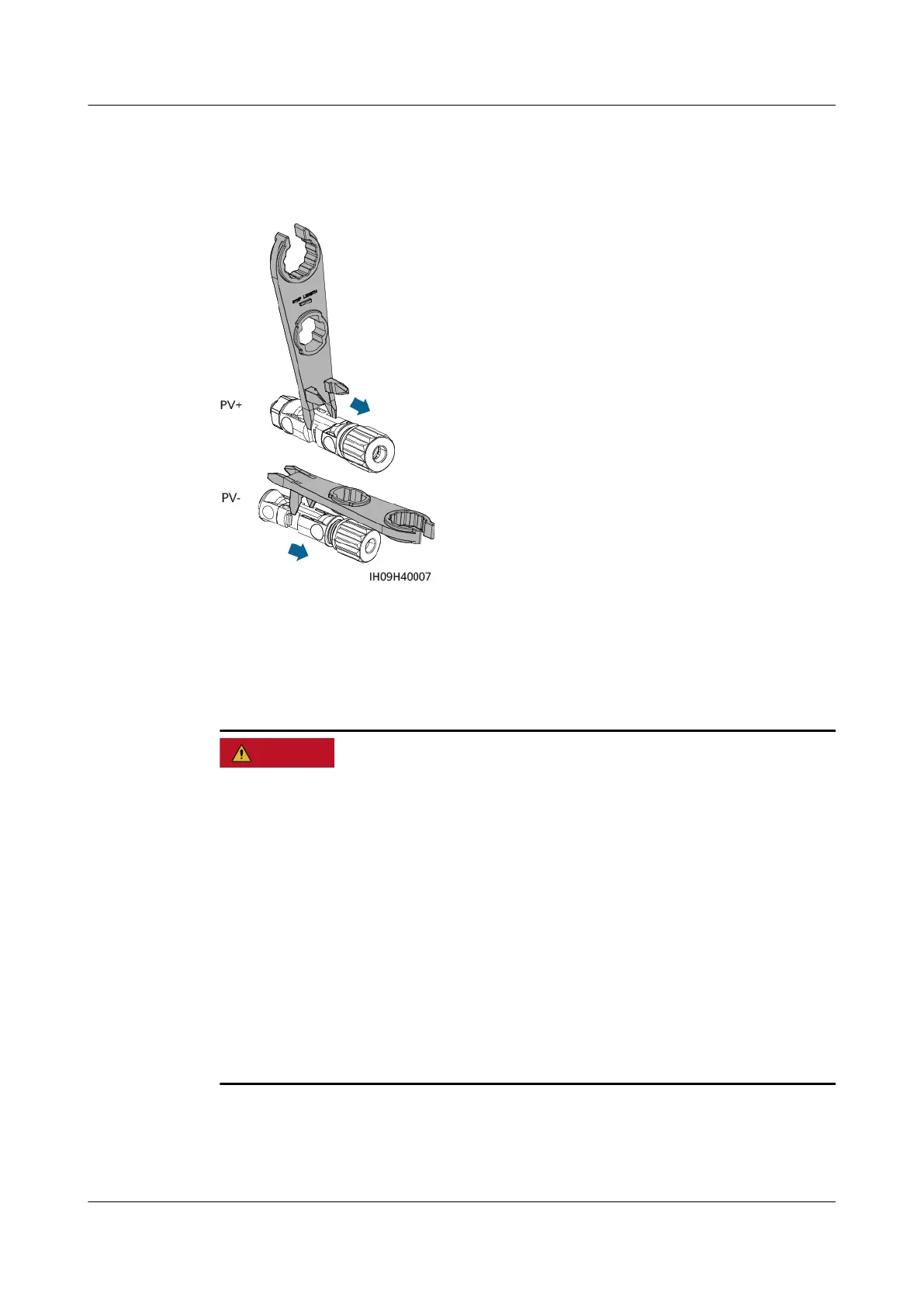
To remove the positive and negative connectors from the inverter, insert an open-
end wrench into the notch and press the wrench with an appropriate force.
Figure 5-11 Removing a DC connector
5.6 (Optional) Connecting Battery Cables
Precautions
● Battery short circuits may cause personal injury. The high transient current
generated by a short circuit may release a surge of power and cause re.
● Do not connect, disconnect, or perform other maintenance operations on
battery cables when the inverter is running. Otherwise, electric shocks may
occur.
● Before connecting the battery cables, ensure that the DC SWITCH on the
inverter and all the switches connecting to the inverter are OFF, and that the
inverter has no residual electricity. Otherwise, the high voltage of the inverter
and battery may result in electric shocks.
● If no battery connects to the inverter, do not remove the waterproof covers
from the battery terminals. Otherwise, the ingress protection (IP) rating of the
inverter will be aected. If a battery connects to the inverter, keep the
waterproof covers properly and reinstall them immediately after removing the
connectors.
SUN2000-(5K-12K)-MAP0 Series
User Manual 5 Electrical Connections
Issue 01 (2024-05-13) Copyright © Huawei Digital Power Technologies Co., Ltd. 54












 To Next Page