Step 6 Set the DC SWITCH on the inverter to ON.
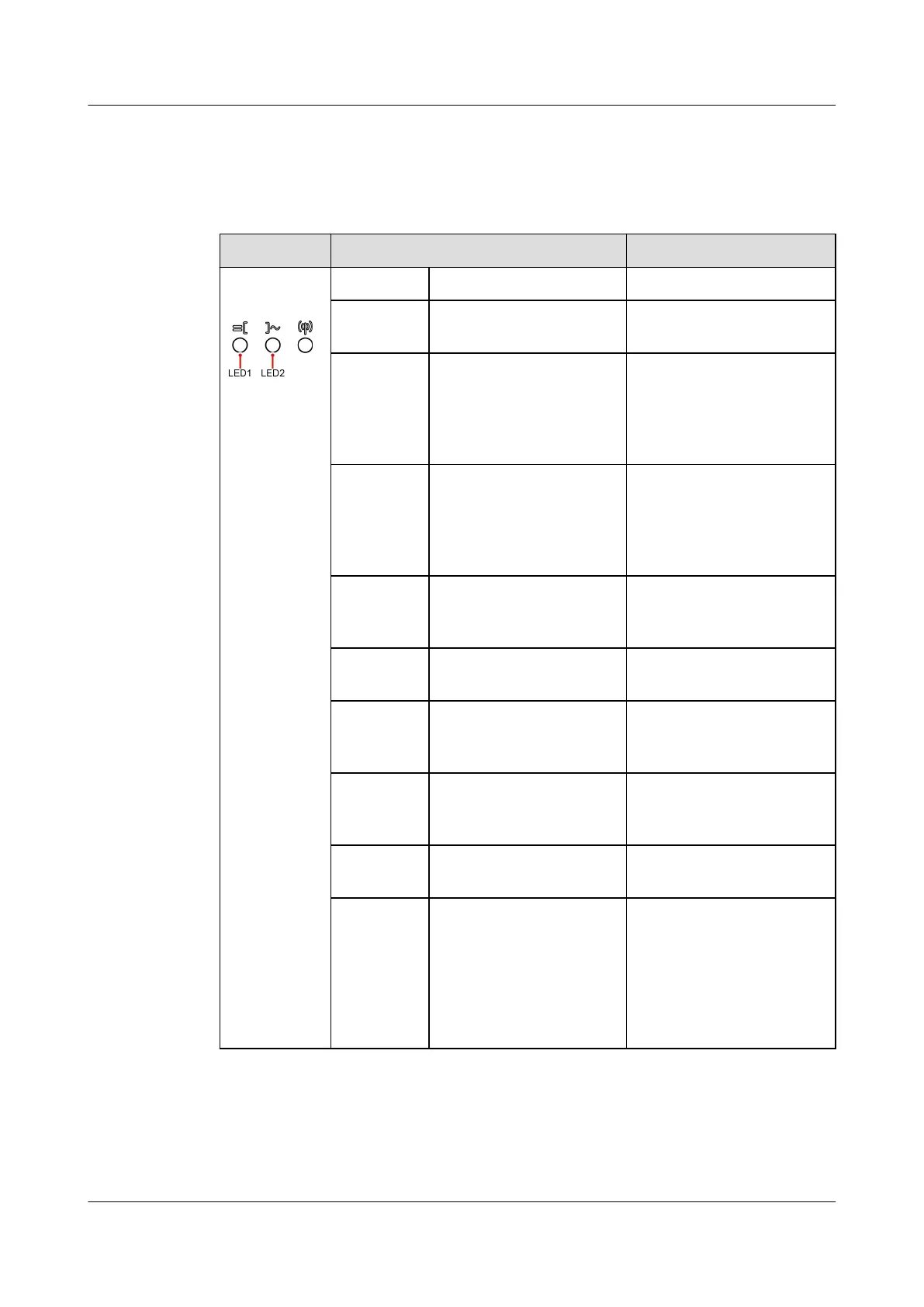
Step 7 Observe the LED indicators to check the status of the inverter.
Table 7-1 LED indicator description
Category Status Description
Running
indication
LED1 LED2 -
Steady
green
Steady green The inverter is operating
in grid-tied mode.
Blinking
green
slowly (on
for 1s and
o for 1s)
O The DC is on and the AC
is o.
Blinking
green
slowly (on
for 1s and
o for 1s)
Blinking green slowly
(on for 1s and o for
1s)
Both the DC and AC are
on, and the inverter is
o-grid.
O Blinking green slowly
(on for 1s and o for
1s)
The DC is o and the AC
is on.
Steady
yellow
Steady yellow The inverter is running in
o-grid state.
Blinking
yellow
slowly
O The DC is on and the
inverter has no output in
o-grid state.
Blinking
yellow
slowly
Blinking yellow slowly The inverter is
overloaded in o-grid
state.
O O Both the DC and AC are
o.
Blinking
red fast
(on for
0.2s and
o for
0.2s)
- There is a DC
environmental alarm,
such as High String
Input Voltage, String
Reverse Connection, or
Low Insulation
Resistance.
SUN2000-(5K-12K)-MAP0 Series
User Manual 7 Power-On and Commissioning
Issue 01 (2024-05-13) Copyright © Huawei Digital Power Technologies Co., Ltd. 87












 To Next Page